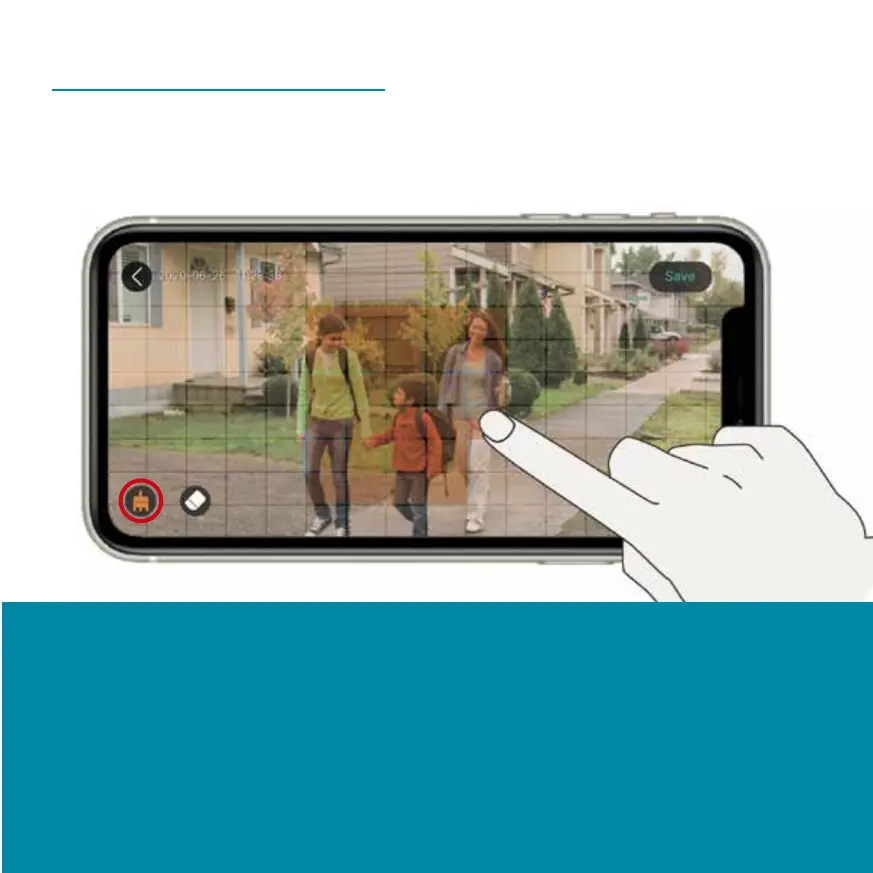
Detection Zone
The detection zone allows you to set up your motion
sensor to detect motion only in the area you select.
Select the desired detection zone with your finger.
Movements are only detected in the area highlighted in
yellow. You can delete your entry with the eraser icon.
After you have marked the desired area, press 'Save' in
the upper right corner.


 To Next Page