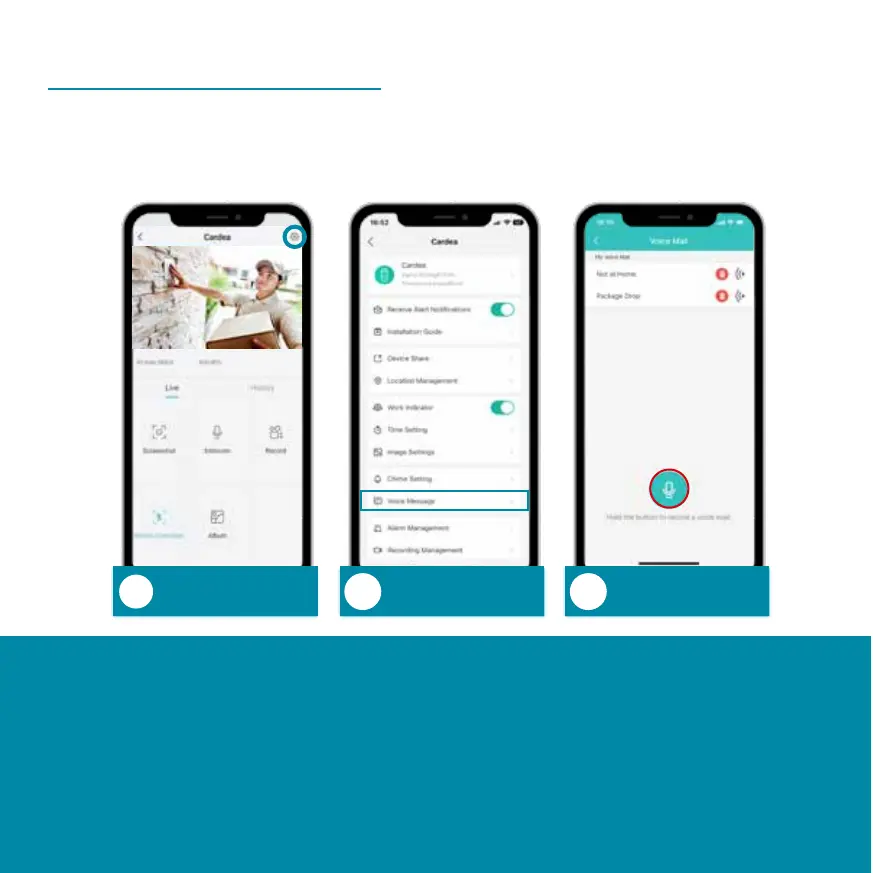
Voice Message
Settings
Voice
Message
Record voice
message
Follow the steps above to record a voice message. Up to
three different voice messages can be recorded. When a
visitor call comes in, you have the option to accept the call
or play one of your recorded messages to the visitor via
the Cardea loudspeaker.
You can record a message to play when a visitor calls if
you cannot answer the call.


 To Next Page