Initial commissioning (WP-C512W4) - Preparation
Before you start commissioning the WP-C512W4 surveillance camera, please consider the
following:
1) You should be near the router when you start the initial operation.
2) Make sure you have disabled the 5 Ghz WiFi network in the router settings.
3) Your smartphone or tablet must be logged on to the same WiFi network as the
surveillance camera.
4) The preset password of the surveillance camera is: admin
Initial comissioning WP-C512W4 - Interior Camera
After all preparations have been completed, you can start commissioning the
surveillance camera/s:
1) Connect the surveillance camera to the power supply with the included power
supply. The boot-up process takes a few seconds.
2) The surveillance camera rotates 355° and then tilts 90°.
3) After the startup process is complete, the following voice prompts:
'Ready to connect'.
Note: If the voice prompt does not sound, reset the surveillance camera to the factory and restart.
4) The surveillance camera is now ready for operation and can be connected to your
app user account.
5) Go to the ADCloud App and follow these steps to connect your surveillance
camera/s to your user account in the app.
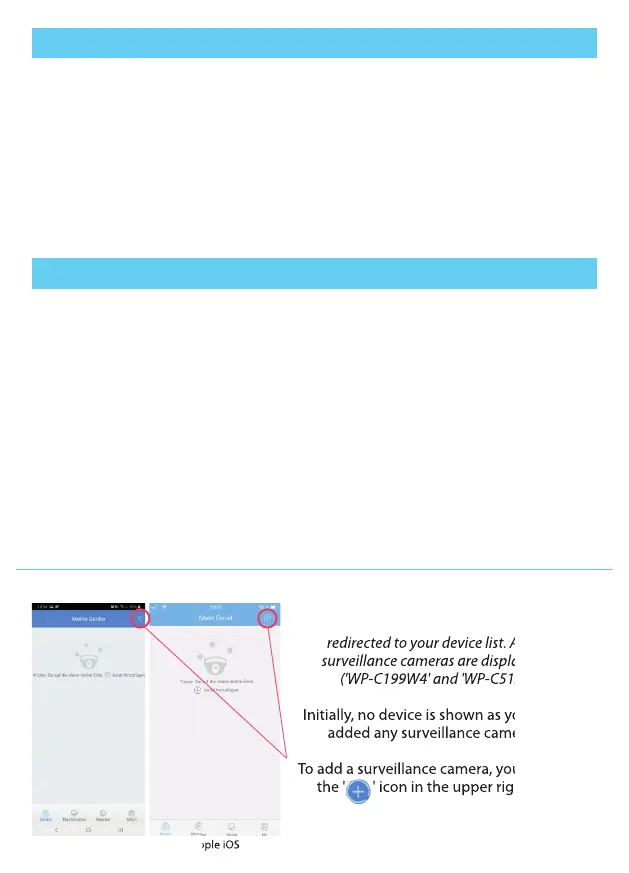
Android Apple iOS
After signing in to the ADCloud App, you will be
redirected to your device list. All active
surveillance cameras are displayed here
('WP-C199W4' and 'WP-C512W4').
Initially, no device is shown as you have not
added any surveillance cameras yet.
To add a surveillance camera, you must press
the ' ' icon in the upper right corner.
redirected to your device list. All active
surveillance cameras are displayed here
('WP-C199W4' and 'WP-C512W4').
Initially, no device is shown as you have not
added any surveillance cameras yet.
To add a surveillance camera, you must press
the ' ' icon in the upper right corner.
15


 To Next Page
 Loading...