ADCloud App
In the following section we will introduce you to the ADCloud App in more detail.
We will look at all the features that the App has to oer and provide you with a
comprehensive list of all the surveillance camera options and settings.
To get the most out of your surveillance camera and understand the full scope of
the ADCloud App, we encourage you to read this manual carefully.
In addition to the settings already described in this manual (for example, Create
User Account / Initial Commisioning / WiFi Connection / etc ...), this section will
give more details about the user-/ language-/ and device settings.
General Information
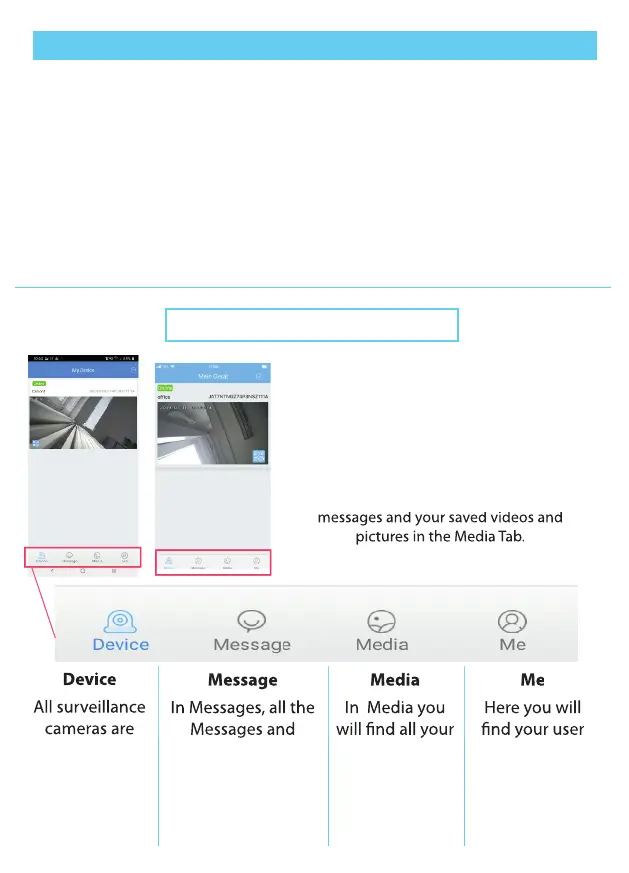
Once you have logged into your user
account, you will automatically be
redirected to your device list.
Here you can not only see all your
surveillance cameras, but from here you
can also access your user settings, your
messages and your saved videos and
pictures in the Media Tab.
Device
All surveillance
cameras are
displayed in the
device list and
can be selected
from here.
Message
In Messages, all the
Messages and
Motion Notications
of your
surveillance cameras
are listed.
Media
In Media you
will nd all your
saved pictures
and videos.
(not SD card
memory)
Me
Here you will
nd your user
account settings
(Language /
Password / login
etc.)
21
messages and your saved videos and
pictures in the Media Tab.


 To Next Page
 Loading...