92-2001 • WATERCOLOR FIELD EASEL
ASSEMBLY/SET-UP INSTRUCTIONS CONTINUED
Martin/F. Weber Co.
4444 Lawton Avenue, Detroit, MI 48208 USA
Tel:(313)895-0700 • Fax:(313)895-0709
E-mail:Custservmud@aol.com
www.MartinUniversalDesign.com • www.weberart.com
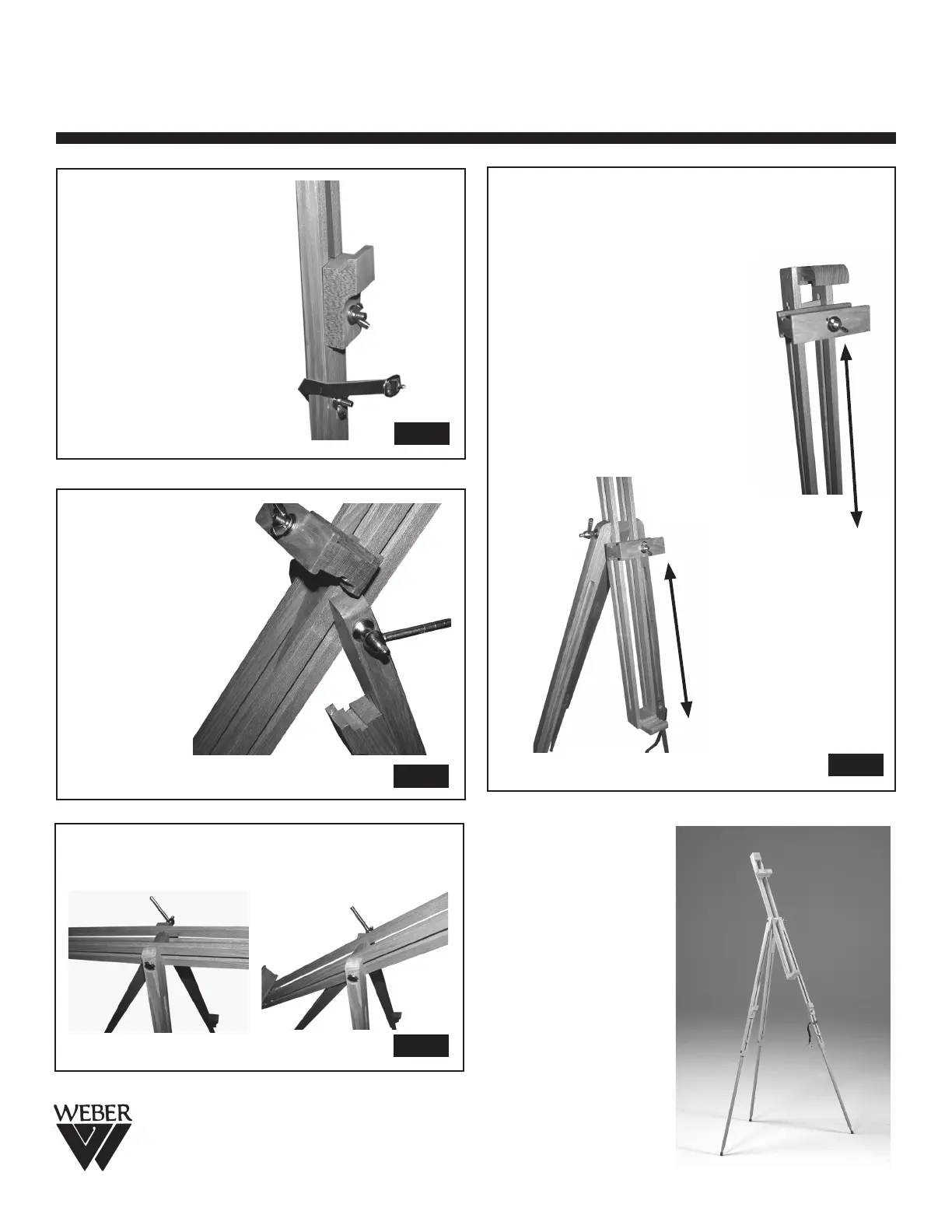
STEP 6. To adjust lower
canvas support holders,
loosen wing-nut and slide to
desired position and retighten
wing-nut to secure.
See Fig 6 below.
FIG. 6
STEP 7. Lever
on side of easel
is used to allow
for adjustment of
center column.
Once desired
angle/tilt or
horizontal position
is obtained,
re-tighten lever to
secure. See Fig 7.
FIG. 7
STEP 8. Fig. 8 shows how the center column support
can be turned to allow for desired tilt of column, by
loosening the lever on the easel.
FIG. 8
STEP 9. The adjustable canvas support located on
the center column can be used for small canvases and
large canvases.
To use the
easel for larger canvases up to 33.5” H use
position [A]. Position [A] allows the canvas support to
be moved to the top of the center
column. Secure canvas to lower canvas
supports found on the two front legs.
Secure by tightening wing-nut
on canvas support.
To use the easel for smaller canvases
12.25”H canvas or less, use position [B].
This time flip center c
olumn around to
other side of easel by loosening lever
and re-tightening after center column is
turned to rear of easel. See Fig. B
FIG. 9
[A]
[B]
[B] position can hold
a 1”H canvas to max
12.25” H canvas
STEP 10.
Enjoy Painting!
[A] position can
hold up to a 33.5” H
canvas


 To Previous Page
 Loading...