English
15
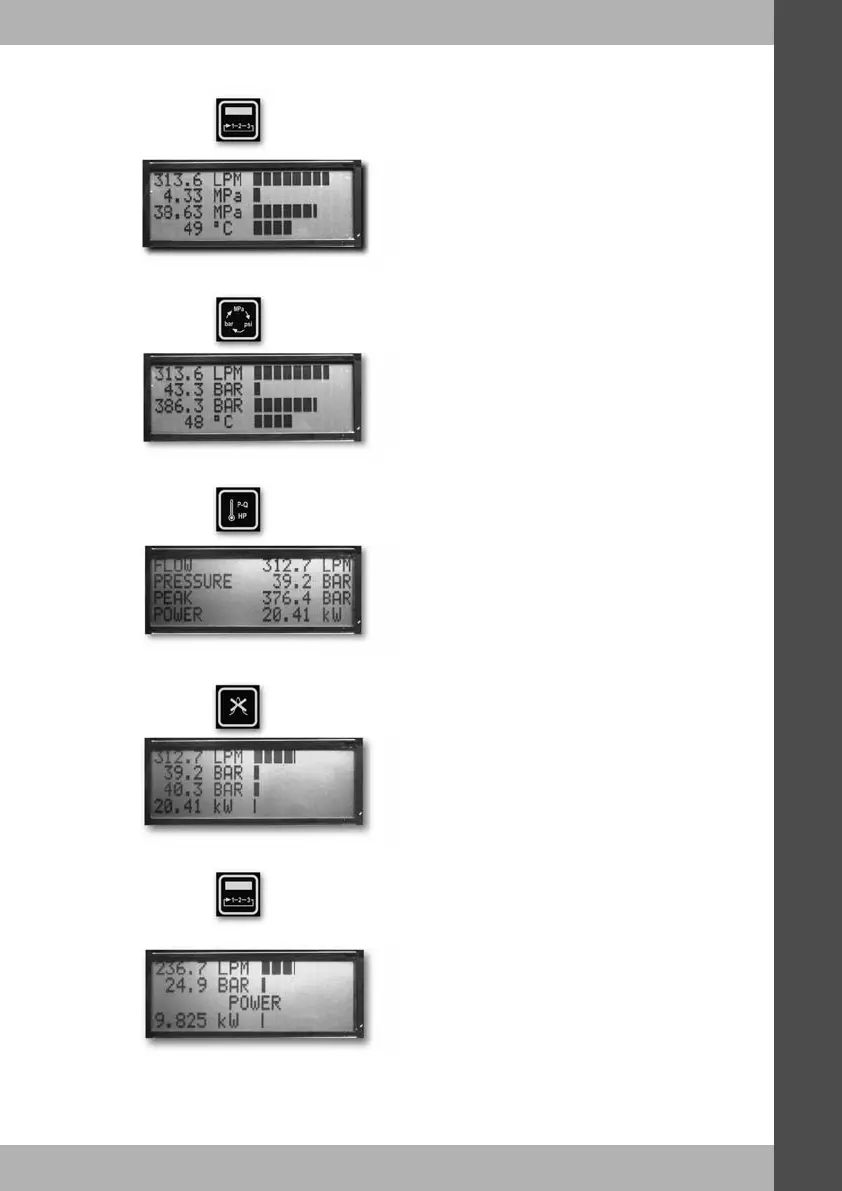
Press if you wish to see the readings displayed as values, engineering units
and a bar graph, this is screen2.
Pressing will once again allow you to change the engineering units for
pressure.
Pressing will toggle the bottom line of the display between temperature and
power.
Pressing at any time when on screen1 or 2 will clear the peak pressure.
Pressing now will open screen3 used to test pump efficiency. When first
accessing this screen, power will be displayed on the bottom line,
until you have set your efficiency reference point.


 To Next Page