English
14
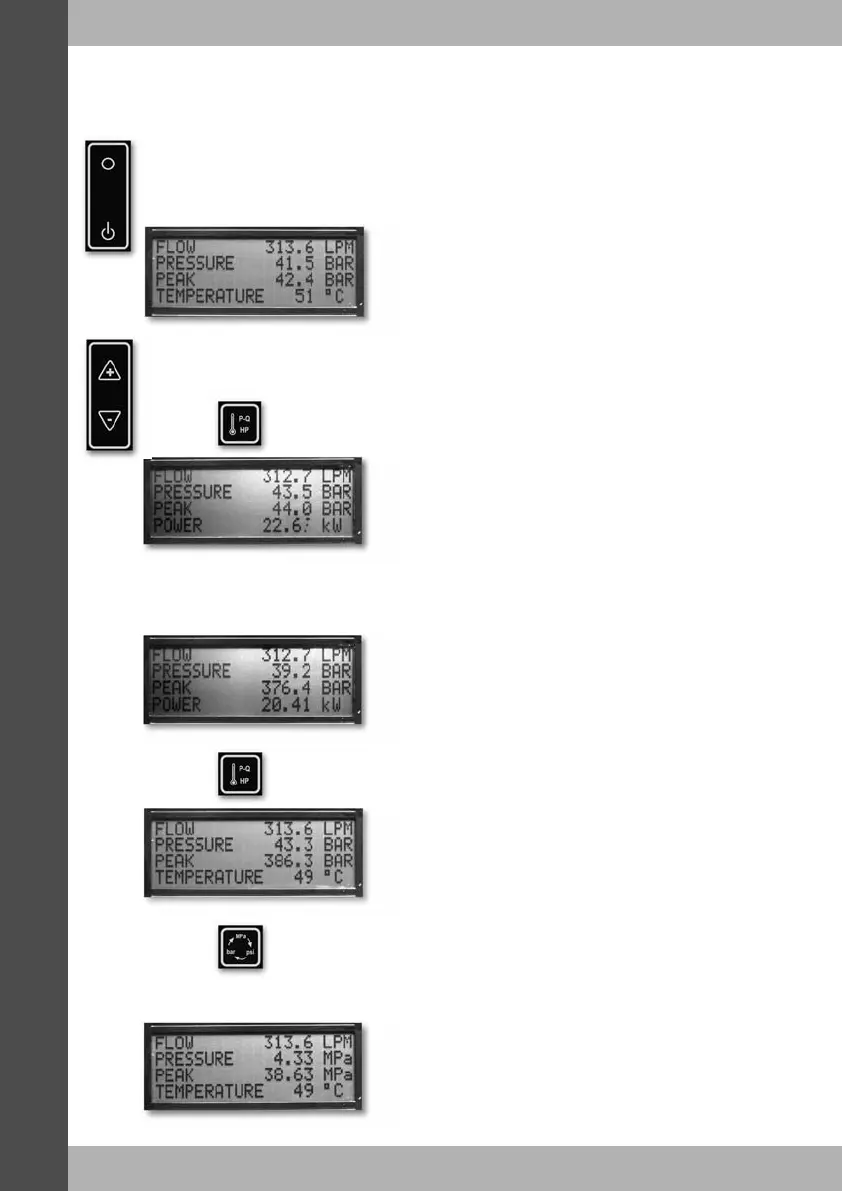
Turn the tester on by flipping the rocker switch to the ‘ON’ position.
The display will return to the last screen viewed, indicating the current conditions. The
engineering units will be as selected when the tester was last used.
If the screen starts flashing, then the battery should be replaced as soon as possible.
Now that the tester is turned on, you may use the contrast adjustment buttons to set
the contrast of the screen to suit the ambient lighting conditions.
Once adjusted, the setting will be remembered for next time the tester is switched on.
If the pressure in the system is now increased and then decreased, the second line on
the display will show the current pressure and the third line will show the peak pressure
reached so far.
Pressing again now, will change the bottom line of the display back to
temperature.
DHM Operation
Pressing on screen1 will change the bottom line of the display from
temperature to power.
Pressing now will allow you to change the engineering units for pressure. Keep
pressing this button until the desired units are displayed. If power is
being displayed, then its engineering units will change to suit the
selected pressure units.


 To Next Page
 Loading...