This document provides instructions for cleaning and sterilization of the Weco Edger, specifically models E.32, E.32 groove, E.12, and E.12 groove, manufactured by Luneau Technology. The primary function of this device, as implied by its name "Edger," is likely to edge or shape lenses, a common task in optical laboratories or retail environments. The document focuses exclusively on maintenance procedures, specifically cleaning and sterilization, rather than operational instructions. For operational details, users are directed to consult the USER MANUAL for each specific model.
Function Description (Inferred from context):
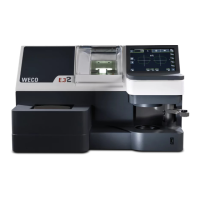
The Weco Edger is an optical laboratory instrument designed for processing lenses. Its models, E.32, E.32 groove, E.12, and E.12 groove, suggest variations in capabilities, possibly related to lens types, edging styles (e.g., grooving for rimless frames), or processing speeds. The presence of components like a clamping unit, layout plate, lens holder, lens blocker arm, tracer drawer, edging chamber, and touchscreen indicates a sophisticated device capable of precise lens manipulation and shaping. The mention of "edging chamber" strongly suggests that the core function involves grinding or cutting lens material to a desired shape and size.
Important Technical Specifications (Inferred/Explicit):
- Models: E.32, E.32 groove, E.12, E.12 groove. These model numbers likely denote different generations, feature sets, or capacities of the Weco Edger series.
- Manufacturer: Luneau Technology Operations.
- Cleaning Agent: Cidalkan wipes (incl. alcohol, disinfectant). This is explicitly recommended for various cleaning tasks.
- Standards: CE 0459, indicating compliance with European health, safety, and environmental protection standards.
- Contact Information: Tel. +33 232 989 132, contact@luneautech.com, www.luneautech.com.
Usage Features (Inferred from maintenance instructions):
While the document doesn't detail operational usage, the components mentioned provide insight into the user interaction:
- Clamping Unit and Parts: Used to securely hold lenses during the edging process.
- Layout Plate and Lens Holder: Likely for positioning and aligning lenses before processing.
- Lens Blocker Arm: A mechanism to hold or block the lens in place.
- Tracer Drawer and Cover: Suggests a component that traces the shape of a frame or pattern to guide the edging process.
- Edging Chamber: The primary area where the lens shaping occurs.
- Touchscreen: A modern user interface for controlling the device and inputting parameters.
- ON/OFF Switch: Standard power control.
- Toolsbox: Implies that the device may come with specific tools for operation or minor adjustments.
Maintenance Features:
The document provides comprehensive instructions for cleaning and sterilization, emphasizing regular maintenance for user comfort and to prevent deterioration or damage to the equipment. It explicitly states that cleaning conducted by processes other than those described may cause harm.
- General Recommendation: Clean the device regularly.
- Cleaning Agent: Cidalkan wipes (containing alcohol and disinfectant) are the primary recommended cleaning solution. Users are warned against using other solutions that may damage or discolour the device.
- Frequency:
- Clamping Unit and Parts: Twice a day, or before changing users.
- Edging Chamber Visor: Twice a day, or before changing users.
- Touchscreen: After every use.
- Layout Plate and Lens Holder: After every use.
- Lens Blocker Arm: After every use.
- Tracer Drawer and Cover: After every use.
- ON/OFF Switch: Every time after switching off the machine, preferably after removing gloves.
- Toolsbox: Regularly, focusing on the exterior and handles.
- External Body: Regularly, with specific attention to the regions around the edging chamber, touchscreen, layout plate, and tracing unit (for E.32 Groove).
- Procedure:
- Before Cleaning: Turn off the unit and unplug it from the electric outlet.
- Wiping Technique: Wipe gently without applying excessive force, especially for the touchscreen and mechanical parts.
- Cidalkan Wipes Usage:
- Take a wipe from its packaging and close tightly.
- Clean thoroughly by hand wiping.
- Leave the product on for 5 minutes (do not rinse).
- Dispose of the wipe; use a new wipe for each medical surface or device.
- Specific Cleaning Areas:
- Clamping Unit and Clamping Parts: Clean with Cidalkan wipes.
- Edging Chamber Visor: Clean with Cidalkan wipes.
- Touchscreen: Clean the screen and the area in front of it. Wipe gently to avoid excessive force.
- Layout Plate and Lens Holder: Clean with Cidalkan wipes.
- Lens Blocker Arm: Clean with Cidalkan wipes.
- Tracer Drawer and Cover: Clean with Cidalkan wipes.
- ON/OFF Switch: Clean with Cidalkan wipes.
- Toolsbox: Clean the exterior and handles.
- External Body: Gently wipe the top, bottom, and front surfaces of the plastic body.
The document serves as a critical guide for maintaining the hygiene and longevity of the Weco Edger, ensuring its safe and effective operation in a professional environment.

 To Next Page

 General