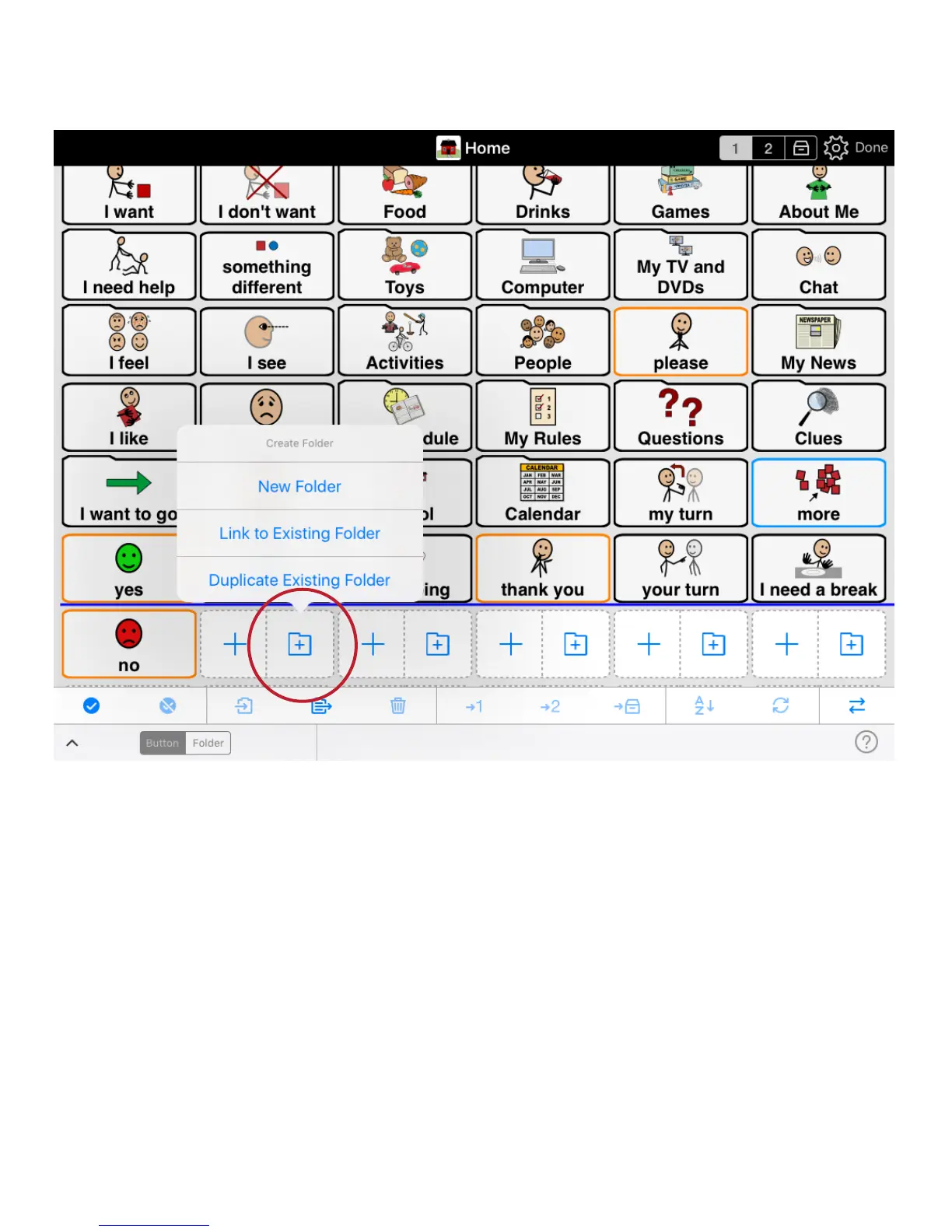
Create a new folder button and link it
Link to an existing folder of buttons:
Tap > Add Folder > Tap > Link to Existing Folder, and choose from the list of folders of buttons
displayed.
Link to a new folder:
Tap > Add Folder > Tap > New Folder.
Add buttons to a folder:
Double tap any folder to view the folder contents. New buttons can be added or edited.


 To Next Page