20
• Setup
Getting started
1. Connect the ITXPlus to a spare RS232 serial port on your PC using
the CBX100 interface kit (See diagram above).
2. Switch on the CBX100.
3.
Start the Setup/Calibration software on your PC. [The latest setup/
calibration software is available for free download from our website.]
4. A
pply power to the ITXPlus.
Warning: Take care to avoid touching the internal components when the
front panel is open.
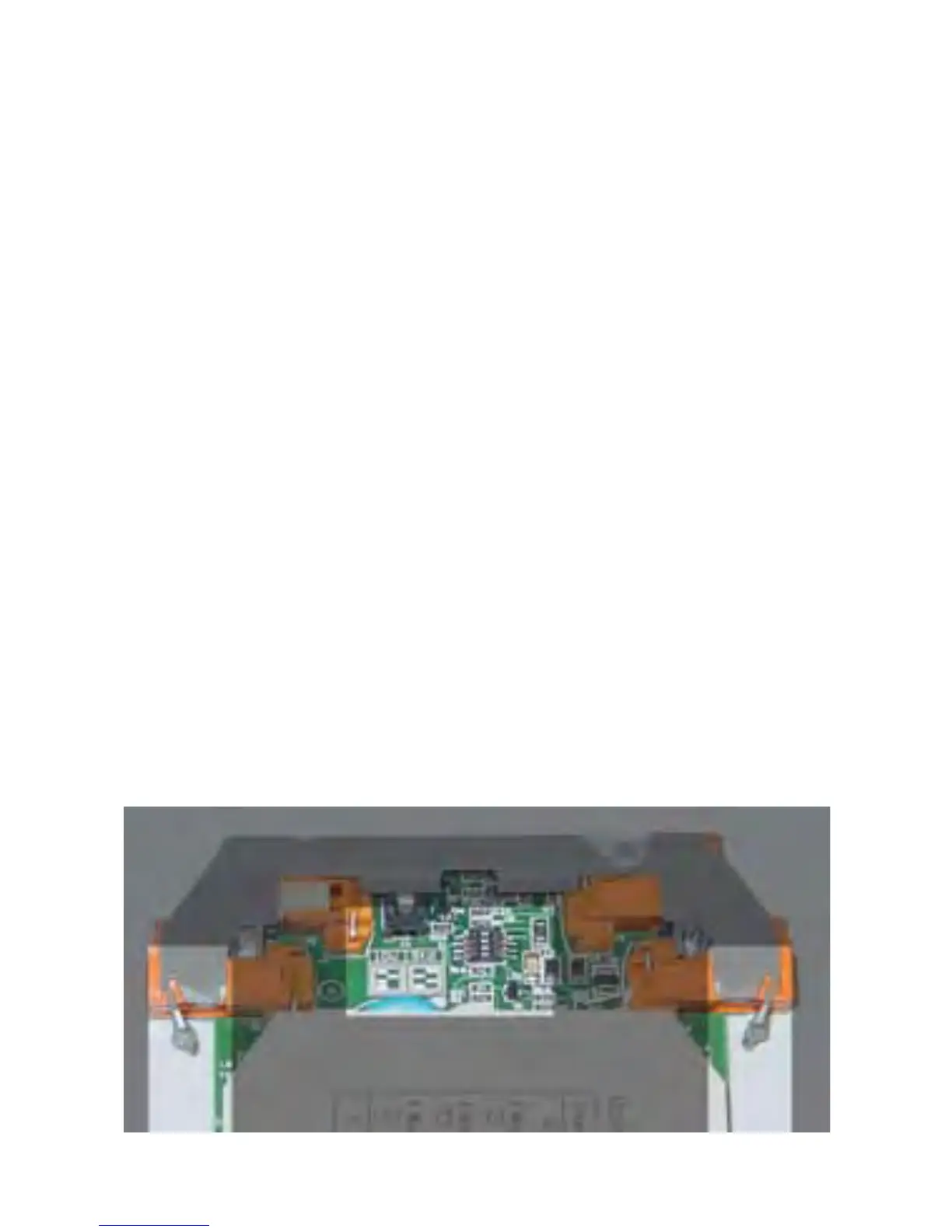
Attenuator switch
For input voltages above 1 V.
1. Push in the lugs marked A & B below.
2. Pull the electronics forward gently to reveal the attenuator switches.
3. S
et the switches to the position required.
4. Recalibrate the inputs (see over).
Attenuator switch location and front panel locating lugs A & B.
A
B



 To Next Page