
 Need help?
Do you have a question about the Weiser Lock Powerbolt 1000 and is the answer not in the manual?
Detailed list of all parts included in the Powerbolt 1000 package.
Steps for preparing the door and installing the deadbolt latch, including backset adjustment.
Installing the strike plate and mounting the touchpad and power strip.
Connecting the power board, inserting batteries, and securing the access cover.
Instructions for programming primary and secondary security codes.
How to lock, unlock, and operate the deadbolt using codes, keys, and internal controls.
Specific operational considerations for left-hand doors.
Information on battery life, door alignment, cold weather effects, and code retention.
Diagnosing and resolving problems with electronic functions, door handing, and code entry.
Details on product warranty, and warnings for unauthorized code attempts.
 General
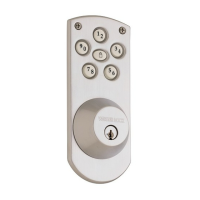
| Type | Electronic Deadbolt |
|---|---|
| Keypad | Backlit |
| Power Source | 4 AA Batteries |
| Lock Mechanism | Motorized deadbolt |
| Backup Key | Yes |
| Finish | Satin Nickel |
| Compatibility | Standard doors 1-3/8" to 1-3/4" thick |
| Grade | Grade 3 |
| Battery Life | 1 year |
| Warranty | 1-Year Electronics Warranty |
| Security Features | Auto-lock |

 To Next Page