13
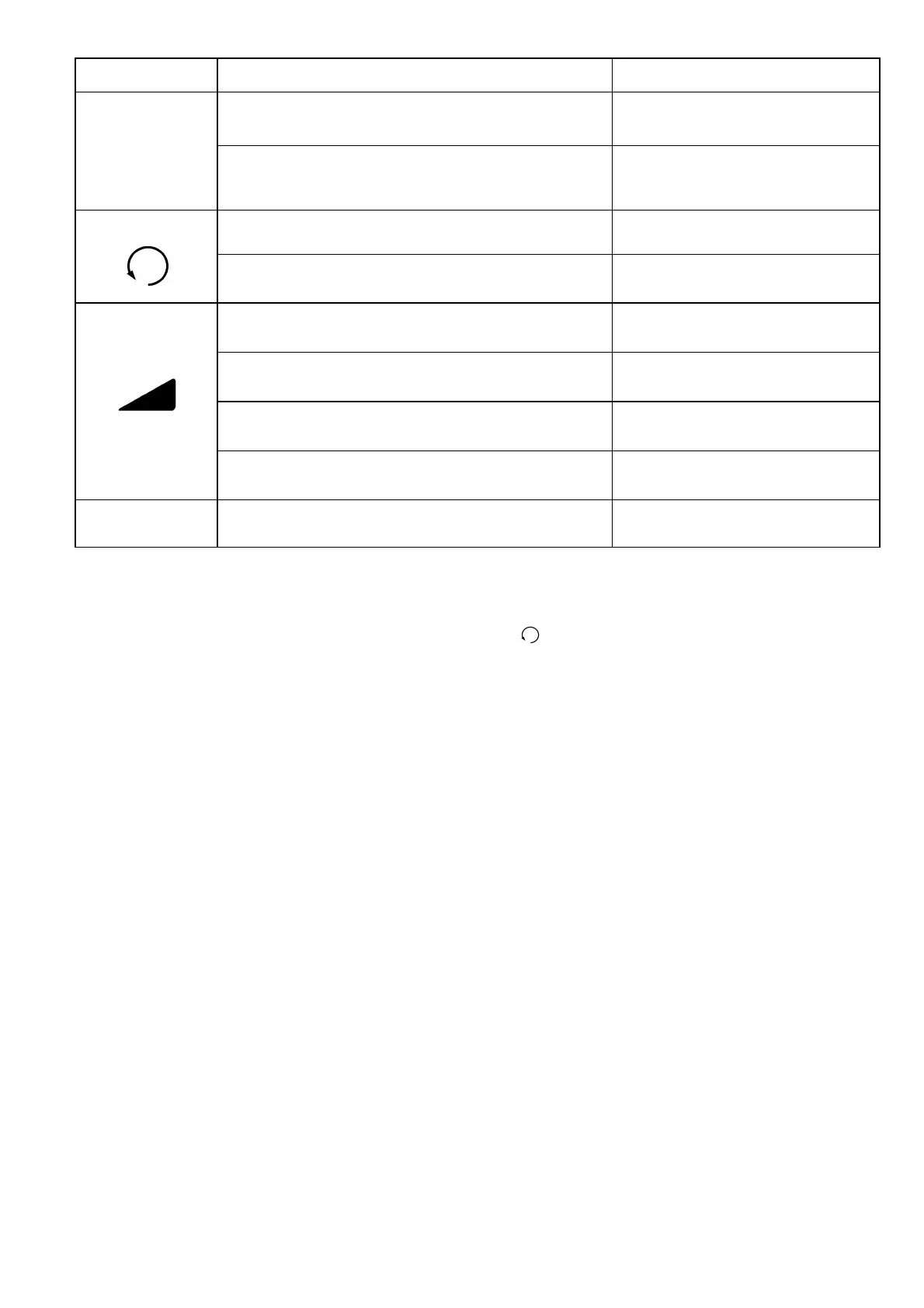
Diagnosis item LED colour and status cause location and solution
P
continously green all phases available and voltage
high enough
continously red phase missing or too low mains
voltage
2 check cable and fuses
continously green phases in correct order
continously red phases in incorrect order
2 change phases
first LED continously red machine is switched on and
consuming idle power
first and second LED continously red machine is switched on and
consuming half nominal power
first, second and third LED continously red machine is switched on and
consuming nominal power
first, second and third LED blinking machine is overloaded
2 decrease load
ALL LEDs blinking red machine is overheated
2 increase water flow
Display
If the DK42 E / DK52 E is connected to the electrical mains, the first two LEDs should light green. <P> signals
that all three phases with the correct voltage are present, < > signals the direction of rotation. If they light
up red, then not all phases are connected, or the direction of rotation must be changed in the phase reversing
plug.
When the motor is started, the first LED of the three load LEDs lights up. As the load increases, the second
load LED will illuminate and then the third - you have now reached full load.
If you continue to put load on the machine, these three LEDs will flash, indicating that you are operating the
machine in the overload range. It will now switch off depending on the amount of overload. With a low
overload of up to 20% you will be able to operate the machine without shutting it down. In the case of an
overload of up to 50%, it will take a few minutes to a few seconds for the machine to stop depending on how
far the machine is loaded from the 50% limit. From 50% overload, an immediate stop of the motor will occur.
With this behaviour the performance and robustness of the machine is thus largely retained.
Button functions
I
Start - the machine starts in normal operation with a short keystroke of less than 1 s. If the start
button is pressed permanently, the machine is running with soft turn, that means with significantly
reduced performance. This function is used to screw drill bits on the shaft of the machine. If the
button is released, the motor stops again.
O
Stopp - switch off the machine with a keystroke.
I
+
O
Reversing the direction of rotation - After the phases in the phase reversing plug have been
reversed, the motor can now be started in the reverse direction of rotation by pressing the two
buttons together. Now the machine can be operated for one interval both in normal mode - press
button
I
shortly -, and in soft turn mode - press button
I
permanently.
Operate the machine in the reverse direction without load to screw or unscrew drill bits.



 To Next Page