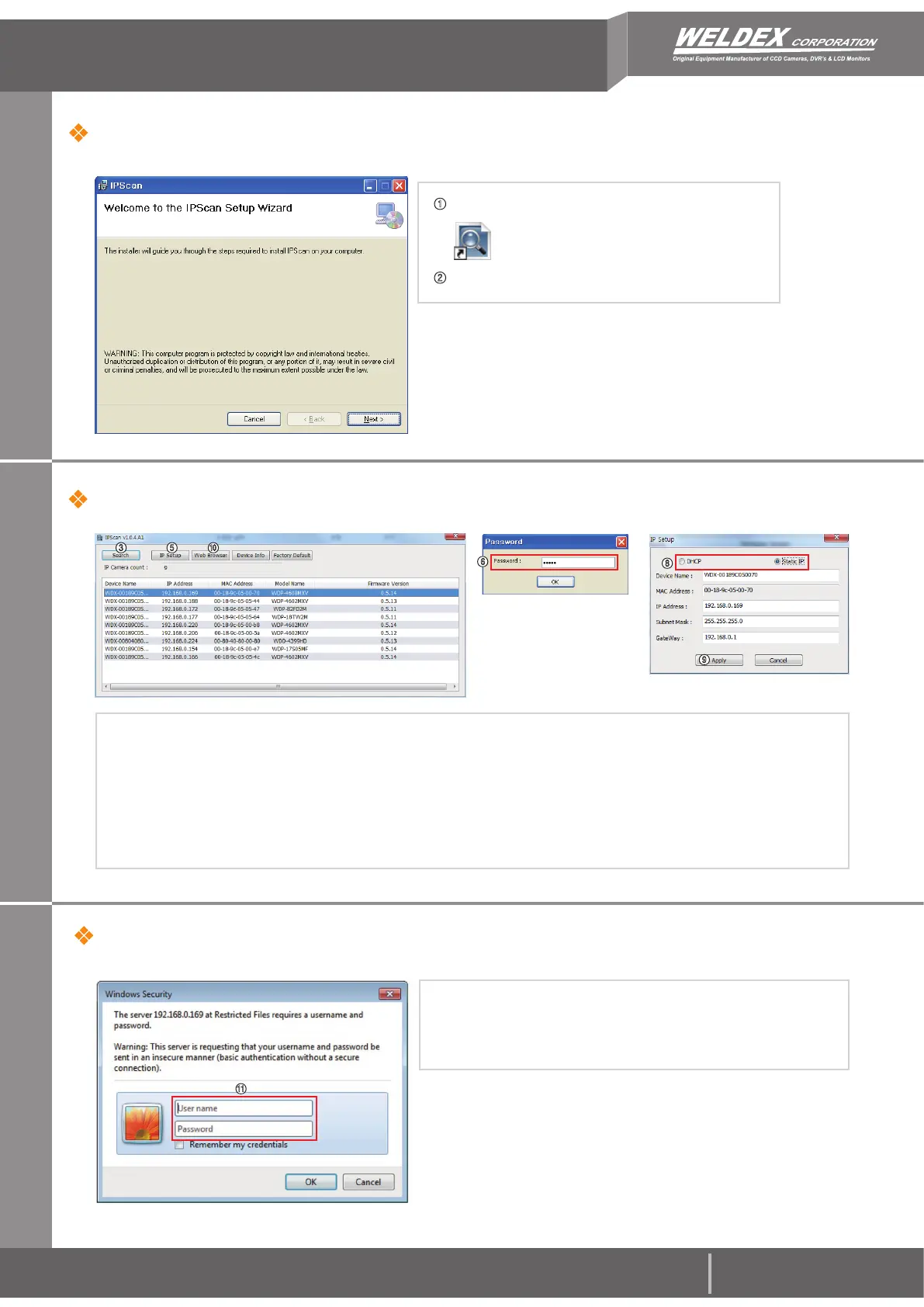
③ Click Search on the IPScan window.
④ Click the row of the device you wish to configure.
⑤ Click the IP Setup icon.
⑥ Enter the admin’s password. default password is [admin]
⑦ If you want to change IP address, enter a valid IP address, Subnet mask, and Gateway.
⑧ You can select the IP service type such as DHCP, Static IP.
⑨ Click Apply icon and wait for 30 seconds.
⑩ Click Web Browser icon.
①
Install the latest ‘IPScan software’ executable file.
IP Scan Software Setup
H.264, MJPEG Video Stream values can be configured
independently of each other.
WDP-4608MXV Quick Installation Guide
② Run the IP Scan shortcut icon on main screen.
Change the Camera’s Network settings
For more information, refer to the WDP-4608MXV User Operation Manual.
Rev. A
www.weldex.com / oem@weldex.com
Tel : (714)761-2100[USA]
Tel : +49(0)2102-528-2802[GERMANY]
Fax
: +49(0)2102-528-2804[GERMANY]
⑤ ⑩
⑥
③
⑪ You will be prompted to enter an username and password.
default username is [admin] and default password is [admin].
⑫ After a successful login, the WEB Viewer screen will be
displayed in your web browser.
Web Viewer Login
⑪
⑧
⑨


 To Next Page