EasyManua.ls Logo

WeldMate 60A - User Manual

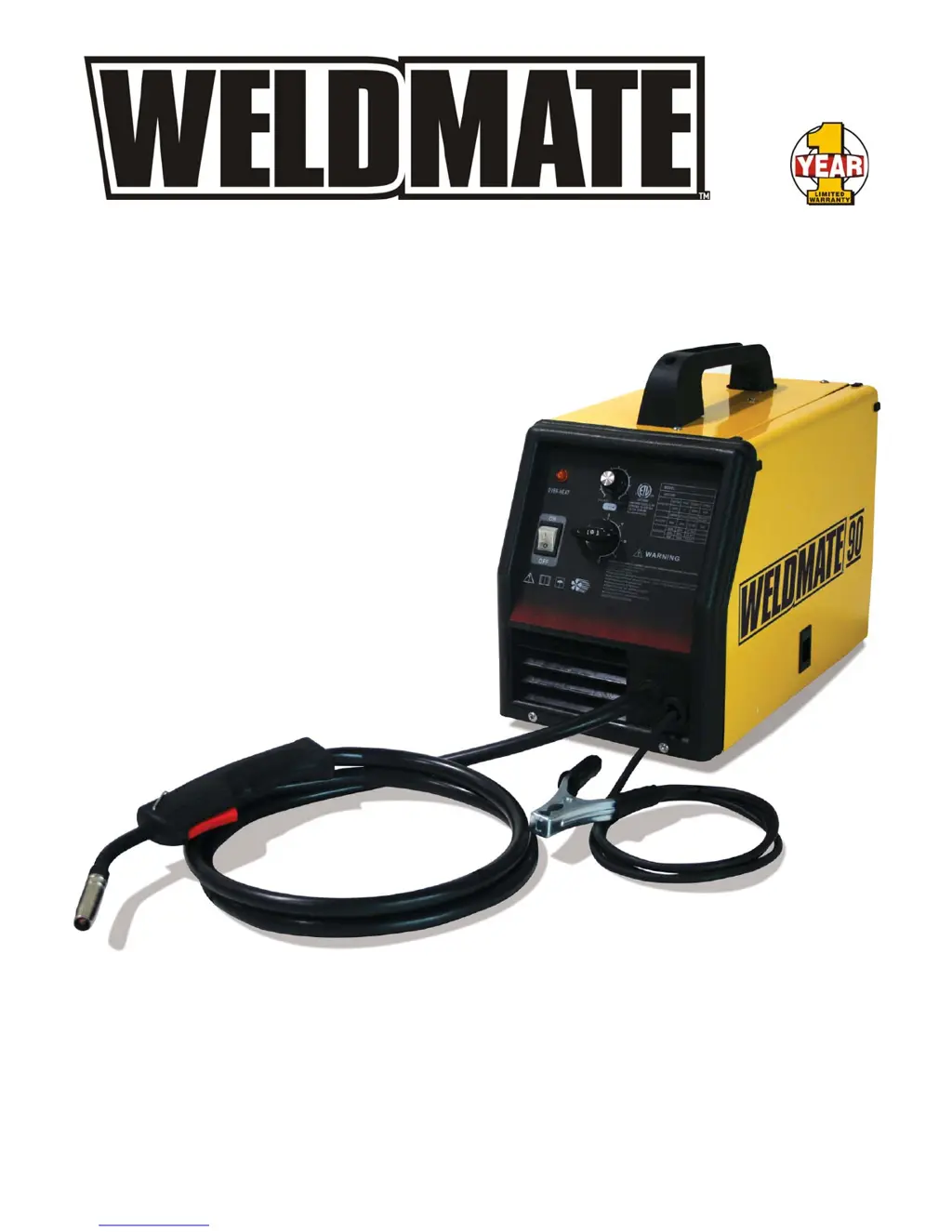
WeldMate 60A
20 pages
Print Icon
To Next Page IconTo Next Page
Loading...
80002
Rev 80002-20080228
10006 Santa Fe Springs Road
Santa Fe Springs, CA 90670 USA
Made in China
60-90A
MIG WELDER
Owner’s Manual and Operating Instructions

Questions and Answers

  • D
    Dana BanksAug 1, 2025
    What to do if WeldMate 60A Welding System has erratic arc with excessive spatter?
    • C
      Christopher WilkinsonAug 1, 2025
      If your WeldMate Welding System produces an erratic arc with excessive spatter, the issue might stem from several factors. First, ensure you are using dry, properly stored electrodes, as poor or damaged electrodes can cause this problem. Secondly, try shortening the arc length. Finally, consider reducing the amperage setting, as a high amperage can also lead to this issue.
  • J
    John BrockAug 7, 2025
    Why electrode wire feeding stops during welding with my WeldMate 60A?
    • C
      Casey TuckerAug 7, 2025
      If the electrode wire stops feeding during welding with your WeldMate Welding System, there could be several reasons: * The gun cable might be malfunctioning, in this case straighten the gun cable and/or replace damaged parts. * The drive roll pressure may be insufficient, try adjusting the drive roll. * The contact tip could be defective, replace the contact tip if blocked. * There might be a restriction in the drive assembly, assess and clear any restrictions at the drive assembly and liner.
  • Z
    zferrellAug 13, 2025
    What to do if WeldMate 60A has no weld output and fan is not running?
    • T
      Tracy WatsonAug 13, 2025
      If your WeldMate Welding System isn't producing any weld output and the fan isn't running, first check if the power switch is turned on. If it is, the issue might be a fuse overload. In this case, reset the breakers if necessary.
  • D
    Denise RussellAug 19, 2025
    How to fix erratic weld current on WeldMate 60A Welding System?
    • S
      srichardsonSep 12, 2025
      To address erratic weld current on your WeldMate Welding System, start by checking all cable connections. Loose connections can cause unstable current flow. Clean and tighten any loose cable connections to ensure a stable weld current.
  • K
    Kimberly HensonAug 26, 2025
    What to do if WeldMate Welding System has weld output but fan does not run?
    • B
      Brandon MiddletonAug 26, 2025
      If your WeldMate Welding System is producing weld output, but the fan isn't running, it might be due to blocked fan movement. Remove any item that is blocking the fan. If that doesn't solve the problem, consider replacing the fan motor.

Summary

Introduction to the Welder

About the Portable Welder

Describes the welder as a MIG Gas-Protected Welding Machine for light duty welding (up to 3/16").

About This Manual

States the manual's purpose is to ensure accuracy and completeness of information.

Manual Conventions

Danger Symbol Definition

Defines DANGER as an imminently hazardous situation resulting in death or serious injury.

Warning Symbol Definition

Defines WARNING as a potentially hazardous situation resulting in death or serious injury.

Caution Symbol Definition

Defines CAUTION as a potentially hazardous situation resulting in minor or moderate injury.

Caution Symbol (No Alert)

Defines caution without symbol as a potentially hazardous situation resulting in property damage.

Note Symbol

Provides contact information for questions regarding the welder.

Safety Rules for Operation

General Operating Safety

Read manual before operating welder to avoid injury or death.

Welding Fume Hazards

Breathing welding fumes is hazardous; use ventilation and avoid fumes.

Electric Shock Hazards

Electric shock can occur from wiring or electrode; insulate yourself and ground equipment.

Fire and Explosion Risks

Welding can cause fire/explosion; avoid flammable materials and containers.

Arc Ray Hazards

ARC rays burn eyes/skin; use helmet, protective clothing, and ear protection.

Hot Surface Warnings

Avoid touching hot parts; allow cooling before adjusting equipment.

Pacemaker Safety

Magnetic fields affect pacemakers; pacemakers wearers keep away.

Hearing Protection

Noise can damage hearing; wear ear protection if noise level is high.

Controls and Features

Welder Controls Overview

Identifies key controls like Amperage, Wire Feed Speed, and switches on the welder.

Included Accessories

Lists components like welding mask, wire brush, torch nozzle, and contact tips.

Assembly of the Welder

Wire Feed Installation Guide

Step-by-step guide for loading wire into the welder's feed mechanism.

Changing Polarity for Welding

Polarity Settings

Explains how to switch polarity for MIG/MAG or Flux welding methods.

Operating the Welder

Welder Placement

Instructions for positioning the welder in a suitable, ventilated environment.

Flux Welding Start-up

Steps to prepare and initiate the flux welding process.

MIG Welding Start-up

Steps to prepare and initiate MIG welding with a conversion kit.

Maintenance and Storage

Welder Maintenance Procedures

Procedures for cleaning and maintaining the welder for optimal performance.

Welder Storage Guidelines

Guidelines for storing the welder properly to prevent damage.

Specifications and Diagrams

Duty Cycle and Overheating

Explains duty cycle percentage and how to manage overheating.

Welder Parts Diagram

Visual representation of welder components with corresponding numbers.

Component Parts List

Detailed list of parts with item number, part number, description, and quantity.

Troubleshooting Welder Issues

Welder Troubleshooting Guide

Common problems, their causes, and recommended solutions for welder issues.

Warranty Information

Warranty Qualifications

Requirements for registering and validating the welder's warranty.

Repair;Replacement Warranty

Details on warranty coverage for defects and the repair process.

Warranty Exclusions

Lists conditions and parts that are not covered by the warranty.

Implied Warranty Limitations

Disclaims liability for indirect damages and other warranties.

Contact Information

Provides address and customer service details for inquiries.

Important Notes

WeldMate 60A Specifications

General IconGeneral
BrandWeldMate
Model60A
CategoryWelding System
LanguageEnglish

Related product manuals