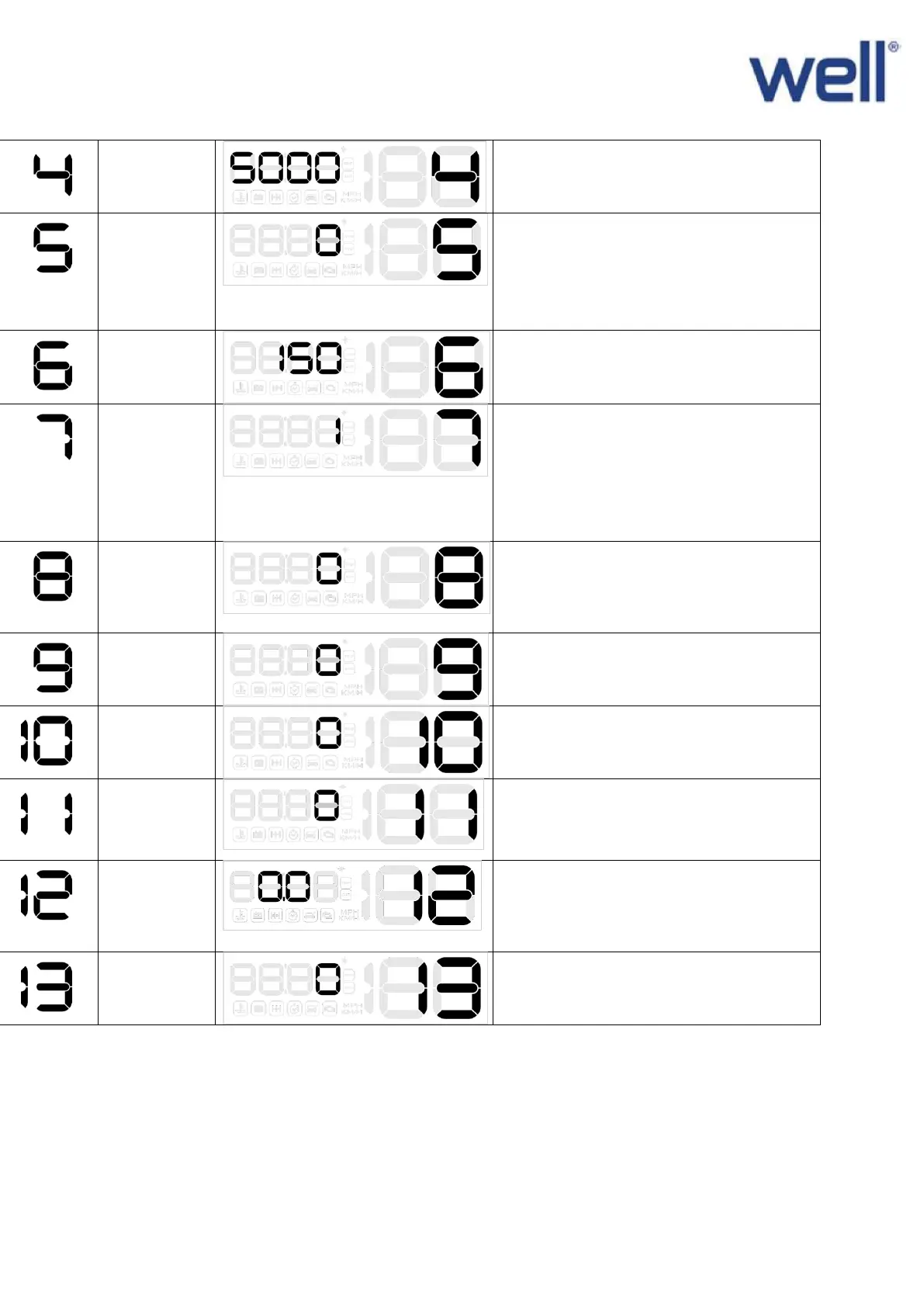
When RPM over 5000, HUD will give
alarm, up or down the wave button to
adjust, adjust range(1000-7500)
0=turn off the four-stage alarm
1 =
turn on the four-stage alarm
(60KM/H,80KM/H,100KM/H,120KM/H),s
peed alarm shows up when it reaches to
above four speed
The default over speed alarm is 150
KM/H, adjust range (30-250)
0=automatic mode: when speed below
80km/h, hud show all information,and
when speed over 80km/h,hud only
display speed)
1= always display all information
2=only display speed
0=automatic adjustment,
1-11 the brightness will be increased as
the No. added
0=water temperature,
1= ℃
2 = ℉
If this HUD cannot automatically turn
off, adjust it to 13.2, then HUD will auto
off after 3 minutes adjust range (0.0-
15.0)
Set to 1,vertically press the setting
button for 5s, then return to the display
interface


 To Next Page