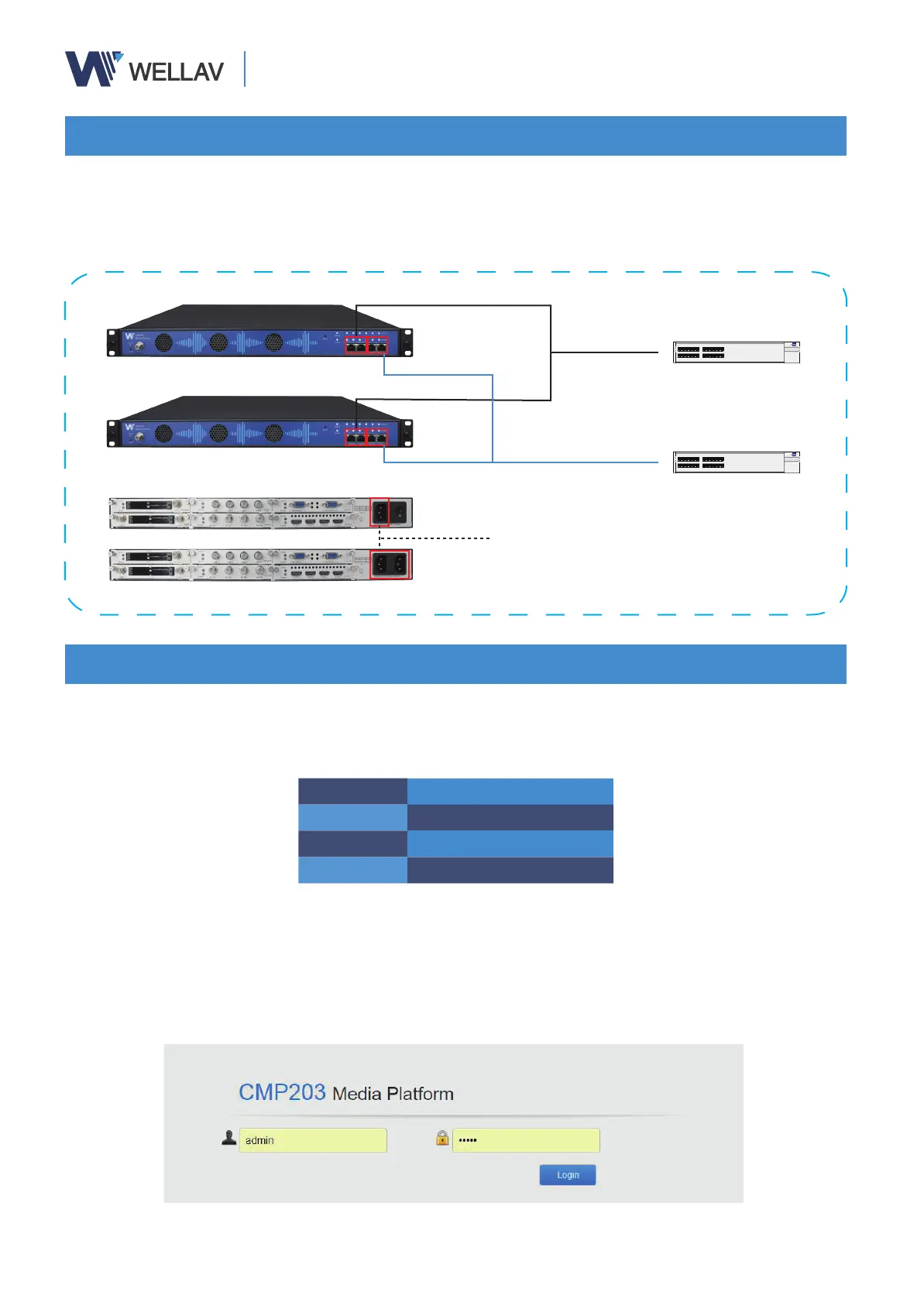
Connect your management computer Ethernet port directly to the NMS port on front panel
or on the same management switch as the unit connected. And plug the power cord to the
power supply connector and turn on the unit.
(1) Change the IP address, gateway and subnet mask of management computer, making it
in the same subnet as the device. Device default addresses are as below:
CMP200 Default Settings
IP Address 192.168.1.10
Subnet Mask 225.225.225.0
Gateway 192.168.1.254
(2) Launch the web browser on the PC. Enter default IP address of the device (192.168.1.10)
in the browser address bar to connect with the unit.
(3) Input default user name “admin” and default password “admin” to login the unit.
The login tab is displayed as:
* Please refer to the user manual in the guide disk for more operation instructions.
Connecting your unit
Launching Web Interface
CMP200
Power cord connected to power socket
Data Switch
Management Switch


 To Previous Page