6
A B
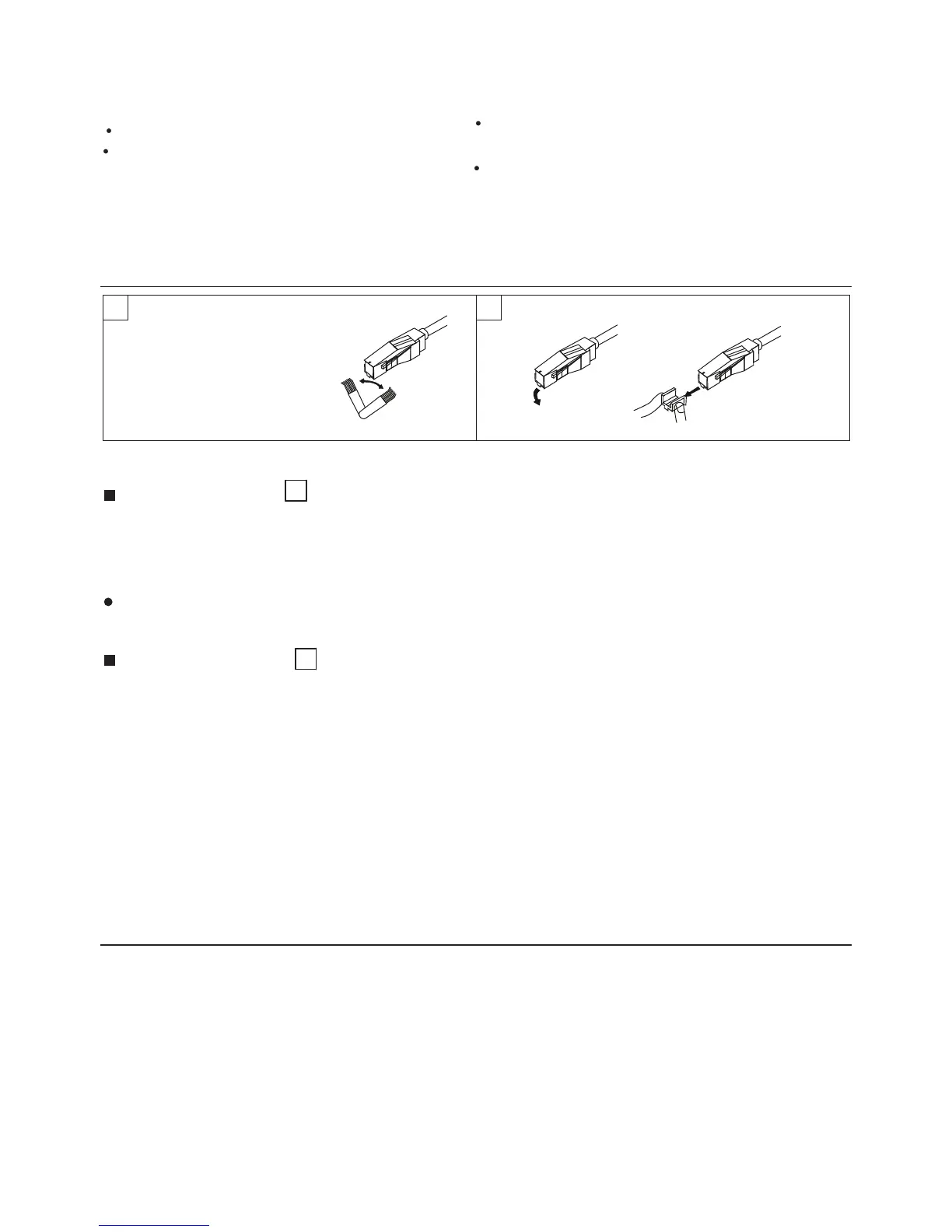
Cleaning the stylus
A
A dirty stylus will cause noise and poor sound quality.
Use a stylus cleaning kit and brush off the dirt in the
direction of the arrow.
Do not brush in the opposite direction or from side to
side, since this can damage the stylus.
Replacing the stylus
B
When the sound quality drops, replace the stylus with
a new one Remove the old stylus by pulling it
downwards gently, and push the new stylus into place
as shown.
MAINTENANCE OF EXTERNAL SURFACES
Use a polishing cloth or dry cloth to wipe off dust
and dirt.
When the surfaces are very dirty, wipe with a soft
cloth dipped in some neutral cleanser diluted five or
six times with water, and wrung out well, and then
wipe again with a dry cloth. Do not use furniture wax
or cleaners.
Never use thinners, benzene, insecticide sprays and
other chemicals on or near this unit, since these will
corrode the surfaces.
SPECIFICATIONS
POWER SUPPLY : 240V, 50Hz
Power Consumption: 2W
Output Sensitivity: Line output: 112~270mv 1khz
Phono output: 1.5~3.6mv
Output Impedance: 47Kohms
DIMENSIONS : 350(W) x 341 (D) x 98 (H) mm
WEIGHT : 2.7Kgs
Precautions when playing records
Do not rotate or stop the platter manually.
Do not stop the tonearm manually when it is
returning automatically.
Moving or jarring the unit without securing the
tonearm can damage the tonearm.
Playing flexible records or badly warped records
can damage the records and the stylus.
MAINTENANCE


 To Previous Page