EasyManua.ls Logo

Wellington SCS Connect - User Manual

Wellington SCS Connect
103 pages
Print Icon
To Next Page IconTo Next Page
Loading...
TECHNICAL USER MANUAL
CONNECT

Other manuals for Wellington SCS Connect

Question and Answer IconNeed help?

Do you have a question about the Wellington SCS Connect and is the answer not in the manual?

Summary

Warnings

Introduction to SCS Connect

Product Description

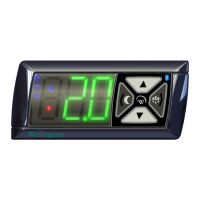
Front Display Panel

Description of the front panel's interface elements and controls.

Rear Connector Panel

Details the input and output connection ports on the rear panel.

Installation Guide

Overall Dimensions

Provides precise physical dimensions and mounting requirements for installation.

Wiring Diagrams

Operating Cycle Explanation

Standby Refrigeration Cycles

Start Up Sequence

Front Panel User Interface

User Mode Operations

Describes essential end-user functions like lights, standby, and defrost control.

Service Mode Access

Access and navigation for advanced service and diagnostic functions.

Graphical User Interfaces

Mobile App Interface Overview

Overview of the SCS Connect mobile app interface and its features.

Authentication Process

Connecting to Device

Home Screen Status

Displays a graphical representation of the current state of the refrigeration unit.

Parameter Editing Guide

Parameter Editing - Desktop Application

Parameters

Normal Mode (nrL)

Details parameters and settings for the standard operational mode.

Transition 1 Mode (tn1)

Parameters for the first transition mode, used to minimize pulldown times.

Transition 2 Mode (tn2)

Parameters for the second transition mode, further minimizing pulldown times.

Standby Mode (SdY)

Parameters for energy-saving standby modes when coolers are not accessed.

Transition 3 Mode (tn3)

Parameters for the third transition mode, an intermediate step for power saving.

Store Operation Time (Sot)

Parameters for configuring time-of-day standby states based on store operating hours.

Defrost Mode (dEF)

Configuration settings for defrost cycles, including initiation and termination.

Door Menu (dor)

Parameters related to cabinet door switch inputs and their effect on operation.

Compressor Menu (CoP)

Settings and alarms for controlling and monitoring compressor operation.

Supply Menu (nrG)

Parameters for configuring voltage supply limits and associated alarms.

Display Menu (dSP)

Settings to configure display behavior and units during different operational modes.

Hardware Set Up Menu (HSu)

Defines how peripheral refrigeration components connect for input and output control.

General Alarms Menu (GAL)

Global parameters for managing terminal system alarms and counters.

Logging Menu (LoG)

Parameters for defining how data is logged and transmitted to the cloud.

Upgrading Firmware

Technical Specifications

Glossary of Terms

Faults and Alarms

Fault Logic

Flowcharts illustrating the logic for various fault conditions detected by the controller.

Alarm Logic

Flowcharts explaining the logic behind different alarm conditions and responses.

Appendix 1

Full Parameter List

An exhaustive catalog of parameters with their display codes, menus, and page references.

Summary

Warnings

Introduction to SCS Connect

Product Description

Front Display Panel

Description of the front panel's interface elements and controls.

Rear Connector Panel

Details the input and output connection ports on the rear panel.

Installation Guide

Overall Dimensions

Provides precise physical dimensions and mounting requirements for installation.

Wiring Diagrams

Operating Cycle Explanation

Standby Refrigeration Cycles

Start Up Sequence

Front Panel User Interface

User Mode Operations

Describes essential end-user functions like lights, standby, and defrost control.

Service Mode Access

Access and navigation for advanced service and diagnostic functions.

Graphical User Interfaces

Mobile App Interface Overview

Overview of the SCS Connect mobile app interface and its features.

Authentication Process

Connecting to Device

Home Screen Status

Displays a graphical representation of the current state of the refrigeration unit.

Parameter Editing Guide

Parameter Editing - Desktop Application

Parameters

Normal Mode (nrL)

Details parameters and settings for the standard operational mode.

Transition 1 Mode (tn1)

Parameters for the first transition mode, used to minimize pulldown times.

Transition 2 Mode (tn2)

Parameters for the second transition mode, further minimizing pulldown times.

Standby Mode (SdY)

Parameters for energy-saving standby modes when coolers are not accessed.

Transition 3 Mode (tn3)

Parameters for the third transition mode, an intermediate step for power saving.

Store Operation Time (Sot)

Parameters for configuring time-of-day standby states based on store operating hours.

Defrost Mode (dEF)

Configuration settings for defrost cycles, including initiation and termination.

Door Menu (dor)

Parameters related to cabinet door switch inputs and their effect on operation.

Compressor Menu (CoP)

Settings and alarms for controlling and monitoring compressor operation.

Supply Menu (nrG)

Parameters for configuring voltage supply limits and associated alarms.

Display Menu (dSP)

Settings to configure display behavior and units during different operational modes.

Hardware Set Up Menu (HSu)

Defines how peripheral refrigeration components connect for input and output control.

General Alarms Menu (GAL)

Global parameters for managing terminal system alarms and counters.

Logging Menu (LoG)

Parameters for defining how data is logged and transmitted to the cloud.

Upgrading Firmware

Technical Specifications

Glossary of Terms

Faults and Alarms

Fault Logic

Flowcharts illustrating the logic for various fault conditions detected by the controller.

Alarm Logic

Flowcharts explaining the logic behind different alarm conditions and responses.

Appendix 1

Full Parameter List

An exhaustive catalog of parameters with their display codes, menus, and page references.

Wellington SCS Connect Specifications

General IconGeneral
BrandWellington
ModelSCS Connect
CategoryController
LanguageEnglish