www.Welltec.pro 10
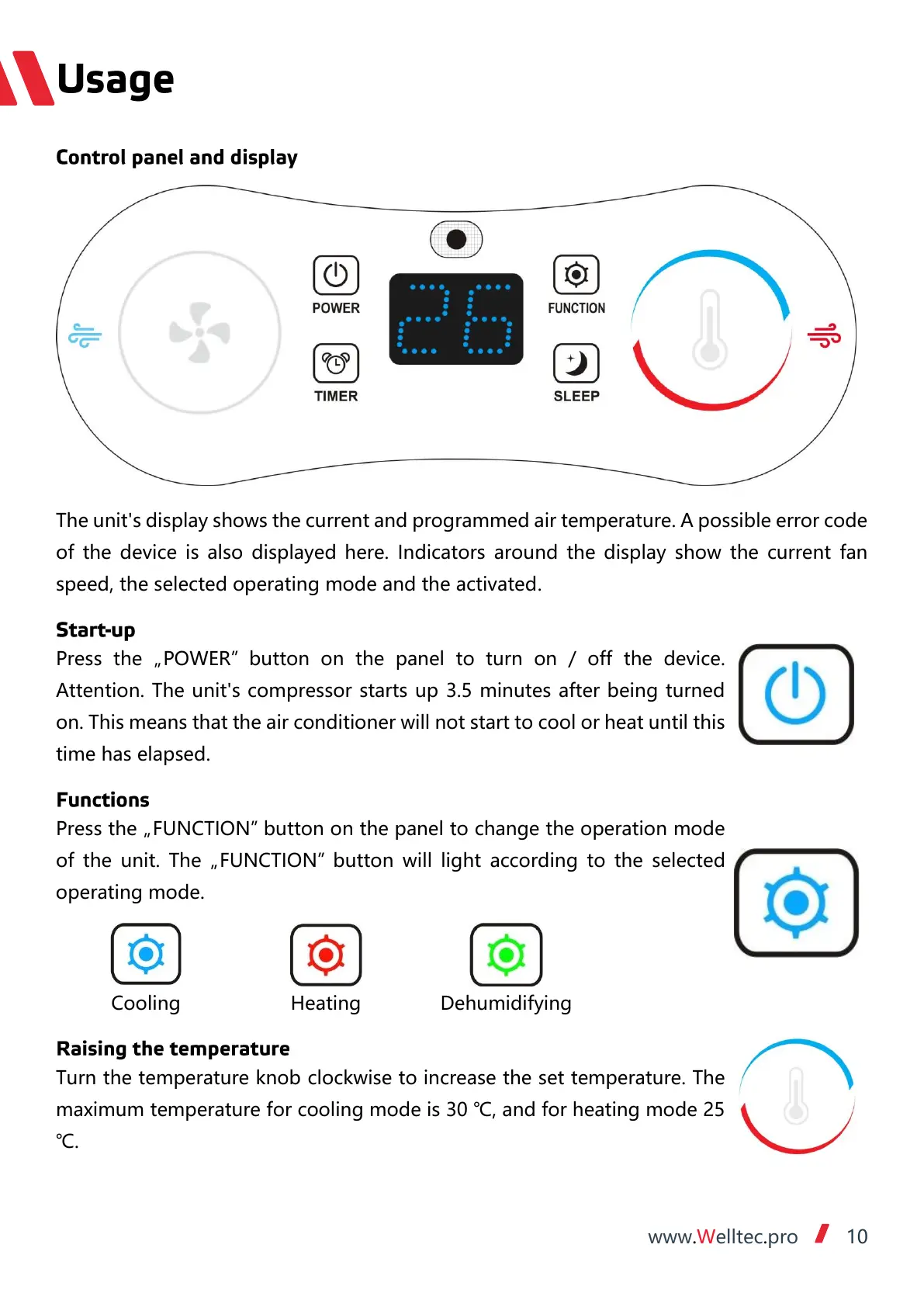
The unit's display shows the current and programmed air temperature. A possible error code
of the device is also displayed here. Indicators around the display show the current fan
speed, the selected operating mode and the activated.
Press the „POWER” button on the panel to turn on / off the device.
Attention. The unit's compressor starts up 3.5 minutes after being turned
on. This means that the air conditioner will not start to cool or heat until this
time has elapsed.
Press the „FUNCTION” button on the panel to change the operation mode
of the unit. The „FUNCTION” button will light according to the selected
operating mode.
Turn the temperature knob clockwise to increase the set temperature. The
maximum temperature for cooling mode is 30 ℃, and for heating mode 25
℃.


 To Next Page
 Loading...