1
2
3
4
5
6
7
8
9
1
0
1
1
1
2
1
3
1
4
1
5
1
6
/*
* Blink
* Turns on the onboard LED on for one second, then off for one second,
repeatedly.
* This uses delay() to pause between LED toggles.
*/
void setup() {
pinMode(BUILTIN_LED, OUTPUT); // initialize onboard LED as output
}
void loop() {
digitalWrite(BUILTIN_LED, HIGH); // turn on LED with voltage HIGH
delay(1000); // wait one second
digitalWrite(BUILTIN_LED, LOW); // turn off LED with voltage LOW
delay(1000); // wait one second
}
Pressing the Upload button will build and upload to code to the board and once this is complete, the
build-in Blue LED (D4 / GPIO2) will blink every second. So my board is working.
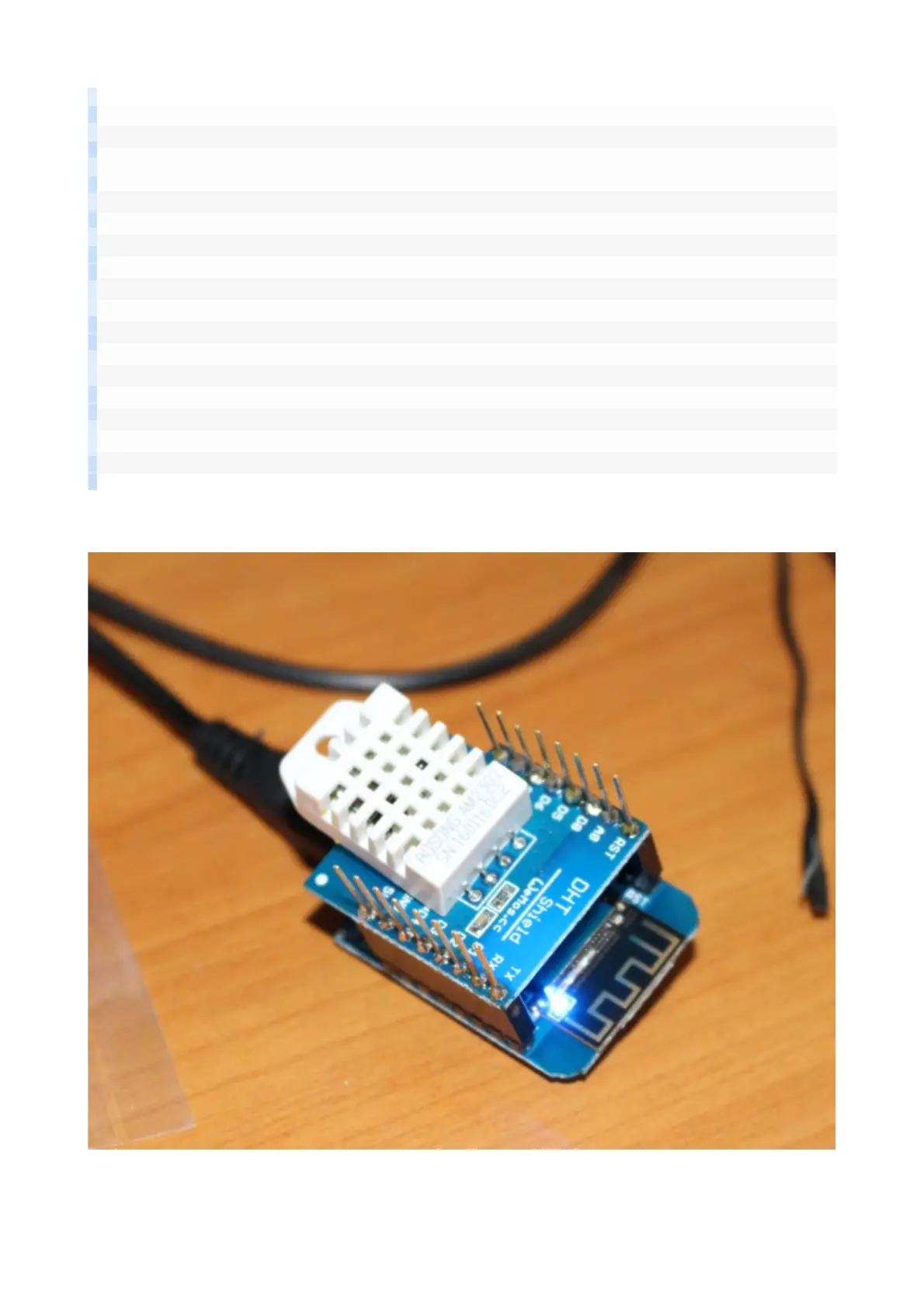
As you can see I’ve already connected DHT Pro shield to the board, so let’s try the sample for the shield
to get the temperature and humidity in File->Sketchbooks->D1_mini_Examples->04. Shield-
>DHT_Pro_Shield->Simple:


 To Next Page