6
SETTING THE ANALOG WATCH
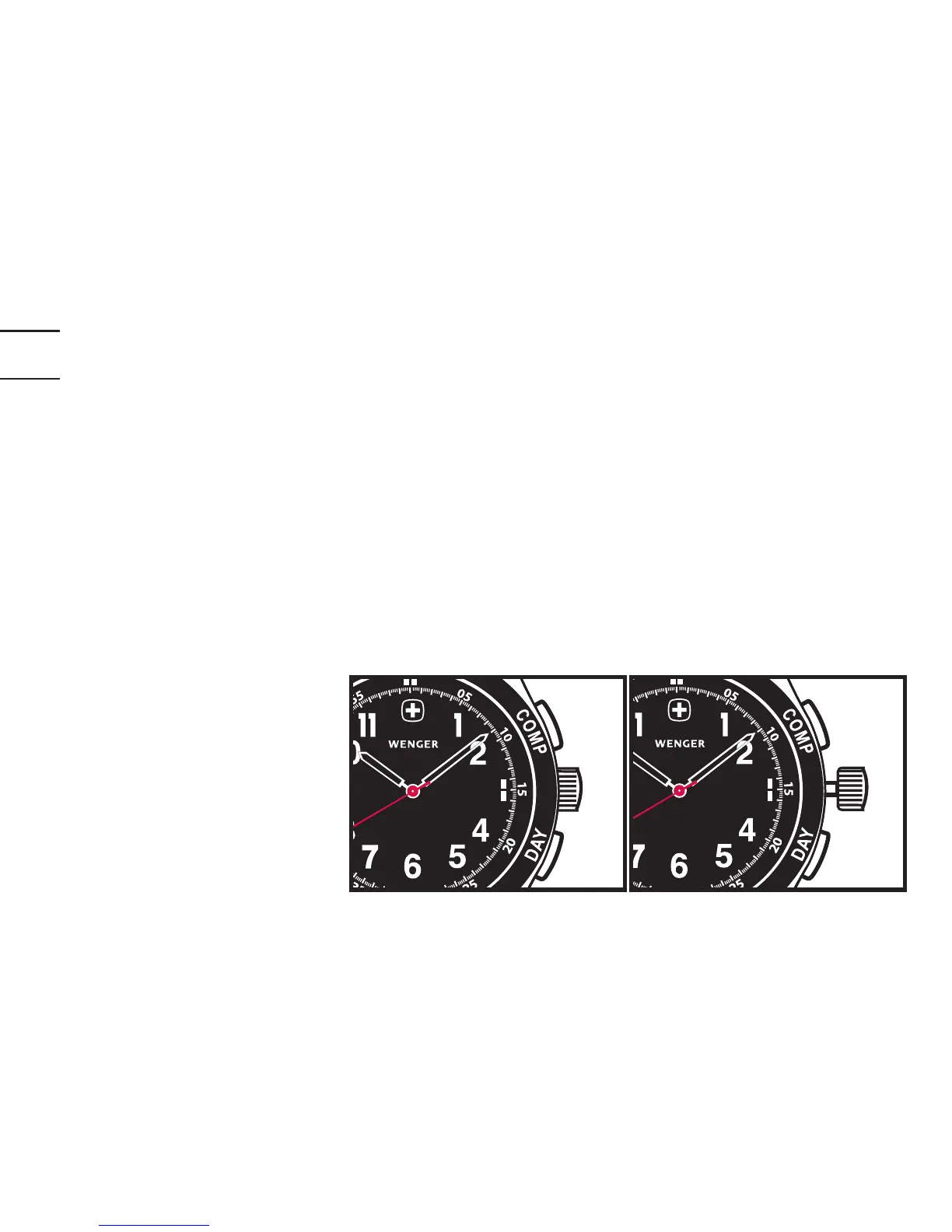
1. Tosettheanalogtime,gentlypulloutthecrowntoPosition2.
2. Secondhandwillstopanddigitaltimewillash.
3. Rotatecrownsothewatchhandsmoveclockwisetothecorrecttime.
Second Hand Alignment
Tosynchronizethedigitalwithanalogseconds,pushinthecrowntoreturnitto
Position1atcorrectmoment.
Important note:
Iftheanalog«second»
andthedigital«second»
arenotsynchronized,the
digital setting may not
functionproperly.
Position 1 (
fully depressed) Poition 2 (1 clickout)



 To Next Page