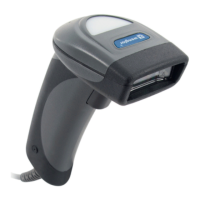
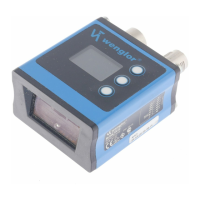
The Wenglor CSMH00x is a series of 1D/2D handheld scanners designed for decoding various barcode types across a wide range of industrial sectors. These scanners are intended for safe and efficient use, with a focus on reliability and ease of integration into existing systems.
Function Description:
The primary function of the CSMH00x handheld scanner is to decode 1D and 2D barcodes. It supports a broad array of code types, including Codabar, Code 39, Code 93, Code 128, Data Matrix (including rectangular and extended), GS1 DataBars (all types), Interleaved 2 of 5, MSI Plessey, PDF417 (including Micro PDF417), QR Code, UPC/EAN/JAN, Aztec Code, Code 11, Code 32 (Italian Pharmacode), Code 49, Trioptic Barcode, Grid Matrix, GoCode, Maxicode, Matrix 2 of 5, Hong Kong 2 of 5, NEC 2 of 5, Telepen, UK Plessey, Straight 2 of 5, Han Xin, Pharmacode, and various Post Codes (USPS Postnet, USPS Planet, USPS Intelligent Mail/IMB/4-State CB, Australian Post, KIX (Dutch Post), Japan Post, UK Royal Mail, Korean Post, Universal Postal Union ID-Tag).
The scanner offers multiple communication modes, including USB native (HID), USB Downloader Mode for file transfer (firmware, configuration, images), USB Virtual COM (1-way and multiple ports) for batch data transfer, and RS-232 interface for serial communication. It can operate in both wide and high-density optical fields, and features a dual scanning area to effectively read both small 2D codes and large 1D codes. The device attempts to decode the image from the range that was successfully decoded in the last cycle, switching if unsuccessful.
Additional features include:
- Mirroring: Ability to decode mirrored symbols. When active, other decoding functions are turned off.
- Preamble and Postamble: Customizable characters that can be attached at the beginning or end of a decoded data string, such as comma, space, tab, carriage return, and line feed.
- Text Command: Determines whether a text command from the host is received.
- Beeper/Vibrator: Configurable acoustic and vibrational signals for feedback, with adjustable beep volume.
- Timestamp Prefix: Option to turn on or off a timestamp prefix for decoded data.
- Alternative Operating Systems: The reader can modify its enumeration and communication scheme to work with Linux, Windows CE, or OS X.
- Scanning Process Control: Continuous Scan On/Off, Continuous Scan Both Imagers On.
- Duplicate Scan Delay: Configurable delays (1 second, 2 seconds, 3 seconds, 5 seconds, 10 seconds, 30 seconds, 1 hour, 1 day) to prevent duplicate scans.
- Targeting: LED alignment assistance can be activated or deactivated.
- Motion Detection: The scanner can be configured to start decoding trials upon detecting movement in its visual field, with optimization options for bright or dark environments, and configurable motion detection delays (e.g., 500 ms or no delay).
- Control Character Input: Options for language default, Ctrl + Character, Alt + Keypad, and Alt + Leading Zero.
- Output Good Read on RTS line: Configurable to Off, Active Low, or Active High.
- Barcode Data Translation: Ability to translate all alphabetic data to uppercase or lowercase.
- Firmware Updates: Supported via the eazyScan software.
Important Technical Specifications:
The CSMH00x series includes models CSMH001, CSMH002, CSMH003, and CSMH004, differing primarily in their interface and power supply options.
- Optical Data:
- Scanning Distance: 38 to 394 mm
- Resolution: 1280x960 pixels
- Light Source: Red light
- Max. Permitted Ambient Light: 97,000 lux
- Electrical Data:
- Supply Voltage: 5 V DC
- Power Consumption: < 2250 mW
- Temperature Range: -20 to 55 °C
- Interfaces: USB (CSHM001, CSHM003) or RS-232 (CSHM002, CSHM004)
- Signals: Acoustic signal (Yes), Vibrational signal (Yes), Visual signal (Yes)
- Mechanical Data:
- Housing Material: Plastic
- Protection: IP54
- Weight: 110 g
- Connector Type: Cable
- Cable Length: 180 cm
- Housing Dimensions: Approximately 91.1 mm (3.6 in) x 131.6 mm (5.2 in) x 52 mm (2.0 in) for the scanner head, and 75.2 mm (3.0 in) for the handle width.
- RS-232 Interface Standard Settings: Baud rate: 115.2 K, Parity: None, Stop bits: 1, Data bits: 8.
Usage Features:
The scanner is designed for user-friendly operation and configuration.
- Installation: Involves plugging in the device, waiting for 10 seconds, observing LED flashes, listening for beeps, and feeling vibrations to confirm readiness. Protection against contamination, mechanical influences, and compliance with electrical/mechanical regulations are crucial during installation.
- Electrical Connection: Uses an RJ-50 connector with specific pin assignments for +5V, USB DM/DP, RS-232 TX/RTS/RX/CTS, External trigger, N/C, and Grounding.
- eazyScan Software: A dedicated parametrization software for general setup, configuration, image capturing, and firmware updates.
- Start Screen: Provides options for file download, configuration, data parsing, image upload, barcode settings, and advanced features.
- Operator Interface: Customizable layout for individual needs.
- Establishing Connection: Automatic connection upon plugging in (USB) or manual selection of COM port (RS-232). Two beeps confirm successful connection.
- Configuration Tab: Displays all available scanner setup parameters.
- Image Capturing: Allows saving images in PGM or JPEG format with adjustable quality, and provides tools for image properties, rotation, and deletion.
- Data Matrix Code Generator: Enables users to create data matrix codes by entering data and defining module size.
- Barcode Configuration: Many settings can be configured by scanning specific data matrix codes provided in the manual, allowing for quick adjustments without the software. This includes settings for communication mode, keyboard mapping, scanning process, mirroring, preamble/postamble, beeper/vibrator, and various code type parameters.
Maintenance Features:
The Wenglor CSMH00x sensor is designed to be maintenance-free, but some routine checks and cleaning are recommended to ensure optimal performance and longevity.
- Regular Checks: It is advisable to regularly clean the transducer and display, and to check the plug connections.
- Cleaning: Do not use solvents or cleansers that could damage the product.
- Protection: The product must be protected against contamination and mechanical influences, especially during initial start-up.
- Diagnostics: In case of a fault, the machine should be shut down, and the cause of the error analyzed and eliminated using the diagnostics information. If the error persists, contact Wenglor's support department. Do not operate a malfunctioning device.
- Firmware Updates: The eazyScan software facilitates firmware updates, ensuring the scanner operates with the latest features and improvements.
- Proper Disposal: Wenglor sensoric GmbH does not accept returns of unusable or irreparable products. Users must comply with national waste disposal regulations for product disposal.

 Need help?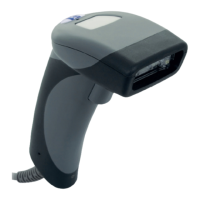

 To Next Page
 General