EasyManua.ls Logo

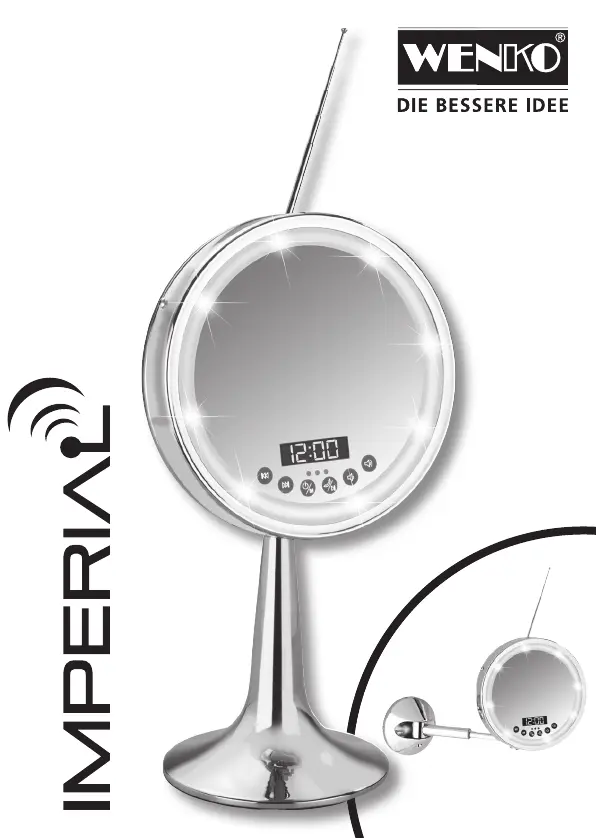
WENKO Imperial - User Manual

WENKO Imperial
16 pages
Print Icon
To Next Page IconTo Next Page
Loading...
Imperial_Buch_080515.indb 1 03.07.15 08:28

Questions and Answers

  • V
    Victoria HarrisAug 13, 2025
    What to do if there is no sound from my WENKO Imperial mirror via Bluetooth?
    • D
      douglas81Aug 14, 2025
      If you've established a Bluetooth connection but hear no sound from the mirror, make sure the volume on your mobile device is turned up. Also, adjust the volume on the mirror itself using the „ “ button.
  • J
    Jodi BradfordAug 17, 2025
    How to fix a fault when setting up the Bluetooth connection on my WENKO Imperial Personal Care Products?
    • W
      wheelernicoleAug 17, 2025
      If you are experiencing issues setting up a Bluetooth connection, it might be because the mirror is still connected to another Bluetooth device. Ensure that the other device is disconnected before attempting a new connection. If problems persist, try restarting your phone or Bluetooth device.
  • A
    Angela RoachAug 21, 2025
    Why do I hear static noises and my music stops on my WENKO Imperial?
    • S
      smithjoshuaAug 21, 2025
      Static noises and music interruptions may occur if there are obstacles between your Bluetooth device and the WENKO Personal Care Products mirror. Try removing any obstructions. Also, reduce the distance between your mobile device and the mirror for optimal performance.
  • G
    gonzalezoliviaAug 25, 2025
    Why is the sound quality poor when playing Bluetooth on my WENKO Personal Care Products?
    • M
      Marcus RamosAug 26, 2025
      Poor sound quality during Bluetooth playback can occur if the volume on your mobile device is not set high enough. Ensure the volume of your mobile device is set to loud. Also, the output volume of the Bluetooth device itself may be low.
  • K
    Kristin JohnsonAug 28, 2025
    How to improve the Bluetooth connection range on my WENKO Imperial Personal Care Products?
    • M
      Michael PatelAug 29, 2025
      To improve the Bluetooth range, ensure there are no obstacles between your Bluetooth device and the WENKO Personal Care Products mirror.
  • M
    Marie VelezSep 1, 2025
    Why can't I connect multiple devices to my WENKO Personal Care Products via Bluetooth?
    • M
      mitchell41Sep 1, 2025
      Only one Bluetooth device can be connected to the WENKO Personal Care Products mirror at a time. Disconnect the currently connected device before connecting another.
  • L
    Laura BriggsSep 5, 2025
    What to do if the blue LED is not lit up on my WENKO Personal Care Products?
    • D
      David RaySep 5, 2025
      If the blue LED is not lit, the mirror might be in standby mode due to prolonged inactivity. Reactivate it by pressing and holding the button for a few seconds until the device turns on.
  • O
    Olivia GonzalezSep 8, 2025
    How to improve poor radio reception on WENKO Imperial Personal Care Products?
    • M
      Matthew BrownSep 8, 2025
      Adjust the antenna to improve radio reception.

Summary

Operating Instructions

Proper Use

The beauty mirror IMPERIAL is intended for stationary use in closed rooms only.

Safety and Assembly

Personal Protection

Work on electrical components must be performed by an electrician according to regulations.

Assembly, Wall-Mounted Mirror

Drill in grouting, check cables/pipes, use earthed equipment to avoid electric shock.

Property Protection

Ensure device is stable, ventilated, dry, and protected from heat/sunlight.

Product Information

Scope of Delivery

Details included components for wall-mounting and free-standing models.

Product Description

Describes the beauty mirror with magnification, illumination, Bluetooth, radio, and USB.

Units and Operating Elements

Front Side Overview

Identifies front-side components: mirror, ring, display, panel, and microphone.

Rear Side Overview

Identifies rear-side components: antenna, reset button, USB, mains connection, loudspeakers.

Operating Elements - Front Side

Reverse and Forward Buttons

Details function of reverse and forward buttons for USB, FM, and Bluetooth modes.

Mode and Play;Pause Buttons

Explains on/off, mode change, play/pause, call accept/end functions.

Volume Control

Describes softer and louder buttons for volume adjustment.

Light Sensor and Bluetooth LED

Explains automatic light activation and Bluetooth coupling indicator.

Operating Elements - Rear Side

Reset Button and USB Socket

Details reset function and USB socket for memory sticks or charging.

DC Connection and Microphone

Explains DC power input and microphone location for hands-free communication.

Before First Use

Power Supply and Battery

Information on the rechargeable battery, power supply, and charging.

Functions and Operation

Switching On;Off and Mode Selection

How to turn the device on/off and cycle through modes (Clock, USB, Bluetooth, FM).

Bluetooth Device Coupling

Steps for pairing the mirror with a Bluetooth-enabled device.

Accepting Calls

Instructions for accepting, ending, and rejecting calls via hands-free.

Setting the Clock

Procedure for setting the 24-hour clock display.

Radio Operation

How to switch to FM radio, search for stations, and select presets.

Troubleshooting

Bluetooth Connection Issues

Resolving problems with Bluetooth pairing and connection range.

Audio and Reception Problems

Troubleshooting poor sound quality or radio reception.

LED Status and Other Faults

Addressing issues with the blue LED and general device faults.

Maintenance and Disposal

Cleaning Precautions

Guidelines for cleaning the mirror and avoiding water immersion.

Disposal Instructions

Information on environmentally friendly disposal of the device and batteries.

Technical Data

Device Specifications

Lists technical specifications like Bluetooth version, output power, dimensions, and weight.

WENKO Imperial Specifications

General IconGeneral
BrandWENKO
ModelImperial
MaterialStainless steel
TypeWall-mounted
MountingWall