EasyManua.ls Logo

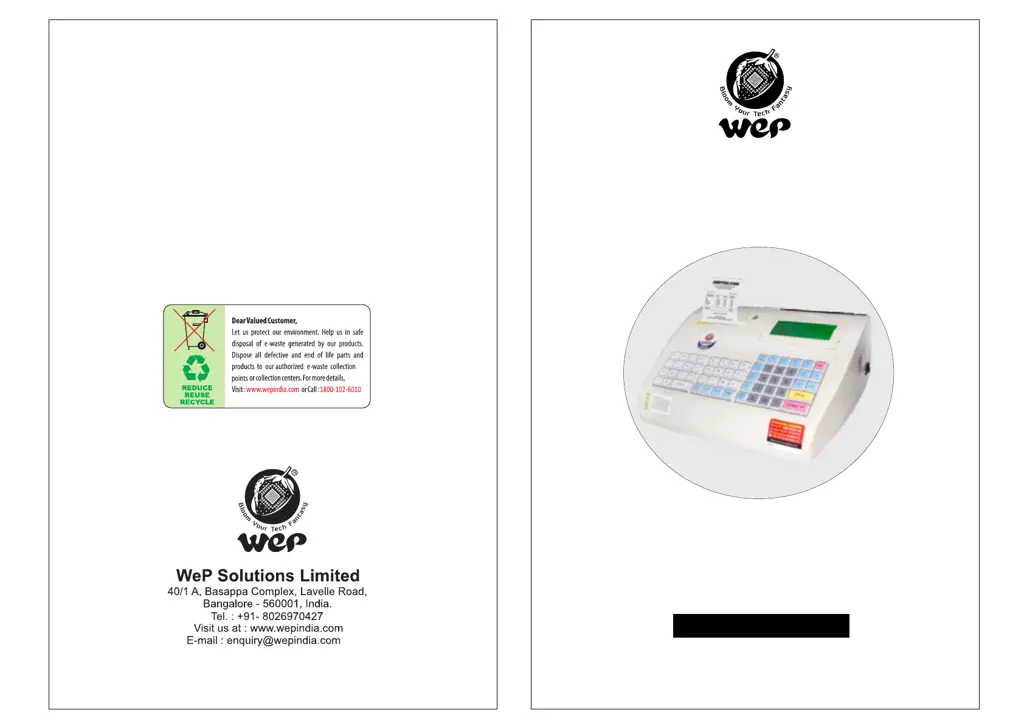
WeP BP 1100 JOY - User Manual

WeP BP 1100 JOY
36 pages
Print Icon
To Next Page IconTo Next Page
Loading...
U S E R M A N U A L
BP 1100 JOY
C0000XXX
Vr 1.0.0
Dec’21
C0000XXX

Questions and Answers

  • G
    Gregory RussoAug 16, 2025
    What to do if WeP Cash Register shows paper end error?
    • W
      william66Aug 16, 2025
      If your WeP Cash Register displays a 'Paper end error' and no printing occurs, it's likely that the paper roll is exhausted. To resolve this, load a new paper roll into the device and then resume printing.
  • A
    Alexandra PearsonAug 19, 2025
    How to troubleshoot WeP Cash Register that does not print?
    • L
      lindaramirezAug 19, 2025
      If your WeP Cash Register isn't printing, first ensure that the power cable is properly connected and the power switch is turned ON. Also, check if the PAUSE key has been pressed; if so, press it again to resume printing.
  • J
    Jessica ThomasAug 22, 2025
    Why is the LCD backlight not glowing on my WeP Cash Register?
    • J
      Jessica LawsonAug 22, 2025
      If the LCD backlight on your WeP Cash Register isn't glowing, a loose connection may be the cause. Check that the power cord is securely connected to the socket and that the keypad module is properly connected.
  • L
    lmooreAug 26, 2025
    What to do if WeP Cash Register displays over temperature error?
    • L
      Laura McguireAug 26, 2025
      If your WeP Cash Register is displaying an 'Over Temperature' error on the LCD, it means the print head has heated up from continuous printing for a long time. Simply wait for a short period, and the printer will resume printing normally once it cools down.
  • M
    Michael GrayAug 28, 2025
    Why is the print quality light on my WeP Cash Register?
    • T
      tara57Aug 28, 2025
      If the print quality on your WeP Cash Register is light, it could be due to poor quality thermal paper or the printer operating in battery mode with a low battery. Try using good quality thermal paper, or connecting the device to mains for battery charging.
  • J
    jamesnewmanAug 31, 2025
    What does platen open error mean on WeP Cash Register?
    • J
      John WashingtonAug 31, 2025
      If you encounter a 'Platen open error' on the LCD of your WeP Cash Register, it indicates that the paper cover may not be closed properly. Ensure that the paper cover is securely closed.
  • J
    Justin LaneSep 3, 2025
    How to fix non-uniform printing on WeP Cash Register?
    • M
      michael04Sep 3, 2025
      If the printing on your WeP Cash Register is not uniform across the width, the thermal print head may be clogged with burn particles. Gently wipe the thermal head with diluted alcohol on a cotton swab. Ensure the printer is powered off before cleaning the thermal head.
  • D
    Douglas WuSep 6, 2025
    Why is paper getting folded in WeP Cash Register?
    • J
      jasonsweeneySep 6, 2025
      If your WeP Cash Register is folding the paper during operation, it's likely that the paper is misaligned when closing the paper cover. Centralize the paper and ensure the paper cover is correctly fixed.
  • M
    Megan TorresSep 9, 2025
    How to fix downloading issues on WeP BP-1100 JOY Cash Register?
    • C
      cynthia47Sep 9, 2025
      If you are experiencing issues downloading the item database, header, or footer from your PC to the WeP BP-1100 JOY, the port setting may not be configured correctly. Verify the serial port settings on your PC.
  • T
    Timothy AndersenSep 12, 2025
    What to do if WeP Cash Register has improper database?
    • J
      James BatesSep 12, 2025
      If you are experiencing an improper database or header/footer issue with your WeP Cash Register, it may be due to a power failure or noise during the downloading process. Try re-downloading the database or header/footer.

WeP BP 1100 JOY Specifications

General IconGeneral
PrinterThermal Printer
Paper width58 mm
PLUs1000
VAT rates4
Print Resolution8 dots/mm
Weight2.5 kg
InterfaceRS232
Power SupplyAC 230V, 50Hz

Related product manuals