
 Need help?
Do you have a question about the WePresent WiPG-1000 and is the answer not in the manual?
Guides on choosing between main desktop or extended screen projection for Windows.
Guides users through the installation of the DoWiFi application for macOS.
Explains how to launch the DoWiFi application from the Applications folder.
Details the Quick Connect feature for memorizing and re-establishing previous connection profiles.
Instructs users on how to connect the WiPG-1000 device to available WiFi networks.
Guides users on selecting and connecting to a specific WiPG-1000 receiver device from a list.
Describes how to initiate, pause, and stop screen projection using the application controls.
Explains how to manage connected senders, control projections, and configure moderation settings.
Guides users on logging into the web admin page to access device settings.
Explains how to configure output options like VGA/HDMI, resolution, and security codes.
Covers configuring IP settings, DHCP server, and wireless network parameters.
Details the process for changing administrative and other passwords for security.
Explains how to restore the device to its factory default settings.
Guides on importing/exporting configurations and upgrading the device firmware.
 General
| Form factor | Desktop |
|---|---|
| Certification | FCC, CE |
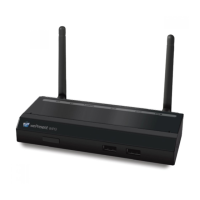
| Product color | Black |
| Number of users | 64 user(s) |
| Conference control | Yes |
| Maximum frame rate | 30 fps |
| Processor frequency | 300 MHz |
| Supported video modes | 720p, 1080p |
| Maximum resolution (VGA) | 1600 x 1200 pixels |
| Maximum resolution (HDMI) | 1920 x 1080 pixels |
| Supported graphics resolutions | 800 x 600 (SVGA), 1024 x 768 (XGA), 1280 x 768 (WXGA), 1280 x 800 (WXGA), 1360 x 768 (WXGA), 1440 x 900 (WXGA+), 1600 x 1200 (UXGA) |
| Interface | HDMI + VGA (D-Sub) |
| Number of HDMI outputs | 1 |
| USB 2.0 ports quantity | 3 |
| Output current | 2.6 A |
| Output voltage | 5 V |
| Power source type | AC |
| Mac operating systems supported | Mac OS X 10.10 Yosemite, Mac OS X 10.11 El Capitan, Mac OS X 10.5 Leopard, Mac OS X 10.6 Snow Leopard, Mac OS X 10.7 Lion, Mac OS X 10.8 Mountain Lion, Mac OS X 10.9 Mavericks |
| Mobile operating systems supported | Android 2.2, Android 2.3, Android 3.0, Android 3.1, Android 3.2, Android 4.0, Android 4.1, Android 4.2, Android 4.3, Android 4.4, Android 5.0, Android 5.1, iOS 4.0, iOS 4.1, iOS 4.2, iOS 4.3, iOS 5.0, iOS 6.0, iOS 6.1, iOS 7.0, iOS 8.0, iOS 8.2, iOS 9.0 |
| Windows operating systems supported | Windows 7 Enterprise, Windows 7 Enterprise x64, Windows 7 Home Basic, Windows 7 Home Basic x64, Windows 7 Home Premium, Windows 7 Home Premium x64, Windows 7 Professional, Windows 7 Professional x64, Windows 7 Starter, Windows 7 Starter x64, Windows 7 Ultimate, Windows 7 Ultimate x64, Windows 8, Windows 8 Enterprise, Windows 8 Enterprise x64, Windows 8 Pro, Windows 8 Pro x64, Windows 8 x64, Windows Vista Business, Windows Vista Business x64, Windows Vista Enterprise, Windows Vista Enterprise x64, Windows Vista Home Basic, Windows Vista Home Basic x64, Windows Vista Home Premium, Windows Vista Home Premium x64, Windows Vista Ultimate, Windows Vista Ultimate x64, Windows XP Home, Windows XP Home x64, Windows XP Professional, Windows XP Professional x64 |
| Antenna type | External |
| Antennas quantity | 2 |
| Frequency band | 2.4 GHz |
| Wi-Fi standards | 802.11b, 802.11g, Wi-Fi 4 (802.11n) |
| Cabling technology | 10/100Base-T(X) |
| Security algorithms | 64-bit WEP, WPA, WPA2-PSK |
| Networking standards | IEEE 802.11b, IEEE 802.11g, IEEE 802.11n, IEEE 802.3, IEEE 802.3u |
| Ethernet LAN data rates | 10, 100 Mbit/s |
 Weight and Dimensions
| Weight | 238 g |
|---|---|
| Package width | 200 mm |
| Package height | 96 mm |
| Package weight | 1000 g |

 To Next Page


