
 Need help?
Do you have a question about the WePresent WiPG-1500 and is the answer not in the manual?
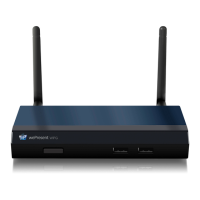
Lists the main functionalities and advantages of the WiPG-1500 device.
Explains how to use touch devices for remote control of the WiPG-1500.
Describes how to enable and disable the conference control mode.
Explains how to use the direct draw function for freehand drawing.
Explains how to use pen features and annotations during projection.
Guides users through the installation process of the DoWiFi application for Windows.
Explains how to launch the installed DoWiFi application and connect to the receiver.
Describes the quick connect feature to memorize and establish previous connections.
Details how to scan and connect to available Wi-Fi networks for the WiPG-1500.
Guides users on how to search and connect to a WiPG-1500 receiver device.
Explains the login process, including entering a code for protected receivers.
Explains how to perform full screen and split screen projections.
Introduces the menu options for accessing additional features and settings.
Explains how to access the web admin page for device configuration.
Guides users through installing the DoWiFi application for Mac.
Explains how Mac users can perform full screen and split screen projections.
Details how to manage conference sessions and user projections via web interface.
Introduces the administrative interface for device configuration.
Allows configuration of device settings like output resolution and IWB port.
Guides on configuring IP, DHCP, and wireless network settings.
Explains how to change passwords for conference control and admin access.
Details how to restore the device to factory default settings.
Guides on upgrading the device firmware and exporting/importing configurations.
 General
| Brand | WePresent |
|---|---|
| Model | WiPG-1500 |
| Category | Wireless Router |
| Language | English |

 To Next Page

