EasyManua.ls Logo

Western Digital Sentinel DS5100 - User Manual

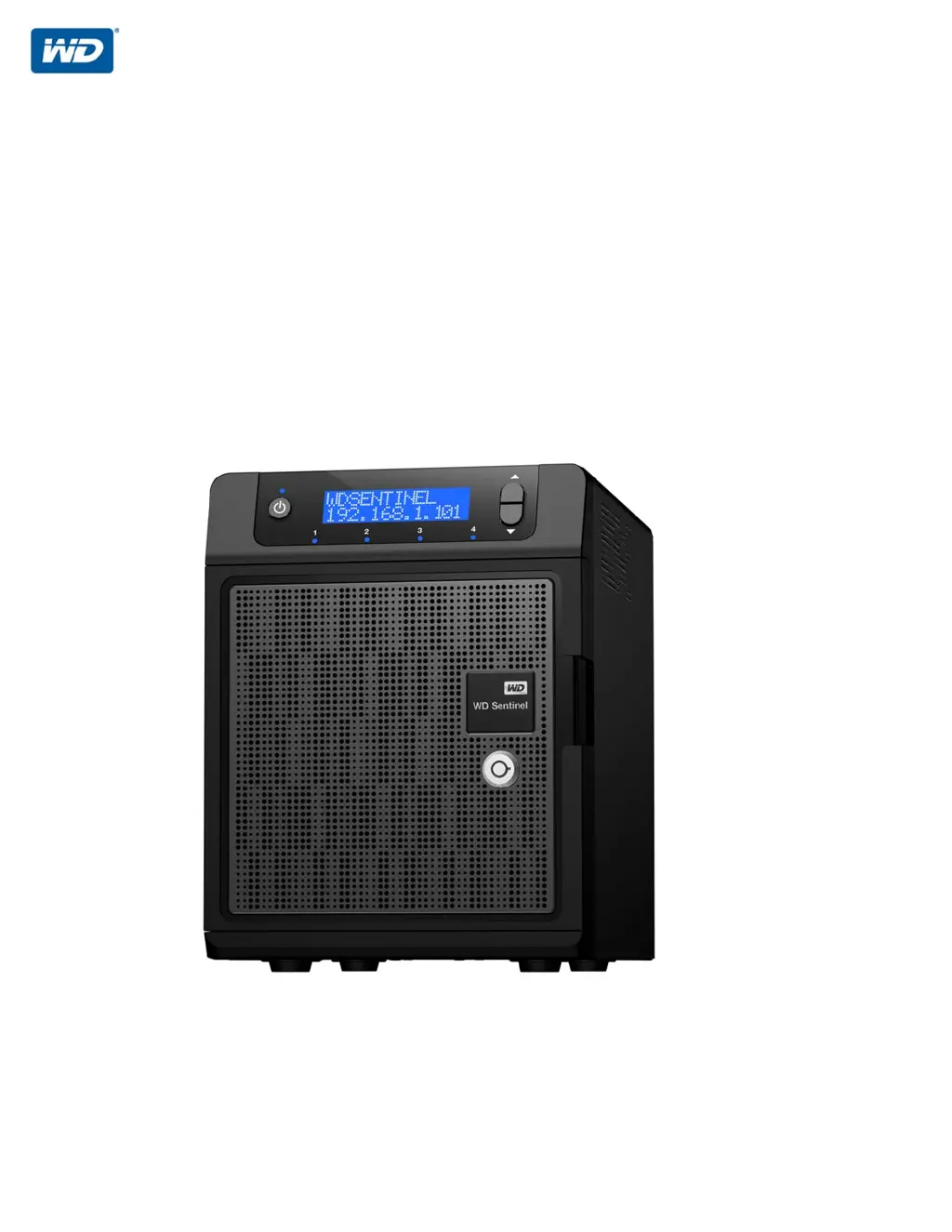
Western Digital Sentinel DS5100
107 pages
Print Icon
To Next Page IconTo Next Page
Loading...
WD Sentinel DS5100/DS6100
Ultra-compact Storage Plus Server
Administrator and Maintenance Guide

Table of Contents

Questions and Answers

Summary

Important User Information

Important Safety Instructions

Essential safety guidelines for operating the WD Sentinel server to prevent hazards.

Product Overview

Key Features

Highlights the main capabilities and benefits of the WD Sentinel DS5100/DS6100 server.

Connecting the Server and Getting Started

Connecting the WD Sentinel Server to Your Network

Step-by-step instructions for physically connecting the WD Sentinel server to a network.

Setting Up Your WD Sentinel Server

Guides through the one-time setup wizard for configuring the WD Sentinel server.

Connecting Your Computers

Instructions for connecting Windows PCs and Macs to the WD Sentinel server.

Managing the WD Sentinel Server (Dashboard)

Accessing the Dashboard

Steps to access the WD Sentinel server management interface.

Shutting Down and Rebooting the Server

Safe procedures for shutting down and restarting the WD Sentinel server.

Managing Storage on the WD Sentinel Server

WD Sentinel Server RAID Storage

Explains RAID configurations, redundancy, and performance for WD Sentinel storage.

Setting Up Your Drives

Step-by-step guide to setting up drives using Storage Spaces or RAID.

Using the WD Sentinel Server’s Features

Backing up (Windows PC)

Guide to backing up Windows PCs using the WD Sentinel server's automated backup.

Backing up with Time Machine (Mac)

Instructions for using Time Machine on Macs to back up data to the WD Sentinel server.

Recovering Server Image or Resetting Boot Drives

Procedure to restore the server image or reset boot drives to factory defaults.

Troubleshooting

Specific Problems and Corrective Actions

Solutions for common problems like LEDs not lighting up or connectivity issues.

Appendix

Replacing a Hard Drive

Step-by-step instructions for replacing a failed hard drive in the WD Sentinel server.

Summary

Important User Information

Important Safety Instructions

Essential safety guidelines for operating the WD Sentinel server to prevent hazards.

Product Overview

Key Features

Highlights the main capabilities and benefits of the WD Sentinel DS5100/DS6100 server.

Connecting the Server and Getting Started

Connecting the WD Sentinel Server to Your Network

Step-by-step instructions for physically connecting the WD Sentinel server to a network.

Setting Up Your WD Sentinel Server

Guides through the one-time setup wizard for configuring the WD Sentinel server.

Connecting Your Computers

Instructions for connecting Windows PCs and Macs to the WD Sentinel server.

Managing the WD Sentinel Server (Dashboard)

Accessing the Dashboard

Steps to access the WD Sentinel server management interface.

Shutting Down and Rebooting the Server

Safe procedures for shutting down and restarting the WD Sentinel server.

Managing Storage on the WD Sentinel Server

WD Sentinel Server RAID Storage

Explains RAID configurations, redundancy, and performance for WD Sentinel storage.

Setting Up Your Drives

Step-by-step guide to setting up drives using Storage Spaces or RAID.

Using the WD Sentinel Server’s Features

Backing up (Windows PC)

Guide to backing up Windows PCs using the WD Sentinel server's automated backup.

Backing up with Time Machine (Mac)

Instructions for using Time Machine on Macs to back up data to the WD Sentinel server.

Recovering Server Image or Resetting Boot Drives

Procedure to restore the server image or reset boot drives to factory defaults.

Troubleshooting

Specific Problems and Corrective Actions

Solutions for common problems like LEDs not lighting up or connectivity issues.

Appendix

Replacing a Hard Drive

Step-by-step instructions for replacing a failed hard drive in the WD Sentinel server.

Western Digital Sentinel DS5100 Specifications

General IconGeneral
RAID levels0, 1, 5, 10, JBOD
Storage drive size2.5/3.5 \
Hot-swap drive bays-
Storage drive capacity2000 GB
Storage drives installedYes
Installed storage drive typeHDD
Total installed storage capacity4 TB
Maximum supported storage capacity- TB
Number of storage drives installed2
Bus typeDMI
SteppingL1
Processor codeSR0R6
Processor cache3 MB
Processor modelE3-1220LV2
System bus rate5 GT/s
Processor socketLGA 1155 (Socket H2)
Processor threads4
Processor codenameIvy Bridge
Processor frequency2.3 GHz
Processor cache typeSmart Cache
Processor lithography22 nm
Processor manufacturerIntel
Processor package size37.5 x 37.5 mm
CPU configuration (max)1
Conflict-Free processorNo
Processor front side bus- MHz
PCI Express slots version3.0
Processor boost frequency3.5 GHz
Processor operating modes64-bit
PCI Express configurations1x16+1x4, 1x8+3x4, 2x8+1x4
Thermal Design Power (TDP)17 W
CPU multiplier (bus/core ratio)23
Memory bandwidth supported by processor (max)25.6 GB/s
Maximum internal memory supported by processor32 GB
Internal memory8 GB
Ethernet LAN data rates10, 100, 1000 Mbit/s
Fiber ports quantity0
USB 2.0 ports quantityUSB 2.0 ports have a data transmission speed of 480 Mbps, and are backwards compatible with USB 1.1 ports. You can connect all kinds of peripheral devices to them.
Operating system installedWindows Server 2012 R2 Essentials
TypeStorage server
Device classSmall & Medium Business
Number of users25 user(s)
Chassis typeDesktop
Display typeLCD
Product colorBlack
AC input voltage100-240 V
AC input frequency50 - 60 Hz
Storage temperature (T-T)-40 - 70 °C
Operating temperature (T-T)5 - 35 °C
Intel TSX-NI version0.00
Memory types supported by processorDDR3-SDRAM
Memory channels supported by processorDual
Intel Identity Protection Technology version1.00
Processor ARK ID65735
Weight and Dimensions IconWeight and Dimensions
Depth224 mm
Width160 mm
Height206 mm
Weight5350 g