EasyManua.ls Logo

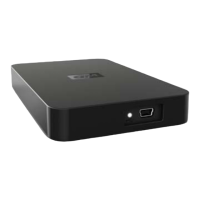
Western Digital WD10000E035 - Elements Desktop - User Manual

Western Digital WD10000E035 - Elements Desktop
2 pages
Print Icon
To Next Page IconTo Next Page
Loading...
Portable Hard Drives
WD Elements
Portable Hard Drives
Simply Affordable
Easy to Use
USB Powered
Portable USB 2.0 drives are
simple, easy-to-use, light and
easy to carry.
Simply affordable,
easily portable.
A simple, high quality portable drive that is light and easy to carry.
Simply plug it in to any USB port and start saving your photos,
music, video, and files.
WD quality inside and out Designed with the same
commitment to quality that made WD external drives the number
one drives in the world.
Plug-and-play simplicity Just plug it into a USB port and
you’re up and running instantly.
USB powered These drives require no power adapter – they
are powered directly through the USB cable.*
Compact design Weighing in at only a few ounces, these
small drives fit easily into a pocket or purse.
Preformatted for PCs – Designed for use with Windows-
based computers. Can be easily reformatted for use with Macs.
*An optional cable is available for the few computers that limit power to the USB port.

Other manuals for Western Digital WD10000E035 - Elements Desktop

Question and Answer IconNeed help?

Do you have a question about the Western Digital WD10000E035 - Elements Desktop and is the answer not in the manual?

Summary

WD Elements Portable Hard Drives Overview

Key Features

Highlights affordability, portability, plug-and-play simplicity, USB power, and compact design.

Technical Specifications and Details

Interface and Dimensions

Details USB 2.0 interface, and physical dimensions including height, length, width, and weight.

System Compatibility

Lists compatibility with Windows XP/Vista/7 and Mac OS X Tiger/Leopard operating systems.

Capacities and Model Numbers

Provides a table of available storage capacities (250GB, 320GB, 500GB) and their corresponding model numbers.

Limited Warranty Information

Outlines warranty periods for different regions: Americas (1 year), EMEA (2 years), APAC (3 years).

Included Kit Contents

Lists the items included in the product package: portable hard drive, USB cable, and Quick Install Guide.

Performance Specifications

Specifies data transfer rate (480 Mb/s), operating temperature (5°C to 40°C), and non-operating temperature (-40°C to 65°C).

Summary

WD Elements Portable Hard Drives Overview

Key Features

Highlights affordability, portability, plug-and-play simplicity, USB power, and compact design.

Technical Specifications and Details

Interface and Dimensions

Details USB 2.0 interface, and physical dimensions including height, length, width, and weight.

System Compatibility

Lists compatibility with Windows XP/Vista/7 and Mac OS X Tiger/Leopard operating systems.

Capacities and Model Numbers

Provides a table of available storage capacities (250GB, 320GB, 500GB) and their corresponding model numbers.

Limited Warranty Information

Outlines warranty periods for different regions: Americas (1 year), EMEA (2 years), APAC (3 years).

Included Kit Contents

Lists the items included in the product package: portable hard drive, USB cable, and Quick Install Guide.

Performance Specifications

Specifies data transfer rate (480 Mb/s), operating temperature (5°C to 40°C), and non-operating temperature (-40°C to 65°C).

Western Digital WD10000E035 - Elements Desktop Specifications

General IconGeneral
BrandWestern Digital
ModelWD10000E035 - Elements Desktop
CategoryStorage
LanguageEnglish

Related product manuals