Document: 1784en02.doc
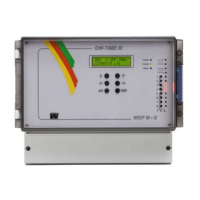
QWTIME III MASTER CLOCK
Author: PM
Date: 2008-11-07
User Manual
Page: 2 of 61
WESTERSTRAND URFABRIK AB
P.O. Box 133 Tel. +46 506 48000 Internet:: http://www.westerstrand.se
SE-545 23 TÖREBODA Fax. +46 506 48051 E-mail: info@westerstrand.se
List of contents
TECHNICAL SPECIFICATIONS...............................................................................................................................4
GENERAL DESCRIPTION .......................................................................................................................................5
INSTALLATION ........................................................................................................................................................6
C
ALCULATION OF CABLE AREA IN TIME SYSTEMS .................................................................................................................7
C
ONNECTION OF HOURLY CORRECTION (SR2/3) CLOCKS......................................................................................................8
S
YNCHRONISATION INPUT .....................................................................................................................................................9
General ............................................................................................................................................................................9
Synchronisation from another Master Clock...................................................................................................................9
S
ERIAL PORT RS232/RS485................................................................................................................................................10
General ..........................................................................................................................................................................10
Connection via RS232....................................................................................................................................................10
Connection via RS485....................................................................................................................................................10
PROGRAMMING.....................................................................................................................................................11
G
ENERAL ............................................................................................................................................................................11
RUNNING MODE ..................................................................................................................................................................11
S
TART UP ............................................................................................................................................................................12
SET TIME WHEN IN OPERATION............................................................................................................................................13
Summer to winter ( Day light saving )...........................................................................................................................13
S
LAVE CLOCK .....................................................................................................................................................................14
ALARMS ..............................................................................................................................................................................15
Example 1, display alarms.............................................................................................................................................16
Example 2, erase (clear) alarms....................................................................................................................................17
W
EEK PROGRAM & DATE PROGRAM ..................................................................................................................................18
Concept description .......................................................................................................................................................18
Week Program, example 1 (New program)....................................................................................................................20
Week Program, example 2 (Change program) ..............................................................................................................21
Week Program, example 3 (Erase program) .................................................................................................................22
Week Program, example 4 (Astronomical function) ......................................................................................................23
Week Program, example 5 (Block program)..................................................................................................................24
Week Program, example 6 (Mask program)..................................................................................................................25
Date Program, example (New program) .......................................................................................................................26
D
ISPLAY PROGRAM.............................................................................................................................................................27
T
EMPORARY PROGRAM, EXAMPLE......................................................................................................................................28
GROUP => PERIOD ..............................................................................................................................................................29
D
ISPLAY HOLIDAYS ............................................................................................................................................................30
S
PEC.-FUNCTIONS ...............................................................................................................................................................31
Status..............................................................................................................................................................................32
Status sync. source........................................................................................................................................................................33
Status impulse output....................................................................................................................................................................33
Status RS232/RS485-port .............................................................................................................................................................33
Status Alarm relay.........................................................................................................................................................................34
Status IP........................................................................................................................................................................................34
Keylock ..........................................................................................................................................................................35
Language .......................................................................................................................................................................37
Country ..........................................................................................................................................................................38
Position..........................................................................................................................................................................39
Setup ..............................................................................................................................................................................40
Setup sync. source.........................................................................................................................................................................41



 To Next Page