EasyManua.ls Logo

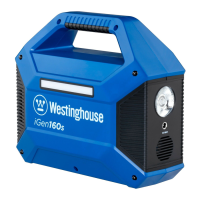
Westinghouse iGen160s - User Manual

Westinghouse iGen160s
47 pages
Print Icon
To Next Page IconTo Next Page
Loading...
USER MANUAL
Thank you for choosing Westinghouse!
PLEASE READ BEFORE RETURNING THIS
PRODUCT FOR ANY REASON.
If you have a question or experience a problem with your
Westinghouse purchase, call us at 855-944-3571 to speak with
a service representative.
SAVE THIS MANUAL FOR FUTURE REFERENCE.
iGen160s
Portable Power Station
100 Running Watts | 150 Peak Watts
Man: Rev06 Pro: Rev01
Question and Answer IconNeed help?

Do you have a question about the Westinghouse iGen160s and is the answer not in the manual?

Summary

About the Power Station

Immediate Charging Instruction

Charge the device before reading the manual to ensure it is ready for use.

Lithium-ion Battery Hazard

Lithium-ion batteries contain chemicals linked to cancer and birth defects in California.

General Safety Rules

Basic Safety Precautions

Avoid short-circuiting, overheating, disassembly, and exposure to extreme conditions.

Product Application

Optimal Operating Temperature

Operate the power station within 50°F-86°F for optimal charging capacity.

Charging Interference Prevention

Avoid interference during charging by staying away from other electronic equipment.

Storage Guidelines

Disconnect the cable and store properly if the device is not used for a long time.

Battery Longevity Tips

Charge the lithium-ion battery within 3 months and at least once every 6 months to extend its life.

Battery Information

Battery Specifications

Features an internal, non-removable, rechargeable battery with a lifespan of over 500 charges.

Modified Sine Wave Output

Appliance Compatibility

Compatible with AC appliances under 100W; high-wattage devices may not run properly.

Specifications

Registering Your Product

Online Registration

Register your product online at wpowereq.com/register to confirm warranty coverage.

Protection Mode

Short-circuit;Overload Protection

The generator automatically shuts down to protect itself if output is short-circuited or load exceeds limits.

Product Description

Providing Power for DC 12 V Appliances

DC Output Usage

Plug appliances into the 5.5mm DC output port (10A rated, <15A max) to power them.

DC Plug Compatibility

Confirm DC 12V appliances support 5.5mm DC plugs; consult manufacturer or use adapter if needed.

Voltage Drop Notification

DC output voltage drops at low battery; unplug and recharge if appliance shuts down.

Providing Power for AC Appliances

AC Outlet Connection

Connect AC appliances to the outlet and press the power button.

Load Limitations

Loads exceeding 100W for extended periods may cause performance issues or shutoff.

High Wattage Appliance Warning

Avoid high-wattage appliances that may exceed 150W, causing overload and shutdown.

Cannot Support Devices More Than 150 W

Providing Power for USB Appliances

USB Output Connection

Connect USB cables to the USB ports and press the power button to turn on outputs.

Low Current Device Charging

Press AC button for low-current devices; turn off AC output when fully charged to save power.

Quick Charge Output

Qualcomm Quick Charge

Features Qualcomm Quick Charge 3.0 via USB and USB-C ports; consult manufacturer for details.

Using the LED Flashlight

Flashlight Operation

Press the button to switch the ultra-bright LED flashlight on or off.

Using the LED Light Panel

Light Panel Operation

Press the button to turn on/off the LED light panel and adjust brightness.

Eye Safety Warning

Warning: Do not point the flashlight or LED light panel directly at the eyes.

Recharging the Power Station

Recharging with AC Wall Charger

Plug DC end into station, AC end into outlet; charging indicated by blinking battery lights.

Recharging with 12 V Car Charger

Plug into vehicle's cigarette lighter; vehicle must be running; charging indicated by blinking lights.

Recharging with Solar Panels

Solar Charging Procedure

Place panel in direct sunlight, plug into station; charging indicated by blinking battery lights.

Cold Weather Use

Battery Capacity in Cold

Cold temperatures affect battery capacity; use an insulated cooler for sub-zero conditions.

Recycle

Proper Disposal

Return used electronics, batteries, and packaging to dedicated collection points for recycling.

Statement

Warranty

Responsibility of the Parties

Details Westinghouse's and consumer's responsibilities regarding warranty.

Product Warranty Period

The warranty period for the portable solar generator is 24 months from the date of purchase.

Remedy for Defects

Westinghouse will repair or replace defective products at their discretion.

Limited to Original Consumer Buyer

Warranty is limited to the original purchaser and is not transferable.

Warranty Exclusions

Lists conditions and damages not covered by the Westinghouse warranty.

Non-Warrantable Applications

Primary Power Usage

Not recommended for use as primary power source where utility power is available.

How to Receive Service

Contacting Support

Contact customer service via email or phone for assistance or warranty service.

Terms of Agreement

Complete Terms of Agreement

This document constitutes the full and final agreement for warranty and returns.

Disclaimer of Implied Warranties

This limited warranty replaces all other expressed or implied warranties.

Governing Law and Forum Selection

Terms are controlled by Ohio law; consumer consents to jurisdiction in Franklin County, Ohio.

Summary

About the Power Station

Immediate Charging Instruction

Charge the device before reading the manual to ensure it is ready for use.

Lithium-ion Battery Hazard

Lithium-ion batteries contain chemicals linked to cancer and birth defects in California.

General Safety Rules

Basic Safety Precautions

Avoid short-circuiting, overheating, disassembly, and exposure to extreme conditions.

Product Application

Optimal Operating Temperature

Operate the power station within 50°F-86°F for optimal charging capacity.

Charging Interference Prevention

Avoid interference during charging by staying away from other electronic equipment.

Storage Guidelines

Disconnect the cable and store properly if the device is not used for a long time.

Battery Longevity Tips

Charge the lithium-ion battery within 3 months and at least once every 6 months to extend its life.

Battery Information

Battery Specifications

Features an internal, non-removable, rechargeable battery with a lifespan of over 500 charges.

Modified Sine Wave Output

Appliance Compatibility

Compatible with AC appliances under 100W; high-wattage devices may not run properly.

Specifications

Registering Your Product

Online Registration

Register your product online at wpowereq.com/register to confirm warranty coverage.

Protection Mode

Short-circuit;Overload Protection

The generator automatically shuts down to protect itself if output is short-circuited or load exceeds limits.

Product Description

Providing Power for DC 12 V Appliances

DC Output Usage

Plug appliances into the 5.5mm DC output port (10A rated, <15A max) to power them.

DC Plug Compatibility

Confirm DC 12V appliances support 5.5mm DC plugs; consult manufacturer or use adapter if needed.

Voltage Drop Notification

DC output voltage drops at low battery; unplug and recharge if appliance shuts down.

Providing Power for AC Appliances

AC Outlet Connection

Connect AC appliances to the outlet and press the power button.

Load Limitations

Loads exceeding 100W for extended periods may cause performance issues or shutoff.

High Wattage Appliance Warning

Avoid high-wattage appliances that may exceed 150W, causing overload and shutdown.

Cannot Support Devices More Than 150 W

Providing Power for USB Appliances

USB Output Connection

Connect USB cables to the USB ports and press the power button to turn on outputs.

Low Current Device Charging

Press AC button for low-current devices; turn off AC output when fully charged to save power.

Quick Charge Output

Qualcomm Quick Charge

Features Qualcomm Quick Charge 3.0 via USB and USB-C ports; consult manufacturer for details.

Using the LED Flashlight

Flashlight Operation

Press the button to switch the ultra-bright LED flashlight on or off.

Using the LED Light Panel

Light Panel Operation

Press the button to turn on/off the LED light panel and adjust brightness.

Eye Safety Warning

Warning: Do not point the flashlight or LED light panel directly at the eyes.

Recharging the Power Station

Recharging with AC Wall Charger

Plug DC end into station, AC end into outlet; charging indicated by blinking battery lights.

Recharging with 12 V Car Charger

Plug into vehicle's cigarette lighter; vehicle must be running; charging indicated by blinking lights.

Recharging with Solar Panels

Solar Charging Procedure

Place panel in direct sunlight, plug into station; charging indicated by blinking battery lights.

Cold Weather Use

Battery Capacity in Cold

Cold temperatures affect battery capacity; use an insulated cooler for sub-zero conditions.

Recycle

Proper Disposal

Return used electronics, batteries, and packaging to dedicated collection points for recycling.

Statement

Warranty

Responsibility of the Parties

Details Westinghouse's and consumer's responsibilities regarding warranty.

Product Warranty Period

The warranty period for the portable solar generator is 24 months from the date of purchase.

Remedy for Defects

Westinghouse will repair or replace defective products at their discretion.

Limited to Original Consumer Buyer

Warranty is limited to the original purchaser and is not transferable.

Warranty Exclusions

Lists conditions and damages not covered by the Westinghouse warranty.

Non-Warrantable Applications

Primary Power Usage

Not recommended for use as primary power source where utility power is available.

How to Receive Service

Contacting Support

Contact customer service via email or phone for assistance or warranty service.

Terms of Agreement

Complete Terms of Agreement

This document constitutes the full and final agreement for warranty and returns.

Disclaimer of Implied Warranties

This limited warranty replaces all other expressed or implied warranties.

Governing Law and Forum Selection

Terms are controlled by Ohio law; consumer consents to jurisdiction in Franklin County, Ohio.

Westinghouse iGen160s Specifications

General IconGeneral
Fuel TypeGasoline
AC Outlets2
DC Output12V
Output Voltage120V
Frequency60 Hz
Warranty3 years
Power Output1600W
Start TypeRecoil
Battery TypeLithium-ion
Operating Temperature32-104°F (0-40°C)
Starting/Peak Wattage2000W
USB Output2