
 Need help?
Do you have a question about the Westinghouse WCM11100B and is the answer not in the manual?
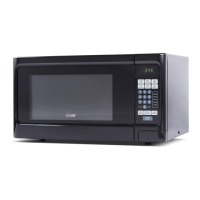
This document is a user's manual for a Westinghouse microwave oven, model WCM11100B/W. It provides comprehensive information on the safe installation, operation, maintenance, and troubleshooting of the appliance. The manual emphasizes safety precautions to prevent exposure to excessive microwave energy and outlines important safety instructions for general use.
The Westinghouse microwave oven is designed for heating, cooking, or drying food in a household setting. It features a control panel with a display that shows cooking time, power, indicators, and the present time. Users can set cooking times using number pads, with a maximum setting of 99 minutes and 99 seconds. The oven offers various power levels, from 0% to 100%, which can be selected using the POWER pad and number pads.
The microwave includes several quick cook settings for popular foods like potatoes, popcorn, pizza, and beverages, allowing for automatic cooking without manually entering power level or time. For these quick cook settings, users can often select the number of servings or portions, with the oven automatically adjusting the cooking time. For instance, for potatoes, the user can select 1 to 4 potatoes, and for beverages, 1 to 4 cups or mugs.
The appliance also supports multi-stage cooking, enabling users to program different power and time settings to cook food automatically through various stages. This is particularly useful for recipes that require different temperatures during different phases of cooking.
Defrosting functions are available, including "Cook by Weight" and "Defrost by Weight." "Cook by Weight" allows programmed cooking based on the weight of the food, with specific codes for different types of meat like beef, mutton, and pork. The system will pause during cooking to remind users to turn the meat over. "Defrost by Weight" similarly programs defrosting based on food weight. A "Speed Defrost" function provides quick defrosting by alternating defrost and stand times.
A child lock feature is included to prevent unsupervised operation by children. This can be set by pressing and holding the RESET pad for 3 seconds and canceled by repeating the action. The oven also has an independent timer function that can operate even while a cooking program is in process.
The manual provides detailed instructions for setting the clock, which operates on a 12-hour cycle. It explains how to set a cooking program, including one-stage and two-stage cooking. For two-stage cooking, users first set the initial cooking stage (time and power level), then touch the COOK pad to set the second stage's time and a lower power level, before starting the process.
The manual offers cooking techniques to enhance results, such as stirring casseroles and vegetables to distribute heat evenly, arranging unevenly shaped foods with thicker parts towards the outside of the turntable, and shielding delicate areas with narrow strips of aluminum foil to prevent overcooking. It also advises turning large foods like roasts midway through cooking and allowing foods to stand for a few minutes after cooking to complete the process. Adding a small amount of water to dry food is recommended to help it cook evenly.
The oven provides signals to indicate accepted entries (one signal) or rejected entries (two signals), prompting the user to check and try again. After total cooking or defrosting time, the display shows "END," and signals sound. Users can clear "END" by touching any button or opening the oven door.
The manual outlines a comprehensive cleaning and care routine to ensure the longevity and safe operation of the microwave. It recommends cleaning the surfaces of the door and oven that come together when closing with mild, nonabrasive soaps or detergents and a soft cloth. Before cleaning, users should turn off the oven and remove the power plug.
The inside of the oven should be kept clean, wiping food splatters or spilled liquids with a damp cloth. Mild detergent can be used for very dirty areas, but harsh cleaners should be avoided as they may stain or dull the door surface. The outside surfaces should also be cleaned with a damp cloth, taking care to prevent water from sweeping into the ventilation openings.
The window should be wiped on both sides with a damp cloth to remove spills. The control panel should be cleaned with a soft, damp cloth, with the oven door left open to prevent accidental activation. Accumulated steam inside or around the door is normal under high humidity and should be wiped with a soft cloth.
The glass tray and roller ring should be removed and cleaned regularly in warm sudsy water or a dishwasher to prevent excessive noise. To remove odors, users can microwave a cup of water with lemon juice and skin for 5 minutes, then wipe and dry the cavity. For oven light replacement, users are advised to consult a dealer. The manual also specifies that the appliance should not be disposed of in domestic rubbish bins but at designated disposal centers.
 General
| Style | countertop |
|---|---|
| Color | black |
| Total Capacity | 1.1 cubic feet |
| Power Levels | 10 |
| Sensor Cooking | yes |
| Child Lock | yes |
| Timer | yes |
| Microwave Power | 1000 watts |
| Voltage | 120 volts |
 Weight and Dimensions
| Depth | 16 3/20 inches |
|---|---|
| Height | 11 22/25 inches |
| Width | 21 1/4 inches |
| Net Weight | 35.3 pounds |

 To Next Page