This document is a user's manual for the Westinghouse WD40FT2108 television, providing comprehensive instructions for its setup, operation, customization, troubleshooting, and maintenance. The television is designed for home entertainment, offering a range of features for viewing various media, connecting external devices, and accessing online streaming services.
Function Description
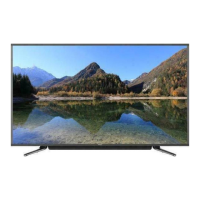
The Westinghouse WD40FT2108 is a smart television capable of displaying high-definition video and playing audio from multiple sources. Its primary function is to serve as a central entertainment hub, allowing users to watch broadcast television, stream content from popular online services, play media from USB storage devices, and connect to various external audio/video equipment. The TV operates in both On and Standby modes, with a clear LED indicator to show its current status.
Key functionalities include:
- Television Viewing: Accessing DTV/TV channels via an antenna or coaxial cable input.
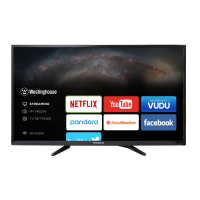
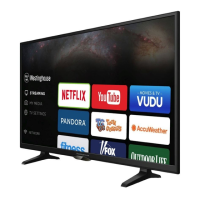
- Streaming Services: Integrated support for popular applications like Netflix, YouTube, VUDU, Pandora, AccuWeather, Facebook, and Twitter, enabling direct access to movies, TV shows, music, weather updates, and social media.
- Media Playback: The "My Media" feature allows users to view photos, listen to music, and watch videos stored on USB devices.
- External Device Connectivity: Equipped with multiple input ports including HDMI, VGA, USB, Component, Composite, and LAN, facilitating connections to Blu-ray players, game consoles, soundbars, computers, and network devices.
- Audio Output: Features an Optical Output for connecting to digital sound systems and a Headphone Socket for private listening.
- Remote Control Operation: A dedicated remote control provides full command over all TV functions, including power, volume, channel selection, menu navigation, input source switching, aspect ratio adjustment, and media playback controls.
Usage Features
The WD40FT2108 offers a user-friendly interface with several customization options to enhance the viewing experience.
- Initial Setup Wizard: Guides users through the initial configuration process, including language selection, time zone setting, and channel scanning for antenna or cable inputs.
- Menu Navigation: The main menu, accessible via the "MENU" button on the remote or TV keypad, provides access to all settings and features. Navigation is intuitive, primarily using arrow buttons and an "OK" button for selection.
- Customizing TV Settings:
- General Settings: Allows users to adjust menu language (English, Français, Español), transparency of the on-screen display, zoom mode for different input sources, VGA settings (H-POS, V-POS, Clock, Phase, Auto), closed caption options (basic and advanced), and other settings like Inlink Control, Accessibility features (Voice Guide, Verbosity Rate, Pitch support, Video Description, Vd volume, DLC), and software updates.
- Picture Settings: Offers various picture modes (Dynamic, Standard, Movie, User) and fine-tuning controls for Brightness, Contrast, Color, Sharpness, Tint, Color Temperature (Normal, Warm, Cool), and advanced options like Noise Reduction, White Balance, and Backlight.
- Audio Settings: Provides sound modes (Standard, Music, Movie, User), and adjustments for Bass, Treble, Balance, Digital Audio Output (PCM/RAW), Surround Sound, Auto Volume, and Audio Language (English, French, Spanish).
- Network Settings: Enables selection between LAN and Wireless network types, displaying current network information and IP address. The TV can connect to wired networks or search for available Wi-Fi networks.
- Channel Settings: Allows users to switch between Air and Cable antenna types, perform auto scans for available channels, set favorite channels, show/hide channels, and view channel number, label, and signal information.
- Time Settings: Configures the sleep timer (Off, 5, 10, ..., 180, 240 min), OSD timer (Off, 15s, 30s, 60s, 120s, 240s), time zone, and daylight saving time.
- Lock (Parental Control): A robust parental control system allows users to set a 4-digit password to restrict access to undesirable programming. Features include changing the password, system lock (On/Off), USA and Canada rating systems (MPAA and TV Parental Guideline), RRT (Rating Region Table) settings, and options to reset RRT and clear all lock settings.
- APP Settings: Provides options to deactivate Netflix and Vudu accounts, and displays the Electronic Serial Number (ESN) and Netflix version.
- Source Selection: Users can easily switch between different input sources (TV, AV, Component, HDMI1/2/3, VGA, USB) via the remote control or main unit.
- Media Playback Controls: When playing photos, music, or videos from a USB device, a Function Bar appears, offering controls for playback, pause, fast forward, rewind, skip, and stop.
Maintenance Features
The manual outlines several guidelines for maintaining the TV's performance and longevity, as well as troubleshooting common issues.
- Troubleshooting: A dedicated section addresses various problems, categorized by TV operation, video function, audio function, password issues, PC mode problems, and WIFI/APP connection failures.
- TV Operation Issues: Solutions for unresponsive buttons, TV not switching on, remote control malfunction (checking batteries, obstructions), and sudden power-offs (checking power supply, sleep timer, auto standby).
- Video Function Issues: Guidance for no picture/sound, slow picture appearance, poor color/picture quality, horizontal/vertical bars or picture shaking (adjusting picture settings, checking cables, local interference), poor reception (tuning to other stations, repositioning antenna), lines/streaks, no HDMI picture (checking input source), and incorrect aspect ratio (adjusting settings).
- Audio Function Issues: Solutions for picture OK but no sound (checking volume, mute, other channels), no output from one speaker (adjusting balance), unusual internal sounds (normal for temperature changes), no HDMI sound (checking input source), and audio noise (keeping RF coaxial cable away from others).
- Password Issues: Instructions for resetting a lost password using a master password.
- PC Mode Issues: Solutions for out-of-range signals (adjusting resolution, frequency), background noise/incorrect position (auto configure, adjust clock/phase/H/V), and unstable/single color screen (checking signal cable, reinstalling PC video card).
- WIFI/APP Connection Issues: Advice for WIFI connection failures (checking signal strength, authentication settings, password, TV connection, power cycling TV/router, checking for interference/channel problems) and streaming problems (checking internet speed, deactivating Netflix, Vudu/Pandora regional availability).
- Physical Maintenance:
- Temperature Control: Avoid using the TV in extreme hot or cold environments to prevent warping or malfunction. The recommended operating temperature is 32° to 95°F (0° to 35°C), and storage temperature is 32° to 122°F (0° to 50°C).
- Placement: Do not place the TV in direct sunlight or near heat sources.
- Ventilation: Ensure at least 5cm (2 inches) clearance around the apparatus for sufficient ventilation. Do not impede ventilation openings with items like newspapers, table-cloths, or curtains.
- Fire Safety: No naked flame sources, such as lighted candles, should be placed on the apparatus.
- Cleaning: Use a soft dry cloth to clean the TV. Avoid solvents or petroleum-based fluids.
- Battery Disposal: Attention should be drawn to the environmental aspects of battery disposal.
- Stability: Always ensure the television is placed in a stable location, using manufacturer-recommended cabinets or stands, and anchoring furniture if necessary, especially to prevent tip-over injuries, particularly with children.

 Need help?
 General


 To Next Page