WEVER & DUCRÉ BVBA
Spinnerijstraat 99/21, 8500 Kortrijk, Belgium
weverducre.com
INSTALLATION INSTRUCTIONS | MARCH 2022
BOX
2
1
2
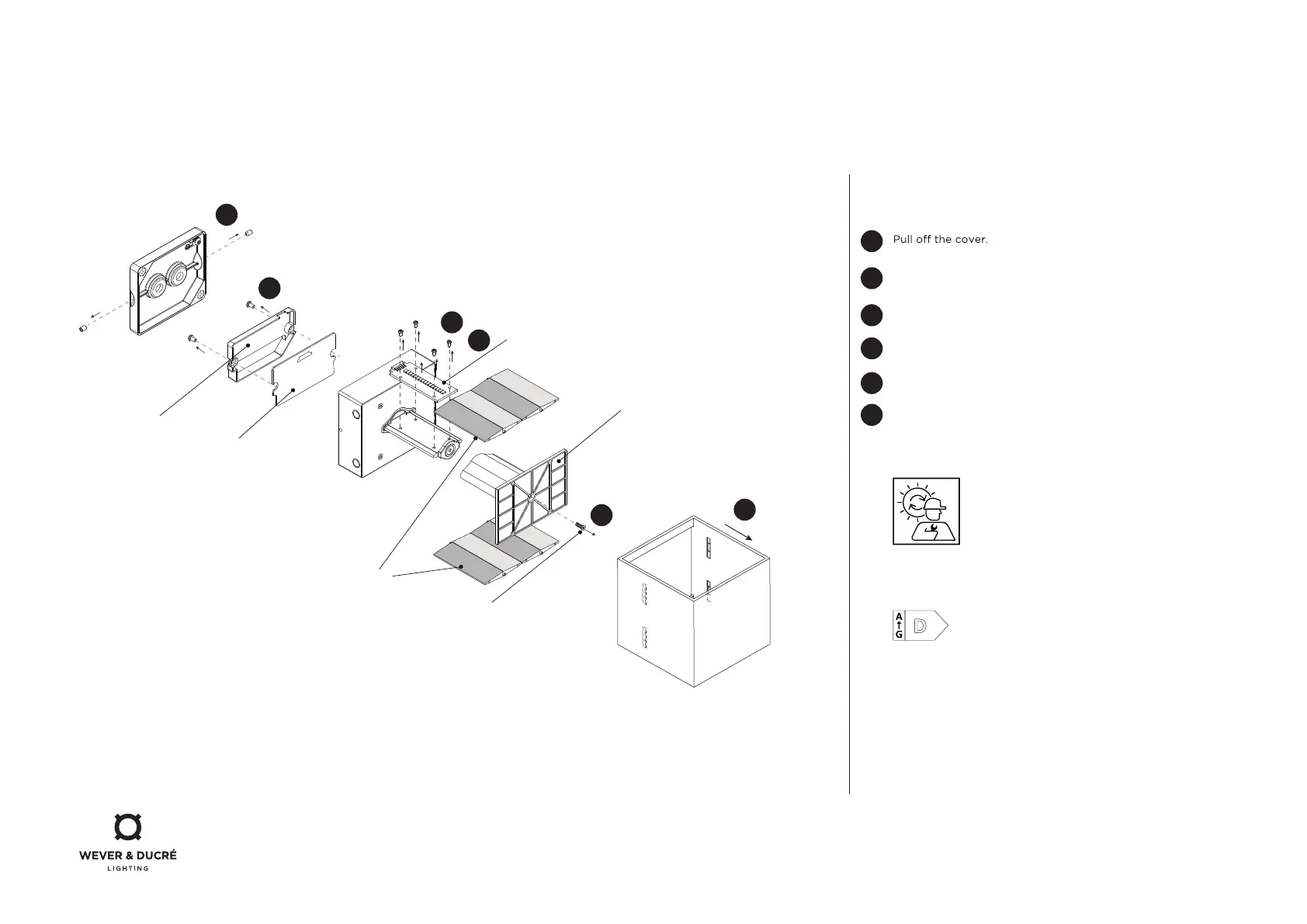
PCB holder
LED driver board
4
5
5
3
top screw
diuser
adjustable flap
PCBA
DISMOUNTING INSTRUCTION
Light source
Loosen the socket side screws and the wiring, and take the
LED module from the wall.
Loosen the top screw and remove the plastic parts.
To replace the light source please contact your
W&D customer service.
1
2
3
4
5
6
6
This luminaire contains a light source with the energy class D.
Remove the screws on the PCBA.
Remove the screws from the PCB holder.
Remove the PCBA by desoldering it from the LED driver board.



 To Previous Page