GB - 6
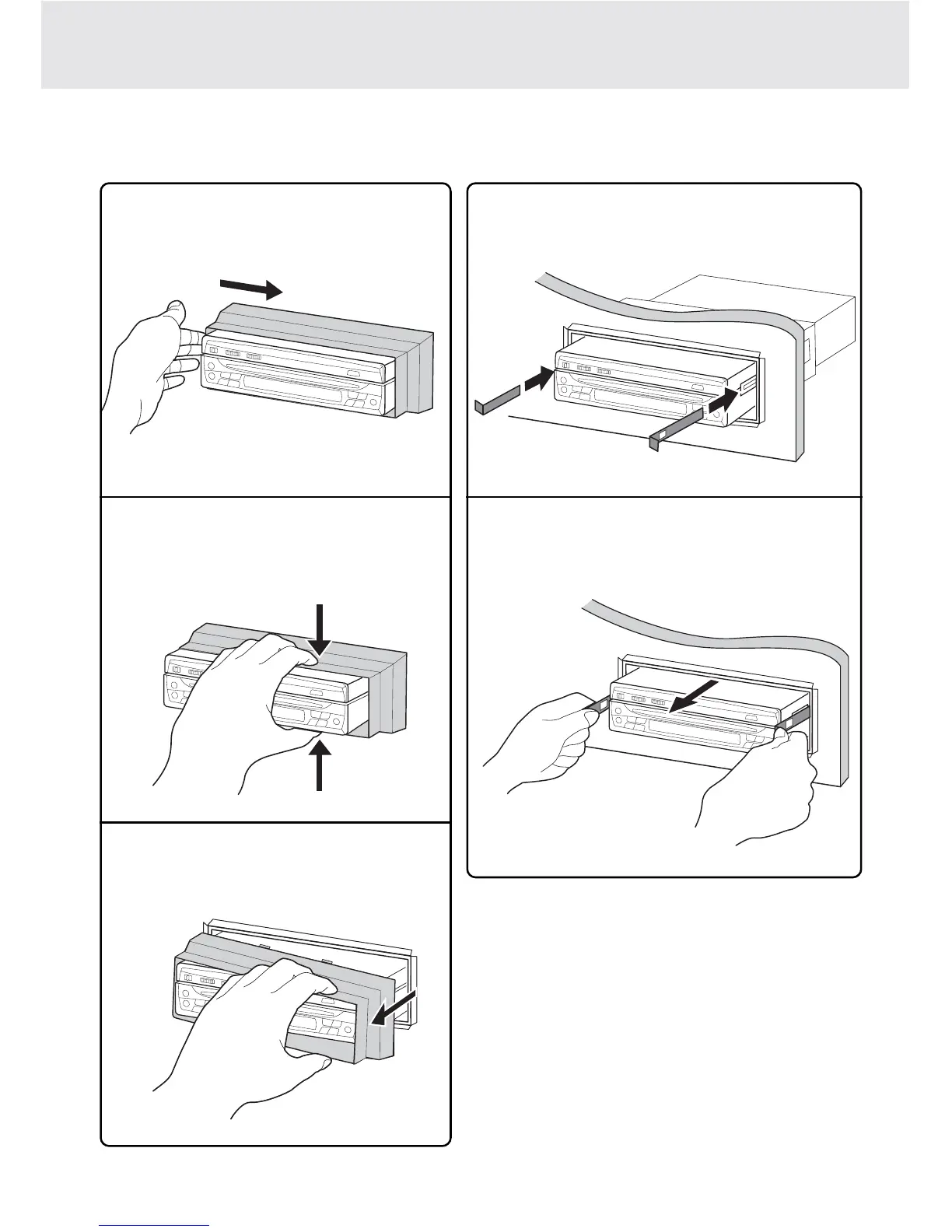
REMOVE THE UNIT FROM THE INSTALLATION SLEEVE
INSTALLATION
1
Push the front frame to one end.
2
Hold and press the frame at the other end,
the frame will release.
3
Pull out the frame.
1
Insert both levers into the grooves on both
sides of the unit.
2
Pull the levers toward you to remove the unit
from the installation sleeve.
TO REMOVE THE FRONT FRAME TO REMOVE THE UNIT
NOTE:
Pull the unit all the way out with your hands, being
careful not to drop it.



 To Next Page