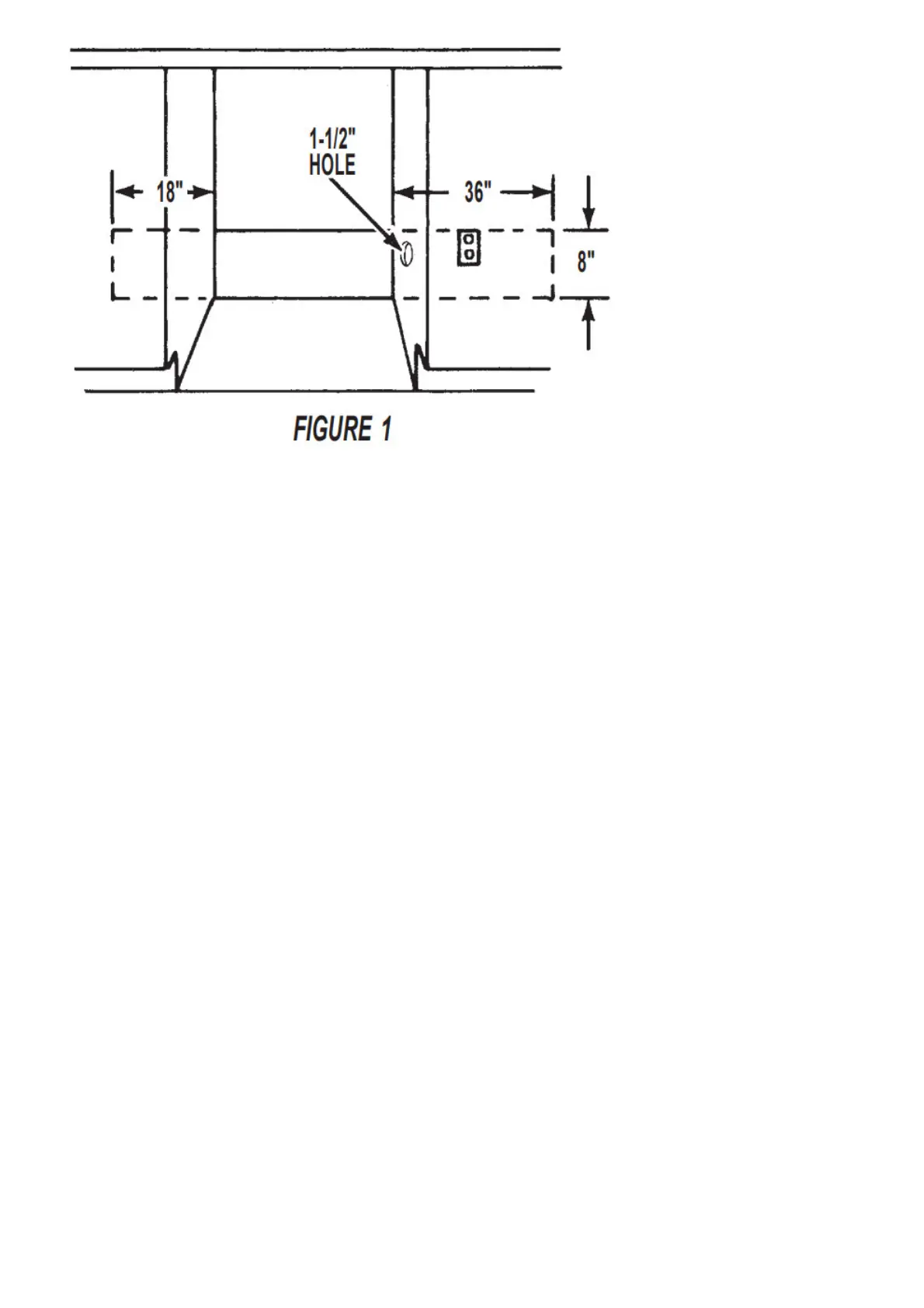
3. If the cabinet side walls are wood, sand the edge of the hole until smooth. If the sidewall is metal, install the
protective grommet supplied in this kit.
To mount the new assembly
1. Disconnect power or unplug the dishwasher.
2. Remove the access panel and the terminal box cover.
3. Install metal strain relief in a hole in the back of the terminal box. See figure 2.
4. Install the wires (opposite the plug end) of the cord into the terminal box through the metal strain relief. Tighten
clamp or connector on power cord using Phillips screwdriver.
5. Connect the white and black wires of the power supply cord to the white and black wires in the terminal box
using wire connectors supply. See figure 3.
6. Ground wire connection:
6a. Units with grounding bolts. Remove the grounding bolt and place the ring terminal of the green ground wire
on the power cord over the bolt. Reattach and tighten the green bolt. See figure 3.
6b. Units without grounding bolts. Locate the power cord green grounding wire and remove the ring terminal.
Remove ½” of the outer green wire jacket to expose the inner wire. Mate this wire to the remaining green wire
from your dishwasher. Use the remaining wire nut to complete the connection (see helpful tip for proper
connection technique.)
7. Replace the terminal box cover.
8. The dishwasher should be plugged in or the cord passed through the hole in the cabinet before the access
panel is reinstalled.
IMPORTANT: The strain relief MUST BE USED to prevent the power cord wires from being pulled out of the
terminal box accidentally.
9. Replace the access panel.
10. Reconnect power or plugin the dishwasher.



 To Next Page