EasyManua.ls Logo

Whirlpool AD70USS - User Manual

Whirlpool AD70USS
40 pages
Print Icon
To Next Page IconTo Next Page
Loading...
CONSUMER SERVICES TECHNICAL
EDUC
ATION GROUP PRESENTS
R-103
JOB AID
Part No. 8178563
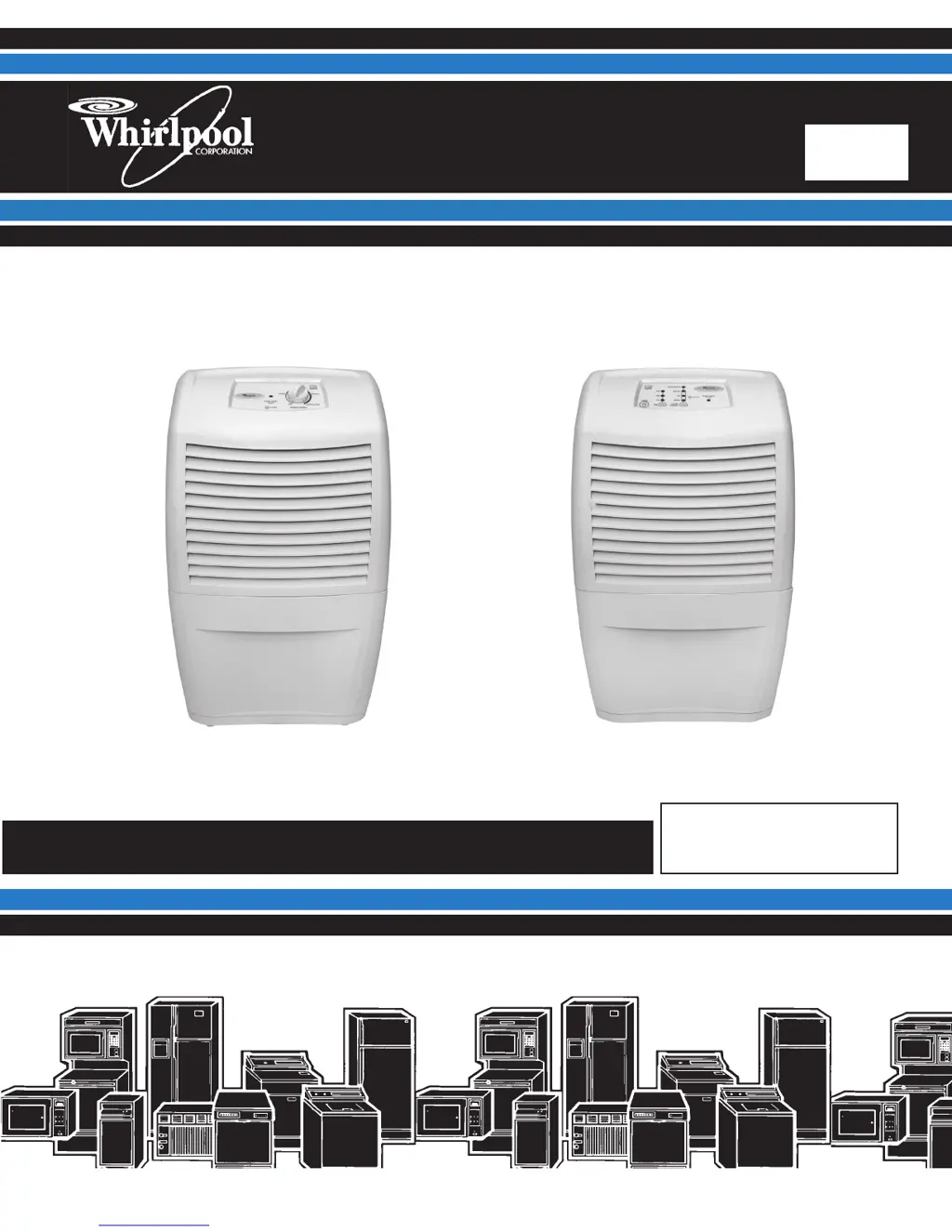
DEHUMIDIFIERS
Models: AD25BSS, AD35DSS, AD50DSS Models: AD35USS, AD50USS, AD70USS

Questions and Answers

  • R
    Rachel RichardsJul 31, 2025
    Why is my Whirlpool AD70USS not dehumidifying?
    • K
      katherinethompsonJul 31, 2025
      Your Whirlpool Dehumidifier may not be dehumidifying because: * The unit could be out of refrigerant. You should follow the sweep charge procedure to find and repair any leaks. * The humidity might be too low. In this case, turn the unit off until the humidity rises. * The evaporator could be dirty, or the air filter might be blocked. Try cleaning the air filter and/or the evaporator.
  • C
    Charles RobinsonAug 6, 2025
    What to do if my Whirlpool AD70USS Dehumidifier is not dehumidifying enough?
    • T
      Tanya HayesAug 6, 2025
      If your Whirlpool Dehumidifier isn't dehumidifying enough, consider these possibilities: * The area might not be sealed off properly; check for open doors and/or windows and close them. * The grilles could be obstructed. Ensure that the unit and surrounding items are positioned so that the grilles aren't blocked. * The evaporator could be dirty, or the air filter might be blocked. Try cleaning the air filter and/or the evaporator. * There might be a low refrigerant charge. Follow the sweep charge procedure to locate and repair any leaks. * The unit might be too small for the area. Try closing off the area to make it smaller.
  • M
    Melissa GilesAug 11, 2025
    How to fix a Whirlpool Dehumidifier fan that won't run but the compressor does?
    • W
      wbarryAug 11, 2025
      If the fan on your Whirlpool Dehumidifier isn't running but the compressor is, it could be due to these reasons: * The fan motor might not be getting power. Check the wiring and repair or replace as necessary. * The fan motor might be defective. Replace the fan motor. * The fan blade could be jammed. Remove any obstruction, and replace the blade if it's damaged.
  • V
    villatammyAug 17, 2025
    What to do if Whirlpool Dehumidifier fan runs but the compressor doesn't?
    • J
      James BradleyAug 17, 2025
      If the fan runs but the compressor doesn't on your Whirlpool Dehumidifier, consider the following: * For mechanical models: the deicer thermostat may be open. Allow the evaporator coil to thaw. If it remains open after thawing, replace the deicer thermostat. * For electronic models: the thermistor may be out of range, or the evaporator temperature is less than 30°F. If the unit is in defrost mode, raise the room temperature. Otherwise, run diagnostics and replace the electronic control if needed. * The compressor overload or relay could be defective. Check both components and replace if defective. * The compressor windings might be open. Check continuity and replace if one or both windings are open.
  • A
    Anna SheltonAug 25, 2025
    Why won't my Whirlpool Dehumidifier run? (no fan or compressor)
    • W
      wshortAug 25, 2025
      If your Whirlpool Dehumidifier won't run (no fan or compressor), here's what to check: * Ensure the unit is turned “ON” and set dry enough. Set the control to “CONTINUOUS” to allow the fan and compressor to run regardless of the ambient humidity. * Verify the unit has power: * Make sure the power supply cord is plugged in. * Ensure the outlet has power; if not, have a qualified electrician correct the issue. * Check the bucket: * Empty the bucket. * Make sure the bucket is installed properly. * Check the bucket In/Water Level switch; replace it if defective. * Inspect the power supply cord and internal wiring. Repair or replace any defective parts. * Run diagnostics to check the humidistat. Replace the electronic control if needed.

Summary

Forward

Goals and Objectives

General Dehumidifier Safety

Safety Alert Symbols and Definitions

Explains DANGER and WARNING symbols and their meanings for hazard identification and injury prevention.

Model and Serial Number Designations

Understanding Model Number Structure

Details the components of the model number, including product group, capacity, features, series, and year of introduction.

Model and Serial Number and Wiring Diagram Label Locations

Label Locations on Unit

Shows the physical locations of model/serial number and wiring diagram labels on the dehumidifier unit.

Product Operation Theory

What is Humidity?

Defines humidity and explains how temperature affects air's moisture-holding capacity, leading to comfort issues.

How Dehumidifiers Remove Moisture

Explains the refrigeration cycle, evaporator, condenser, and collection of moisture from the air.

Operating Characteristics and Low Temp Use

Discusses evaporator frosting, performance in cool dry conditions, and temperature limits for mechanical and electronic models.

Electronic Control Sensors and Defaults

Explains humidistat, thermistor functions, and default operation if sensors fail on electronic models.

Fan Speed and Dryness Control

Details fan speed settings (High, Low, Auto) and the Dryness Control for adjusting moisture removal levels.

Bucket Indicator Light Function

Explains the function of the Empty/Adjust Bucket light and conditions requiring attention, such as a full or misplaced bucket.

Dehumidifier Use

Setting Controls: Types 1 & 2

Provides step-by-step instructions for starting, stopping, and using controls for Type 1 and Type 2 dehumidifier models.

Setting Controls: Type 3

Details how to set controls for Type 3 models, including Dryness Control, Fan Speed (Auto), and Desired Humidity settings.

Draining the Dehumidifier

Explains two options for draining: removing the bucket or connecting a garden hose for continuous drainage.

Normal Operating Sounds

Lists typical sounds the dehumidifier may make during normal operation, such as compressor, clicking, and fan noise.

Dehumidifier Care

Cleaning the Air Filter

Provides instructions on how to remove, clean, and reinstall the air filter for optimal dehumidifier performance.

Cleaning Exterior and Water Bucket

Details procedures for cleaning the exterior surfaces and the water bucket to prevent mold and mildew growth.

Component Access

Component Locations Overview

Identifies the locations of key internal components like the fan motor, compressor, and electronic control unit within the dehumidifier.

Removing the Cabinet

Step-by-step guide on how to safely remove the front and rear halves of the dehumidifier cabinet for access to internal components.

Removing Electronic Control, Thermistor, Power Cord

Instructions for safely disconnecting and removing the electronic control assembly, thermistor, and power supply cord.

Removing Mechanical Humidistat, Light, Power Cord

Details the process for removing the mechanical humidistat, indicator light, and power supply cord from the control panel area.

Removing Fan Capacitor and Fan Motor

Provides instructions on how to safely access and remove the fan capacitor and the fan motor assembly.

Removing Compressor Capacitor and Bucket Switch

Step-by-step guide for safely removing the compressor capacitor and the bucket switch from the unit.

Component Testing

Testing Mechanical Humidistat

Outlines the procedure for testing the mechanical humidistat using an ohmmeter, checking its continuity at different settings.

Testing Capacitors

Explains how to test the fan and compressor capacitors for proper function using an ohmmeter after discharging them.

Testing Fan Motor

Provides a chart and instructions for testing the fan motor windings using an ohmmeter based on motor type and capacity.

Testing Bucket Switch

Describes the process for testing the bucket switch continuity with an ohmmeter, checking both its normal and actuated states.

Diagnostics and Troubleshooting

Dehumidifier Diagnostics Procedure

Details the steps to enter and navigate the diagnostic mode using control panel keys to check component status via LEDs.

Troubleshooting Common Problems

Lists common dehumidifier problems, their potential causes, and recommended corrective actions for diagnosis and repair.

Wiring Diagrams

Wiring Diagram 1: Mechanical Controls

Presents the wiring diagram for dehumidifier models with mechanical controls, illustrating component connections and wire colors.

Wiring Diagram 2: Mechanical Controls with Fan Switch

Shows the wiring diagram for mechanical models, including a fan switch, detailing electrical pathways and component interconnections.

Wiring Diagram 3: Electronic Controls

Illustrates the wiring schematic for electronic control models, highlighting connections between the electronic control unit, sensors, and major components.

Product Specifications and Warranty Information

Contact Information for Support and Literature

Provides phone numbers and websites for obtaining product specifications, warranty information, technical assistance, and literature orders in the US and Canada.

Whirlpool AD70USS Specifications

General IconGeneral
ModelAD70USS
TypeDehumidifier
Energy Star RatedYes
Humidity ControlAdjustable Humidistat
Auto RestartYes
Auto DefrostYes
Built-in PumpNo
Filter TypeWashable
Capacity70 pints per day

Related product manuals