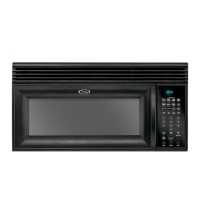
What to do if the colon is flashing on my Whirlpool GH4184XSB?
- DDaniel BlakeAug 9, 2025
If you see a flashing colon on your Whirlpool Microwave Oven, simply press any key to stop the flashing. When in standby mode, the colon should then be steady.
What to do if the colon is flashing on my Whirlpool GH4184XSB?
If you see a flashing colon on your Whirlpool Microwave Oven, simply press any key to stop the flashing. When in standby mode, the colon should then be steady.
What to do if my Whirlpool Microwave Oven humidity sensor is out of range?
If the humidity sensor on your Whirlpool Microwave Oven is out of range: 1. Unplug the microwave or disconnect the power. 2. Connect a new sensor to the electronic control (at P1). 3. Replace all parts and panels before operating. 4. Plug the microwave back in or reconnect the power. 5. If the problem continues, unplug the microwave or disconnect the power again. 6. Replace the electronic control. 7. Replace all parts and panels before operating. 8. Plug the microwave back in or reconnect the power.
What to do if my Whirlpool GH4184XSB has a microwave relay failure?
If you're experiencing a microwave relay failure with your Whirlpool Microwave Oven: 1. Unplug the microwave or disconnect the power. 2. Check the wiring to Relay 4903 for short circuits. 3. If the wiring is okay, replace the electronic control. 4. Replace all parts and panels before operating. 5. Plug the microwave back in or reconnect the power.
How to fix a membrane switch failure on a Whirlpool GH4184XSB?
To address a membrane switch failure on your Whirlpool Microwave Oven: 1. Unplug the microwave or disconnect the power. 2. Replace the membrane switch. 3. If the issue remains, replace the electronic control. 4. Replace all parts and panels before operating. 5. Plug the microwave back in or reconnect the power.
Explains safety alert symbols, DANGER, and WARNING meanings.
Details precautions during servicing to avoid microwave energy exposure.
Lists detailed technical specifications for specific microwave models.
Specifies installation requirements and product/installation dimensions.
Details electrical specs, safety warnings, and grounding instructions.
Instructions for rotating blower motor and installing for wall/roof venting.
Procedures for mounting, adjusting, and securing the microwave oven.
Identifies and illustrates the various parts and features of the microwave oven.
Explains control panel buttons, display, clock, timer, and modes.
Diagram showing the location of internal components for service access.
Procedure to check continuity of primary, secondary, and monitor interlock switches.
Lists error codes and recommended repair procedures.
Procedure to test microwave oven's heating performance with water.
Schematic showing electrical connections and component layout for the microwave.
Explains safety alert symbols, DANGER, and WARNING meanings.
Details precautions during servicing to avoid microwave energy exposure.
Lists detailed technical specifications for specific microwave models.
Specifies installation requirements and product/installation dimensions.
Details electrical specs, safety warnings, and grounding instructions.
Instructions for rotating blower motor and installing for wall/roof venting.
Procedures for mounting, adjusting, and securing the microwave oven.
Identifies and illustrates the various parts and features of the microwave oven.
Explains control panel buttons, display, clock, timer, and modes.
Diagram showing the location of internal components for service access.
Procedure to check continuity of primary, secondary, and monitor interlock switches.
Lists error codes and recommended repair procedures.
Procedure to test microwave oven's heating performance with water.
Schematic showing electrical connections and component layout for the microwave.
| Brand | Whirlpool |
|---|---|
| Model | GH4184XSB |
| Category | Microwave Oven |
| Language | English |