8
GB
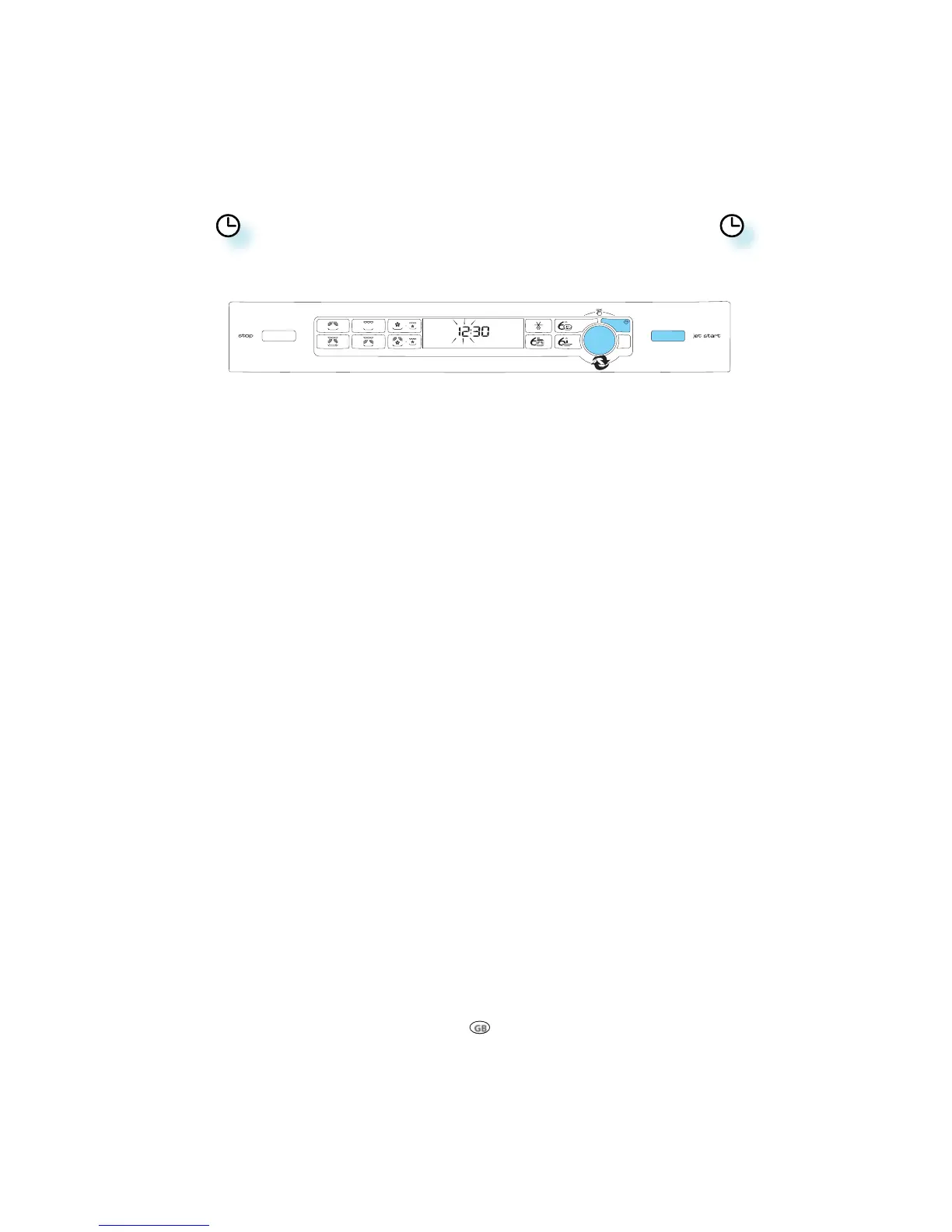
CLOCK
WHEN THE APPLIANCE IS FIRST PLUGGED IN or after a power failure, the display is blank. If the clock is not
set, the display will remain blank until the cooking time is set.
q
PRESS THE CLOCK BUTTON (3 seconds) until the left-hand digits (hours) flicker.
w
TURN THE ADJUST KNOB to set the hours and PRESS IT to confirm. (The right-hand digits (minutes)
flicker.)
e
TURN THE ADJUST KNOB to set the minutes.
r
PRESS THE ADJUST KNOB or CLOCK or START BUTTON.
T
HE CLOCK IS SET and in operation.
IF YOU WISH TO REMOVE THE CLOCK from the display once it has been set, simply press the Clock button
again for 3 seconds until the left hand digits (hours) icker, then press the Stop button.
TO REINSTATE THE CLOCK, follow the above procedure.
NOTE: KEEP THE DOOR OPEN WHILE SETTING THE CLOCK. This gives you 10 minutes to complete the setting
of the Clock. Otherwise, each step must be accomplished within 60 seconds.
q
w
e
r
r
r




 To Next Page