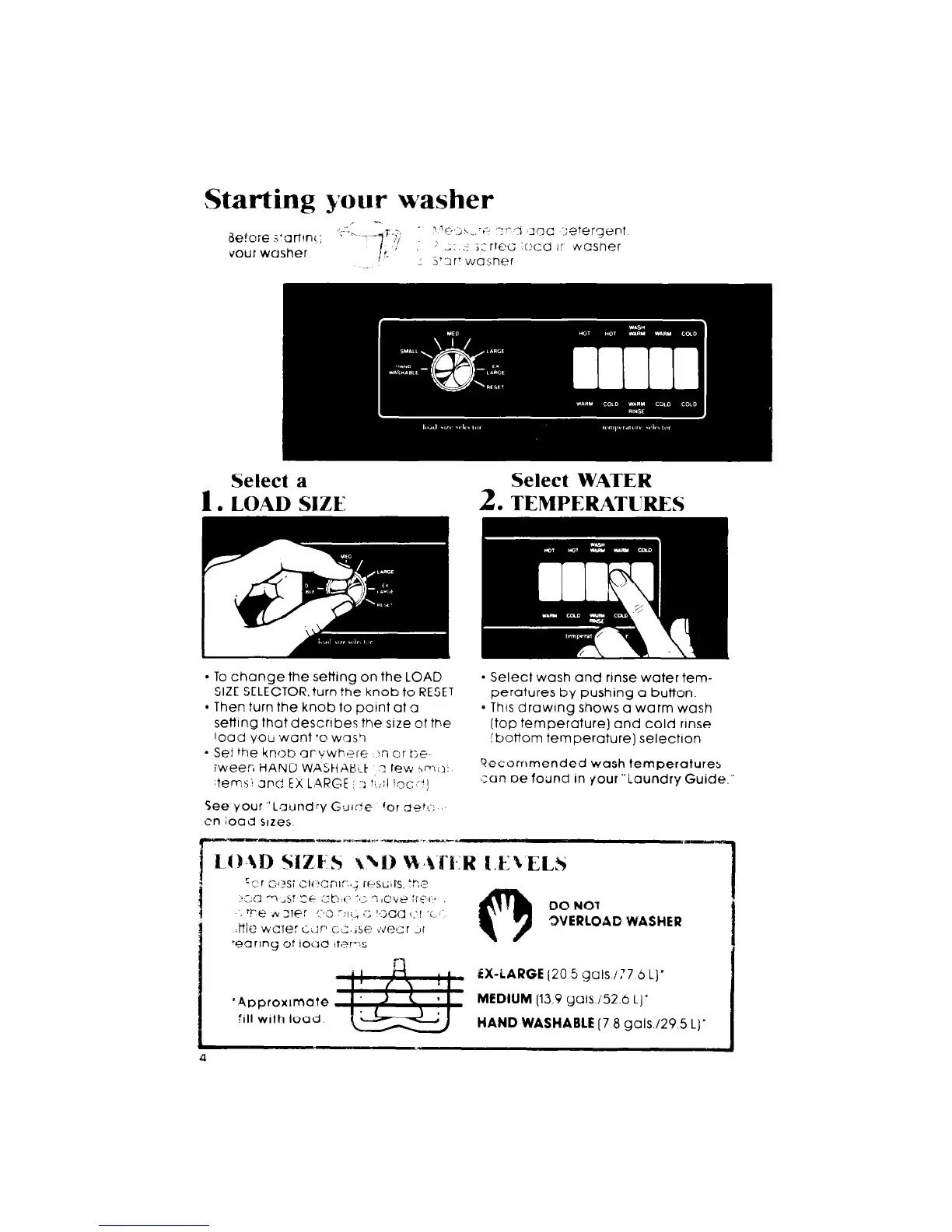
Select a
I. LOAD SIZE
Select WATER
2.
TEMPERATURES
l
To change the setting on the LOAD
SIZE SELECTOR. turn the knob to RESET
l
Then turn the knob to point at a
setting that describes the srze of the
road
yocl
want ‘0 was?
- Set the knob arvwh+.:re 1~7 cr
tje-
iweer, HANC WAStiAP.!.F 7 few \I--IC>:
terns1 end EX L,ARGE .: ?!,;:I !.oc ~‘1
l
Select wash and rinse water tem-
peratures by pushing a button.
* Thus drawrng shows a warm wash
[top temperature) and cold rrnse
ibottom temperature) selectron
?ecornmended wash temperatures
.:an oe foilnd in your “Laundry Guide.”



 To Next Page