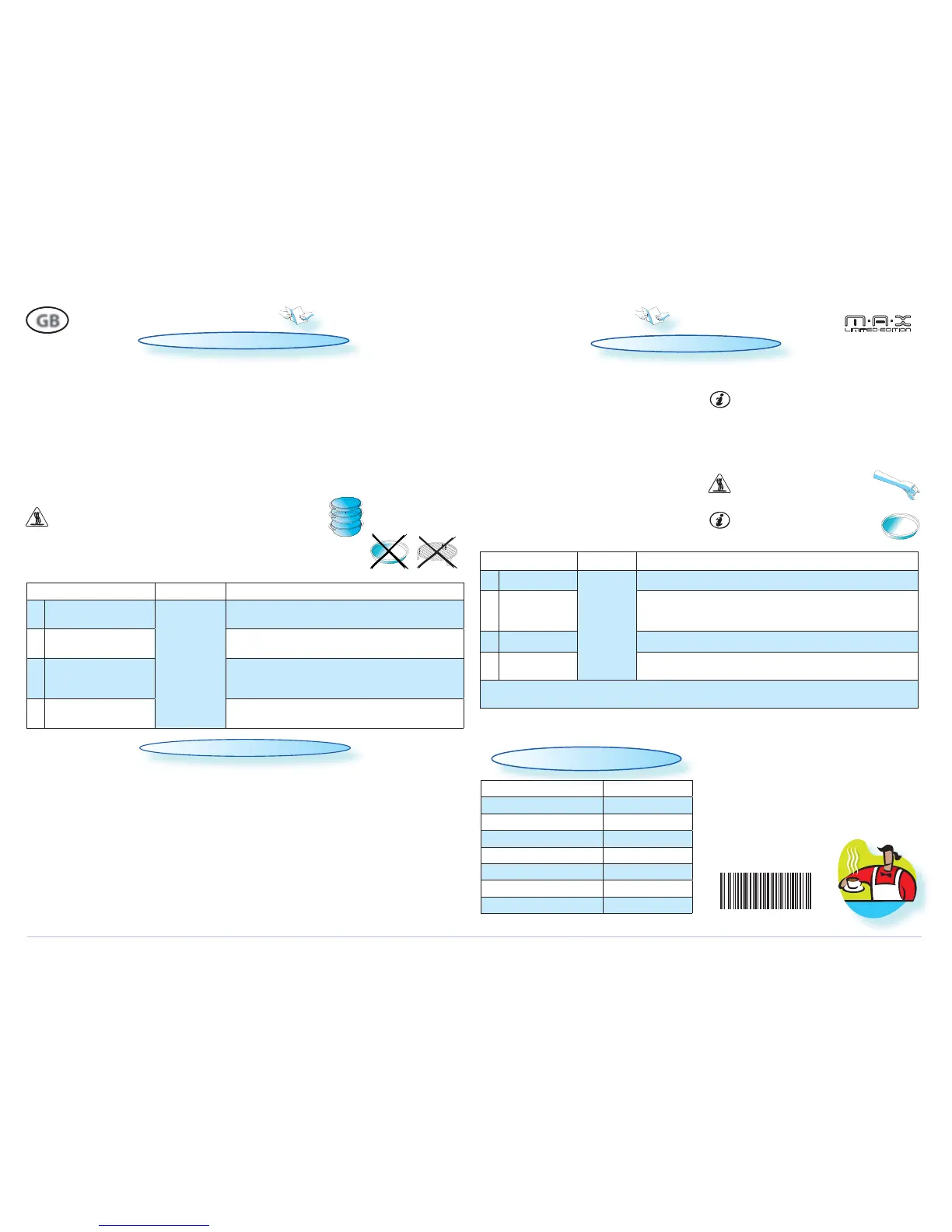
USE THIS FUNCTION TO Defrost crispy bread. Crisp Defrost should only be used if the net weight is between
50g- 400g.
q
PRESS THE CRISP DEFROST BUTTON.
w
TURN THE TOUCH SELECTOR to select the weight.
e
PRESS CONFIRMATION BUTTON to con rm. Then a message appears to inform you to use the crisp plate.
r
PRESS JET START BUTTON to preheating of the Crisp plate. When the temperature has been reached, a
message informs you to insert the food (bread).
t
ADD FOOD(BREAD) and press start button.
CRISP DEFROST
IF YOU DO NOT open and close door in add food stage, the cooking can not be resumed and continue
cooking.
6
TH
SENSE CRISP
FOOD CLASS AMOUNT HINTS
q
PIZZA, FROZEN
300400G
For pizzas with crust.
w
FRENCH FRIES,
FROZEN
Spread out the fries in an even layer on the crisp plate. Sprinkle with
salt if crispier fries are desired. The fries can be stirred when the time
is displayed.
e
QUICHE FROZEN
Remove package and place the Quiche on the crisp plate.
r
CHICKEN NUGGETS/
WINGS, FROZEN
Spread out the Chicken wings in an even layer on the crisp plate. The
chicken Nuggets can be stirred when the time is displayed.
FOR FOOD NOT LISTED IN THIS TABLE and if the weight is lesser or greater than recommended weight, you
should follow the procedure for the manual Crisp function.
U
SE THIS FUNCTION TO cook Pizzas, French Fries, Quiche, and Chicken nuggets. This function is used only for
frozen ready-made food.
q
PRESS THE 6
TH
SENSE BUTTON mode position.
w
TURN TOUCH SELECTOR to select 6
th
Sense Crisp.
e
PRESS CONFIRMATION BUTTON to con rm.
r
TURN TOUCH SELECTOR to select the food type.
t
PRESS CONFIRMATION BUTTON to con rm. Then a
message appears
Informing the users to use
the crisp plate.
y
PRESS JET START BUTTON.
ONLY THE FOOD IS TO be placed on the
Crisp plate.
D
O NOT PLACE any containers or wrappings on
the Crisp plate!
O
NLY USE the supplied Crisp plate with this func-
tion. Other available Crisp plates on the market
will not give the correct result when using this
function.
USE OVEN MITTENS or the special
Crisp handle supplied when re-
moving the hot Crisp-plate.
GB
QUICK REFERENCE GUIDE
TECHNICAL SPECIFICATION
MODEL MAX109
S
UPPLY VOLTAGE 230 V/50 HZ
RATED POWER INPUT 1500 W
F
USE 10 A (UK 13 A)
MW OUTPUT POWER 700 W
G
RILL 650 W
O
UTER DIMENSIONS (HXWXD) 360 X 392 X 350
INNER DIMENSIONS (HXWXD) 149 X 290 X 290
USE THIS FUNCTION FOR such food as vegetables, Frozen vegetables, fish fillets, fruits.
ALWAYS USE SUPPLIED STEAMER when using this function.
q
PRESS THE 6
TH
SENSE BUTTON mode position.
w
TURN TOUCH SELECTOR to select 6
th
Sense Steam.
e
PRESS CONFIRMATION BUTTON to con rm.
r
TURN TOUCH SELECTOR to select the food type.
t
PRESS CONFIRMATION BUTTON to con rm. Two messages appear to remind you to use the steamer and
add water to steamer.
y
PRESS JET START BUTTON.
THE STEAMER IS designed to be used with microwaves only!
NEVER USE IT with any other function at all.
U
SING THE STEAMER in any other function may cause damage.
ALWAYS ENSURE THAT the turntable is able to turn freely before starting the oven.
ALWAYS PLACE the steamer on the Glass Turntable.
6
TH
SENSE STEAM
FOOD CLASS AMOUNT HINTS
q
VEGETABLES
300
G - 400G
PLACE IN STEAM GRID. Add 100ml water in bottom and
cover with lid.
w
FROZEN VEGETABLES
ALLOW TO STAND for 1 - 2 minutes. Add 100ml water in
bottom and cover with lid.
e
FISH FILETS
DISTRIBUTE FILLETS EVENLY on the steam grid. Interlace thin
parts. Allow to stand for 1 - 2 minutes, after cooking.
Add 100ml water in bottom and cover with lid.
r
FRUITS
PLACE IN STEAM GRID. Add 100ml water in bottom and
cover with lid.
Y
OU CAN PRESS back button if you wish to return to
previous setting.
Y
OU CAN PRESS back button if you wish to return to previous setting.
W10415284


 To Previous Page
 Loading...