18
GB
AUTO COOK MENU
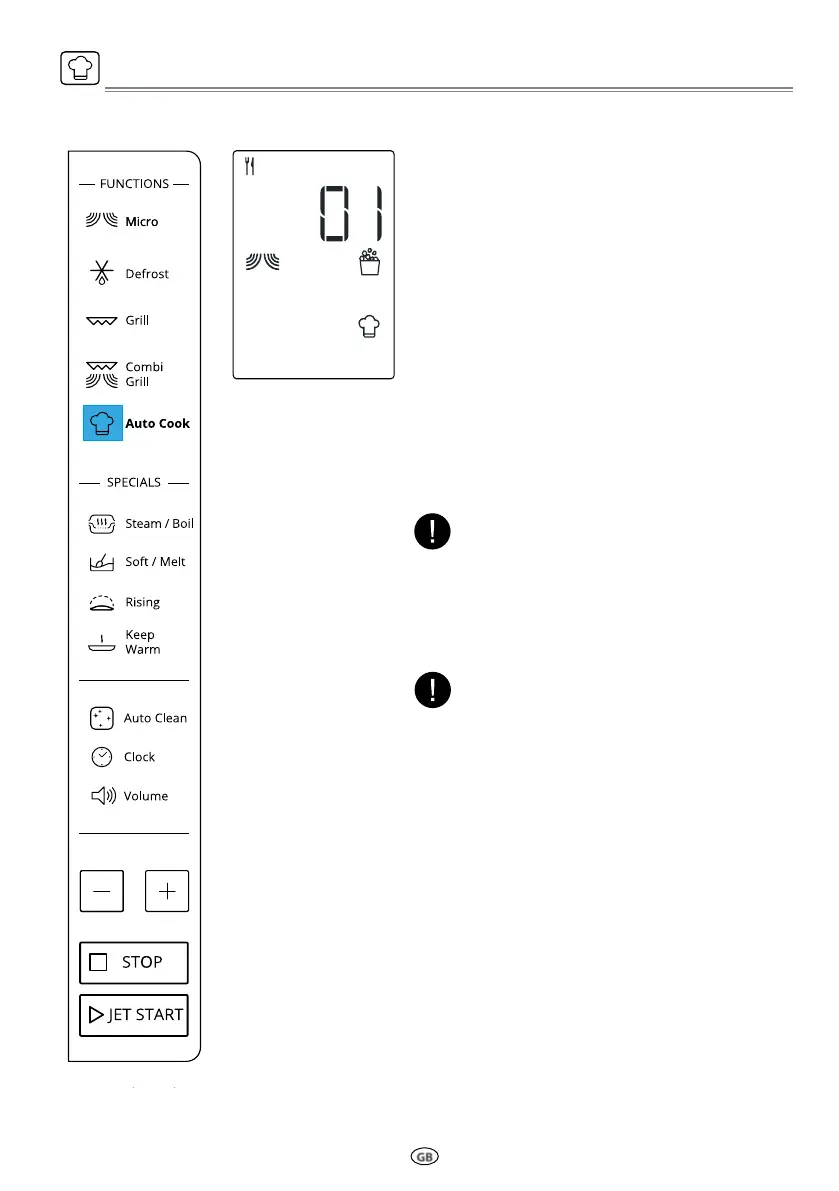
A selection of automatic recipes with preset
values to offer optimal cooking results.
q
Press the Auto Cook button,display show
as left side.
w
Press Auto Cook button repeatly or press
+/- button to select the desired recipe (see
the table following).
e
Press the JET START button to confirm the
recipe and press +/- button to select the
weight when there is a weight range in the
table.
r
Press the JET START button.The function
will start.
According to the selected recipe, after a certain
time, the display would ask you to add or turn
or stir the food. See “Add/Stir/Turn food” chap-
ter on page 11.
NOTE:
The cooking recipe will be confirmed once you
leave the function button for 3 Seconds,press
the function key again to change the recipe type.
NOTE:



 To Next Page