EasyManua.ls Logo

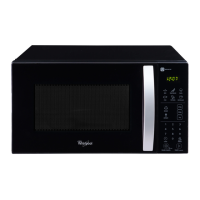
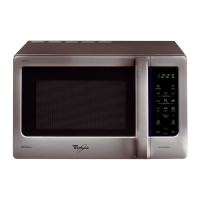
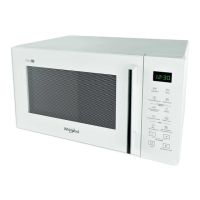
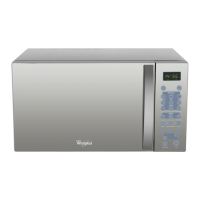
Whirlpool MWX303 ES - User Manual

Whirlpool MWX303 ES
15 pages
Print Icon
To Next Page IconTo Next Page
Loading...
Model: MWX303 ES
Microwave Oven User's manual
Please read these instructions carefully before installing and operating the oven.
Record in the space below the SERIAL NO. which found on the nameplate on your oven and
retain this information for future reference.
SERIAL NO.
Question and Answer IconNeed help?

Do you have a question about the Whirlpool MWX303 ES and is the answer not in the manual?

Summary

Precautions to Avoid Possible Exposure to Excessive Microwave Energy

Important Safety Instructions

Installation Guide

Grounding Instructions

Electrical Requirements

Utensils Guide

Recommended Utensils

Lists utensils suitable for microwave use, including browning dish, plastic wrap, paper towels, glass dishes, paper plates, and wax paper.

Limited Use Utensils

Details utensils with restricted use, such as aluminum foil, ceramic, porcelain, stoneware, and some plastics.

Cooking Techniques

Stirring and Arrangement

Techniques for even cooking, like stirring food and arranging items to ensure uniform heating.

Shielding and Turning

Methods to prevent overcooking using foil and turning food for consistent microwave energy exposure.

Standing and Adding Moisture

Importance of resting food after cooking and how adding moisture aids the cooking process.

Specifications

Part Names

Control Panel

Display Screen and Basic Controls

Overview of the display screen and fundamental controls like Clock, Child Lock, Auto Menu, Defrost, and Power.

Advanced Operation Buttons

Explains buttons for Pre-programmed, Favorite, Number Pads, Pause/Cancel, and Start functions.

Operation Instructions

Setting the Clock and Pre-Programmed Cooking

Instructions for setting the oven's clock and scheduling cooking programs for a later start time.

Setting a Cooking Program

Guide on customizing cooking by selecting power levels and duration for manual operation.

My Way and Quick Start Functions

How to use the 'My Way' function for custom programs and the 'Quick Start' for immediate 30-second cooking.

Defrost Functionality

Instructions for defrosting different food types (meat, chicken, ready meal) by weight.

Child Lock and Auto Cook

How to activate/deactivate the child lock and use the auto cook feature for specific food types.

Cleaning and Care

Summary

Precautions to Avoid Possible Exposure to Excessive Microwave Energy

Important Safety Instructions

Installation Guide

Grounding Instructions

Electrical Requirements

Utensils Guide

Recommended Utensils

Lists utensils suitable for microwave use, including browning dish, plastic wrap, paper towels, glass dishes, paper plates, and wax paper.

Limited Use Utensils

Details utensils with restricted use, such as aluminum foil, ceramic, porcelain, stoneware, and some plastics.

Cooking Techniques

Stirring and Arrangement

Techniques for even cooking, like stirring food and arranging items to ensure uniform heating.

Shielding and Turning

Methods to prevent overcooking using foil and turning food for consistent microwave energy exposure.

Standing and Adding Moisture

Importance of resting food after cooking and how adding moisture aids the cooking process.

Specifications

Part Names

Control Panel

Display Screen and Basic Controls

Overview of the display screen and fundamental controls like Clock, Child Lock, Auto Menu, Defrost, and Power.

Advanced Operation Buttons

Explains buttons for Pre-programmed, Favorite, Number Pads, Pause/Cancel, and Start functions.

Operation Instructions

Setting the Clock and Pre-Programmed Cooking

Instructions for setting the oven's clock and scheduling cooking programs for a later start time.

Setting a Cooking Program

Guide on customizing cooking by selecting power levels and duration for manual operation.

My Way and Quick Start Functions

How to use the 'My Way' function for custom programs and the 'Quick Start' for immediate 30-second cooking.

Defrost Functionality

Instructions for defrosting different food types (meat, chicken, ready meal) by weight.

Child Lock and Auto Cook

How to activate/deactivate the child lock and use the auto cook feature for specific food types.

Cleaning and Care

Whirlpool MWX303 ES Specifications

General IconGeneral
Control TypeElectronic
Grill Power1000 W
Defrost FunctionYes
Auto Cook MenuYes
ColorSilver
TypeMicrowave Oven
Capacity30 Litres

Related product manuals