17
BROILING (CONT.)
USING YOUR RANGE
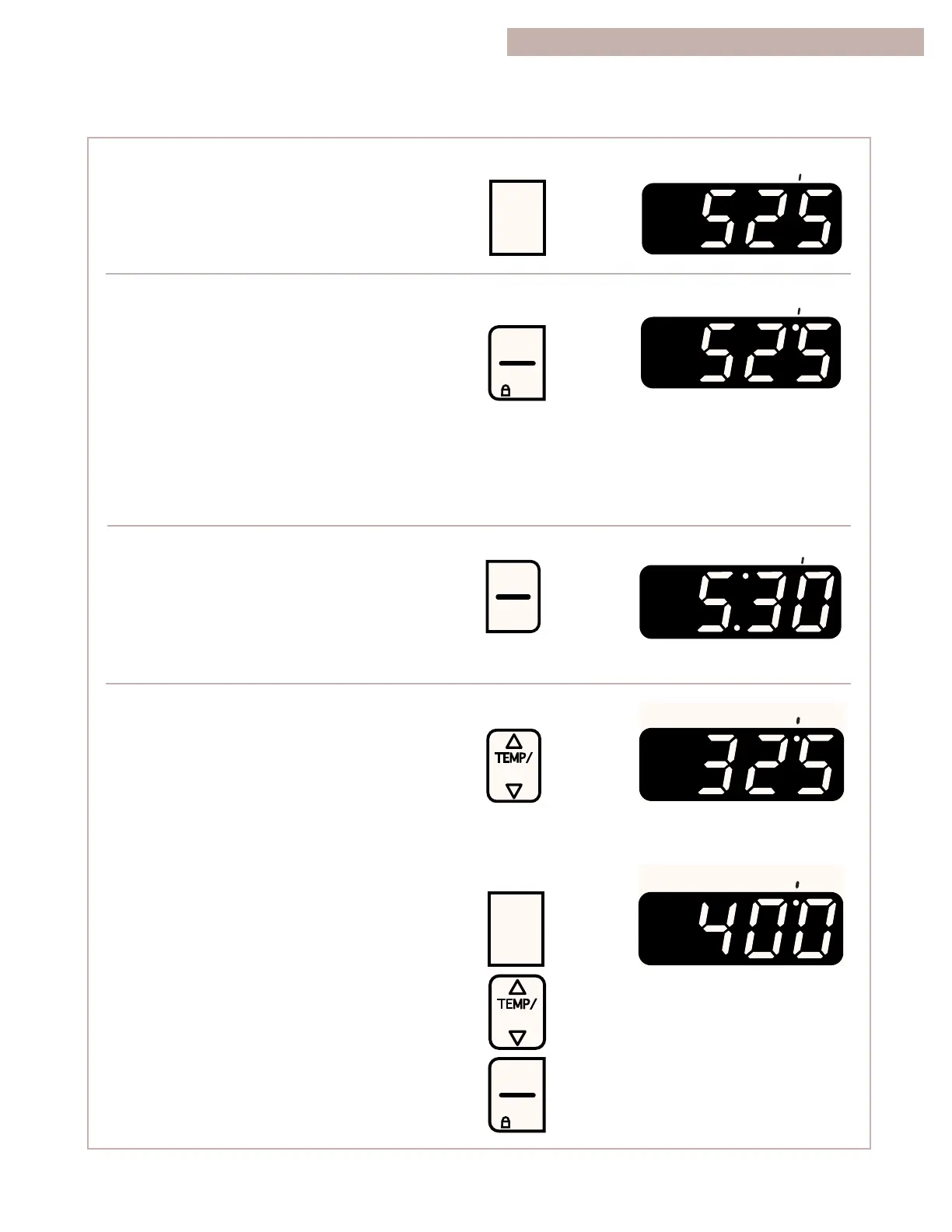
5. Press CUSTOM BROIL.
The broil indicator light will light up.
6. Start the oven.
The on and heat indicator lights will light up.
NOTES:
•
You can change the temperature setting any
time after pressing START/ENTER. To change
the setting, see “To custom broil at a lower
temperature” below.
•
If you are broiling while the minute timer is
counting down, you can see the set broiling
temperature for 5 seconds by pressing
CUSTOM BROIL.
7. After broiling, turn off the oven.
To custom broil at a lower temperature:
•
If food is cooking too fast, press the t
temp pad until “325°F” shows on the display.
•
If you want food to broil slower from the start,
press CUSTOM BROIL and press the t temp
pad so a temperature between 300°F and 525°F
shows on the display. Press START/ENTER.
Lower temperature settings let the broil burner
cycle and slow cooking results. The lower the
temperature, the slower the cooking.
NOTE: Thicker cuts and unevenly shaped pieces
of meat, fish, and poultry may cook better if you use
lower broiling temperatures.



 To Next Page