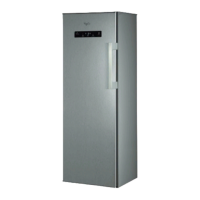
This document is a user manual for a Whirlpool refrigerator, providing comprehensive information on its features, usage, maintenance, and troubleshooting.
Function Description
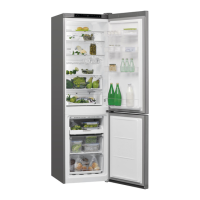
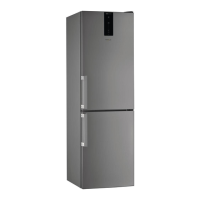
The Whirlpool refrigerator is designed for storing fresh and frozen food and beverages. It features separate compartments for refrigeration and freezing, both equipped with No-frost technology to prevent ice build-up and eliminate the need for manual defrosting. The appliance incorporates a "6th Sense" function that automatically optimizes conditions for food preservation, activating when large amounts of food are loaded, the door is left open for an extended period, or during prolonged power failures.
The refrigerator compartment offers various storage solutions, including shelves, a fruit and vegetable bin, and a "Fresh Box 0°" compartment. The Fresh Box 0° maintains a temperature range of -2°C to 3°C, ideal for storing meat, fish, delicate foods, rapid cooling of hot foods, and low-temperature defrosting to inhibit microorganism proliferation. The freezer compartment is designed for storing frozen food and freezing fresh food, with drawers that can be removed to increase storage volume.
Important Technical Specifications
While specific technical specifications like dimensions, energy rating, or capacity are not detailed in this excerpt, the manual highlights several functional aspects:
- Temperature Control: The appliance features a control panel with an on/off button, fridge temperature indicator, fridge temperature setting, fast freeze indicator light, and a fast freeze button. The fridge temperature can be adjusted cyclically.
- Defrosting: Both refrigerator and freezer compartments are No-frost, meaning defrosting is automatic. Water droplets on the rear wall of the refrigerator indicate the automatic defrost phase, with water draining into a container for evaporation.
- Lighting: An LED light illuminates the refrigerator compartment when the door is opened. It automatically switches off if the door remains open for more than 8 minutes.
- Humidity Control: A humidity regulator (position B for less humid, A for more humid) is available in the fruit and vegetable bin, allowing users to adjust the environment for different types of produce.
- Door Reversibility: The direction of door opening can be changed, though this operation is not covered by warranty if performed by the user and requires After-sales Service.
- Functional Sounds: The manual explains various normal operational sounds, such as hissing (initial switch-on), gurgling (refrigerant fluid), BRRR (compressor), buzzing (water valve/fan), cracking (compressor start), and clicking (thermostat).
Usage Features
- First-Time Use: Before connecting, clean compartments and accessories. After plugging in, wait 4-6 hours before loading food. The display lights up for about 1 second, showing default factory settings.
- Food Storage:
- Refrigerator: Foods emitting ethylene gas (e.g., apples, apricots) should be separated from gas-sensitive foods (e.g., fruit vegetables, salad). Avoid overcrowding for air circulation. Use recyclable plastic, metal, aluminum, and glass containers, and cling film. Liquids and odor-emitting foods should be in closed containers. The shelves above the crisper are the coolest area. A bottle holder is available on some models.
- Freezer: Arrange fresh food in the freezing area with space for air circulation. Do not re-freeze partially defrosted food. Wrap food to prevent water, humidity, or condensation ingress. Ice trays should be filled 2/3 with water.
- Easy Access Tray (Freezer): A dedicated tray for frequently used products, freezing leftovers, or small items.
- Removable Components: All shelves, flaps, and pull-out baskets are removable for flexibility and cleaning.
- Fast Freeze Function: Used for freezing fresh foods quickly. The fast freeze indicator light illuminates when activated. During this function, avoid enabling air in the fridge compartment to prevent excessively cold temperatures. A medium position is recommended for optimal food conservation.
- Shopping Tips for Frozen Food: Check packaging for damage, transport in a cool bag, place immediately in the freezer, do not re-freeze defrosted food, minimize temperature variations, and observe best-before dates.
Maintenance Features
- Cleaning:
- Before Cleaning: Unplug the appliance.
- General Cleaning: Periodically clean with a cloth and a solution of lukewarm water and neutral detergent. Removable accessories can be washed with warm water and soap/dishwashing liquid.
- Exterior: Clean the outside and door seal with a damp cloth and dry with a soft cloth.
- Condenser: Regularly clean the condenser at the rear of the appliance with a vacuum cleaner.
- Draining Hole: Regularly clean the draining hole on the back of the refrigerator (near the fruit and vegetable drawer) using the provided tool to ensure continuous defrost water flow.
- Control Panel: Clean buttons and display with a dry cloth only; avoid alcohol or alcohol-derived substances.
- Prohibited: Do not use abrasives, flammable fluids, or steam cleaners. Appliance accessories are generally not dishwasher safe unless specified.
- No Use of Appliance: If not in use, disconnect from power, empty, defrost (if necessary), and clean. Keep doors slightly ajar to allow air circulation and prevent mold/odors.
- Power Interruption: Keep doors closed to maintain cold temperatures. Do not re-freeze partially defrosted food. A black-out alarm may activate in electronic models during prolonged power cuts.
- Troubleshooting: The manual provides a table with common issues (e.g., appliance not working, water in defrost pan, warm cabinet edges, light not working, motor running too much, high temperature, doors not closing properly), possible reasons, and solutions.
- After-Sales Service: Instructions for contacting service, including checking the troubleshooting guide first, then providing a brief description of the fault, appliance type/model, service number (from rating plate), full address, and telephone number. Emphasizes using authorized service for repairs and original spare parts.


 To Next Page
 General