EasyManua.ls Logo

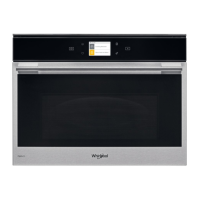
Whirlpool W9 MD260 IXL - User Manual

Whirlpool W9 MD260 IXL
273 pages
Print Icon
To Next Page IconTo Next Page
Loading...
EN
1
Owner's Manual
PRODUCT DESCRIPTION
1
2
4
7
6
5
3
1. Control panel
2. Circular heating element
(non-visible)
3. Identification plate
(do not remove)
4. Door
5. Upper heating element/grill
6. Light
7. Turntable
CONTROL PANEL DESCRIPTION
1. ON / OFF
For switching the oven on and off.
2. HOME
For gaining quick access to the
main menu.
3. FAVORITE
For retrieving up the list of your
favorite functions.
4. DISPLAY
5. TOOLS
To choose from several options
and also change the oven settings
and preferences
6. REMOTE CONTROL
To enable use of the 6
th
Sense Live
Whirlpool app.
7. CANCEL
To stop any oven function except
the Clock, Kitchen Timer and
Control Lock.
1
2 3 4 65 7
THANK YOU FOR BUYING A WHIRLPOOL PRODUCT
In order to receive a more complete assistance, please
register your product on www . whirlpool . eu/ register
PLEASE SCAN THE QR CODE ON
YOUR APPLIANCE IN ORDER TO
REACH MORE INFORMATION
Before using the appliance carefully read the Safety
Instruction.

Other manuals for Whirlpool W9 MD260 IXL

Questions and Answers

  • K
    Kimberly WalkerAug 11, 2025
    How to troubleshoot a Whirlpool Microwave Oven that is not working?
    • G
      Gene LynchAug 11, 2025
      If your Whirlpool Microwave Oven is not working, check if there's a power cut or disconnection from the mains. Ensure the oven is properly connected to the electricity supply. Try turning the oven off and restarting it to see if the problem persists.
  • S
    Stacey ConleyAug 19, 2025
    What does it mean if my Whirlpool Microwave Oven display shows an 'F' error?
    • D
      David HuffmanSep 12, 2025
      If the display of your Whirlpool Microwave Oven shows the letter “F” followed by a number or letter, this indicates an oven failure. Contact your nearest Client After-sales Service Centre and state the number following the letter “F”. You can also try to reset to factory settings: press, tap ”Info” and then select “Factory Reset”. Be aware that all saved settings will be deleted.
  • S
    Sandra WiseAug 27, 2025
    What to do if the WiFi icon is on the Whirlpool Microwave Oven display?
    • K
      Kenneth ChambersAug 27, 2025
      If the WiFi icon is displayed on your Whirlpool Microwave Oven, it could be due to several reasons. First, ensure that your WiFi router is connected to the internet and that the WiFi signal strength near the appliance is strong. Try restarting the router. If your home wireless network settings have changed, reconnect to the network by pressing “WiFi” and then selecting “Connect to Network”.
  • M
    Mary SolomonSep 3, 2025
    Why is my Whirlpool Microwave Oven making noise when off?
    • J
      johnsonjenniferSep 3, 2025
      If your Whirlpool Microwave Oven is making noises even when it's switched off, it's likely that the cooling fan is still active. You can open the door or wait until the cooling process has finished.

Whirlpool W9 MD260 IXL Specifications

General IconGeneral
Control TypeElectronic
Self-CleaningNo
Microwave power900 W
Number of power levels7
Interior lightYes
ClockYes
Child lockYes
Width595 mm
Height595 mm
ColorStainless steel
Depth568 mm

Related product manuals