EasyManua.ls Logo

Whirlpool W7OM44S1H - User Manual

Whirlpool W7OM44S1H
12 pages
Print Icon
To Next Page IconTo Next Page
Loading...
1
EN
DAILY REFERENCE
GUIDE
THANK YOU FOR PURCHASING A
WHIRLPOOL PRODUCT
To receive more comprehensive help and
support, please register your product at
www . whirlpool . eu/ register
WWW
You can download the Safety Instructions
and the Use and Care Guide by visiting our
website docs . whirlpool . eu and following the
instructions on the back of this booklet.
Before using the appliance carefully read the Health and Safety guide.
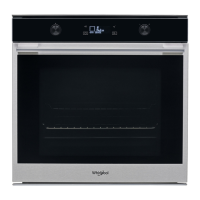
PRODUCT DESCRIPTION
1. Control panel
2. Fan
3. Circular heating element
(not visible)
4. Shelf guides
(the level is indicated on the front
of the oven)
5. Door
6. Upper heating element/grill
7. Lamp
8. Identification plate
(do not remove)
9. Lower heating element
(not visible)
CONTROL PANEL DESCRIPTION
1
2
3 4 5 76 8 9
1. ON / OFF
For switching the oven on and off
and for stopping an active function.
2. FUNCTIONS DIRECT ACCESS
For quick access to the functions
and menu.
3. NAVIGATION BUTTON MINUS
For scrolling through a menu and
decreasing the settings or values of
a function.
4. BACK
For returning to the previous screen.
During cooking, allows settings to
be changed.
5. DISPLAY
6. CONFIRM
For confirming a selected function
or a set value.
7. NAVIGATION BUTTON PLUS
For scrolling through a menu and
increasing the settings or values of a
function.
8. OPTIONS / FUNCTIONS DIRECT
ACCESS
For quick access to the functions,
duration, settings and favorites.
9. START
For starting a function using the
specified or basic settings.
5
4
3
2
1
5
4
3
2
1
1
2
3
4
5
8
9
7
6


Questions and Answers

  • B
    Brian PetersenAug 10, 2025
    What to do if my Whirlpool Oven is not working?
    • L
      Lucas MeltonAug 10, 2025
      If your Whirlpool Oven isn't working, first check if there's a power cut or disconnection from the mains. Ensure the oven is properly connected to the electricity supply. Try turning the oven off and then restarting it to see if the issue resolves itself.
  • R
    Rebecca SotoAug 16, 2025
    Why does my Whirlpool Oven not heat up?
    • R
      Richard GarciaAug 16, 2025
      If your Whirlpool Oven isn't heating up, it might be in 'DEMO' mode. When 'DEMO' mode is active, all commands and menus are available, but the oven won't heat, and 'DEMO' appears on the display every 60 seconds. To fix this, access 'DEMO' from the 'SETTINGS' menu and select 'Off'.
  • P
    Patrick ReeseAug 22, 2025
    How to stop the light from switching off in my Whirlpool W7OM44S1H Oven?
    • T
      toddmillerAug 22, 2025
      If the light in your Whirlpool Oven keeps switching off, it's likely because 'ECO' mode is turned on. To prevent this, access 'ECO' from the 'SETTINGS' menu and select 'Off'.
  • T
    Taylor MannAug 28, 2025
    What to do if my Whirlpool W7OM44S1H display shows 'F' followed by a number?
    • A
      Alvin KingAug 28, 2025
      If the display of your Whirlpool Oven shows the letter 'F' followed by a number or letter, this indicates an oven failure. Turn off the oven and restart it to see if the problem persists. You can also try performing a 'FACTORY RESET' from the 'SETTINGS' menu.
  • N
    Nichole LaneSep 3, 2025
    Why does my Whirlpool W7OM44S1H keep tripping the home power?
    • K
      Kathy StevensSep 3, 2025
      If your Whirlpool Oven is causing the home power to go off, it could be due to an incorrect power setting. Verify that your domestic network has a rating of more than 3 kW. If it doesn't, decrease the power to 13 Ampere by accessing 'POWER' from 'SETTINGS' and selecting 'LOW'.

Whirlpool W7OM44S1H Specifications

General IconGeneral
BrandWhirlpool
ModelW7OM44S1H
CategoryOven
LanguageEnglish

Related product manuals