EN
Quick guide
1
THANK YOU FOR BUYING A WHIRLPOOL PRODUCT
In order to receive a more complete assistance, please
register your product on www.whirlpool.eu/register
Before using the appliance carefully read the Safety
Instruction.
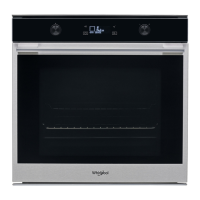
PRODUCT DESCRIPTION
1. Control panel
2. Fan
3. Circular heating element
(not visible)
4. Shelf guides
(the level is indicated on the
front of the oven)
5. Door
6. Upper heating element/grill
7. Lamp
8. Meat probe insert point
9. Identification plate
(do not remove)
10. Lower heating element
(not visible)
CONTROL PANEL DESCRIPTION
1
2
3 4 5 76 8 9
1. ON / OFF
For switching the oven on and
off and for stopping an active
function.
2. FUNCTIONS DIRECT ACCESS
For quick access to the functions
and menu.
3. NAVIGATION BUTTON MINUS
For scrolling through a menu and
decreasing the settings or values
of a function.
4. BACK
For returning to the previous
screen.
During cooking, allows settings to
be changed.
5. DISPLAY
6. CONFIRM
For confirming a selected function
or a set value.
7. NAVIGATION BUTTON PLUS
For scrolling through a menu and
increasing the settings or values of
a function.
8. OPTIONS / FUNCTIONS DIRECT
ACCESS
For quick access to the functions,
duration, settings and favorites.
9. START
For starting a function using the
specified or basic settings.
5
4
3
2
1
5
4
3
2
1
1
2
3
4
5
9
10
7
6
8
25-Jun-2024 10:39:21 CEST | RELEASED
In some European factories the letter "W" of the part code mentioned herein will be automatically
replaced by the number "4000" (e.g. "W12345678" becomes "400012345678")

 Need help?


 To Next Page
 General