Need help?
Do you have a question about the Whirlpool WOS52ES4MZ and is the answer not in the manual?
Essential safety precautions to reduce risks like fire, shock, and injury during oven use.
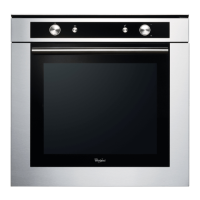
Overview of the oven's components and features, with a numbered diagram.
Explains the function of each icon and keypad on the oven's control panel.
Guidance on placing oven racks and bakeware correctly to avoid damage and ensure good results.
Details on the touch panel's sensitivity and navigation for controlling the oven functions.
Information about the oven display's function, what it shows during use, and its sleep mode behavior.
Instructions on how to navigate menus, select items, and go back using the touch display.
Steps for initial setup, including language selection, Wi-Fi connection, and setting time/date.
How to switch on the oven and select between Manual and Assisted Cooking functions.
Guide to adjusting settings like temperature and broil level for manual cooking functions.
Steps to activate a cooking function after settings are configured, including how to amend or stop it.
Explains the preheating phase, what the display shows, and when to insert food.
What happens when cooking is complete, including options like extra browning or saving favorites.
Step-by-step guide on how to set up and start a manual cooking function.
Describes the Frozen Bake™ function for cooking pre-made frozen foods without preheating.
Overview of the Self Clean function for cleaning the oven at high temperatures.
Provides specific instructions and food types for the Frozen Bake™ function, including shelf levels.
Explains how assisted cooking helps select modes and guides users through the cooking process.
Details on how to select food types and adjust settings like thickness or browning for assisted cooking.
Options for setting time, date, time format, sound volume, timers, and display settings.
Information about service, support, contact details, and factory restore options.
Instructions for setting and using the kitchen timer function.
How to lock and unlock the control panel to prevent accidental use.
Guidance on broiling, including preheating, rack placement, and temperature adjustments.
Recommendations for using different types of bakeware and their placement for optimal cooking results.
Advice on rack positions for various foods and baking types, including the use of Bake and Convect Bake functions.
Explains the preheating process, how it works, and factors affecting its duration.
Information on the Rapid Preheat function and its use for single-rack baking.
How the oven maintains temperature, the effect of opening the door, and recommendations for monitoring.
Descriptions and images of common oven accessories like wire shelves, drip trays, and baking trays.
Detailed instructions and precautions for using the self-cleaning cycle, including preparation and safety warnings.
Explanation of the self-cleaning process, temperature, and potential effects on the oven's finish.
Instructions for setting a delayed start for the self-cleaning cycle.
How to stop the self-cleaning cycle at any time, with a note about door locking.
Cleaning instructions for porcelain enamel, stainless steel, and metallic painted exterior surfaces.
How to clean the oven cavity, interior door, control panel, and oven racks.
Instructions for replacing oven light bulbs, ensuring the oven is cool and power is off.
Solutions for issues like power failure, control lock, or conflicts with self-cleaning cycles.
Troubleshooting common display messages, error codes, and the Demo Mode.
Addressing issues like long preheat times, incorrect cooking results, and browning inconsistencies.
Explanations for normal occurrences like warm air from the oven vent.
Guidance on ordering factory-specified replacement parts and how to find them.
Contact information and services offered by Whirlpool's Customer Experience Center in the USA.
Contact information and services offered by Whirlpool's Customer Experience Centre in Canada.
Information on how to order additional accessories, including part numbers for common items.
 General
| Brand | Whirlpool |
|---|---|
| Model | WOS52ES4MZ |
| Convection | Yes |
| Capacity | 5.0 cu. ft. |
| Self-Cleaning | Yes |
| Color | Stainless Steel |
| Number of Racks | 2 |
| Oven Light | Yes |
| Control Type | Touch |
| Installation Type | Built-In |
| Weight | 150 lbs |
| Oven Type | Single |
| Oven Control Type | Electronic |
| Width | 27.75 inches |

 To Next Page