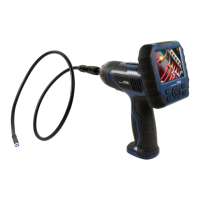
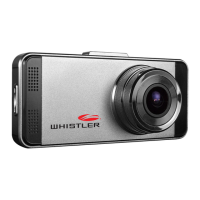
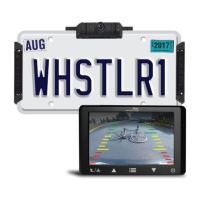
Need help?
Do you have a question about the Whistler WBU-900 and is the answer not in the manual?
Welcomes the user and introduces the product, advising to read the guide.
Instructions on how to charge the camera using a USB cord and charger.
Guides the user through testing the monitor and camera connection and basic functions.
Explains the purpose and operation of each touch button on the monitor.
Details how to navigate menus and adjust settings like brightness and image rotation.
Describes the main menu interface and available options like Image Parameters, Rotation, and SETUP.
Shows the interface for adjusting brightness, contrast, and color settings.
Explains how to adjust specific image parameters using the monitor controls.
Details how to rotate images and perform the initial system setup and pairing.
Explains how to view the software version information of the device.
Explains the meaning of the battery icon and signal strength indicator on the monitor.
Describes the camera's rechargeable battery, solar charging, and wake-up signal mechanism.
Addresses issues like monitor not turning on, no images displayed, poor video quality, shaky image, and short video duration.
States the driver is responsible for vehicle operation and product use.
Advises California and Minnesota drivers about windshield mount restrictions.
Details how to clean the camera using a soft cloth and mild detergent.
Provides steps for replacing the fuse in the power plug.
Recommends recycling or safely disposing of the product at a local center.
Explains FCC requirements regarding modifications and compliance for Class B digital devices.
Lists operational current, pixels, view angle, sensor, image quality, and assembly rating.
Details frequency, RF transmission distance, and operating/storage temperatures.
Outlines LCD size, fuse rating, operational/standby current, pixels, and working temperature.
Outlines the one-year warranty, conditions for voiding it, and liability limitations.
 General
| Brand | Whistler |
|---|---|
| Model | WBU-900 |
| Category | Digital Camera |
| Language | English |

 To Next Page