COMMAND CONTROL
Trackball
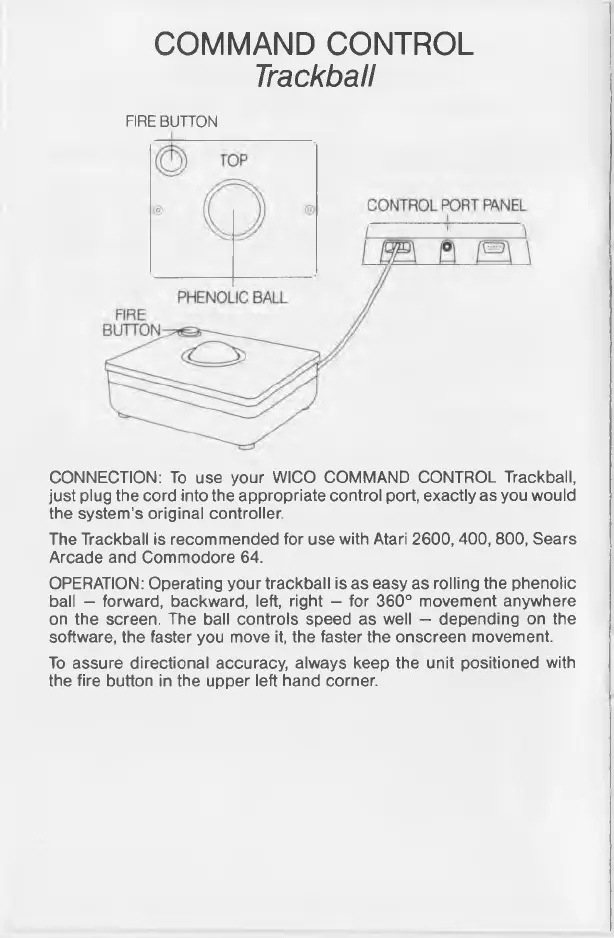
FIRE BUTTON
CONNECTION: To use your WICO COMMAND CONTROL Trackball,
just plug the cord into the appropriate control port, exactly as you would
the system’s original controller.
The Trackball is recommended for use with Atari 2600, 400, 800, Sears
Arcade and Commodore 64.
OPERATION: Operating your trackball is as easy as rolling the phenolic
ball - forward, backward, left, right - for 360° movement anywhere
on the screen. The ball controls speed as well — depending on the
software, the faster you move it, the faster the onscreen movement.
To assure directional accuracy, always keep the unit positioned with
the fire button in the upper left hand corner.



 To Next Page